
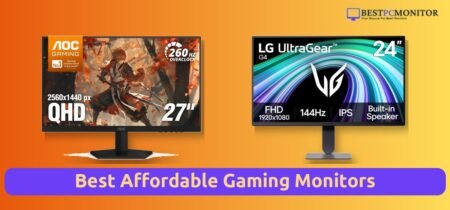
You do not need to spend a fortune to get a great gaming screen in 2026. The quick answer: the best affordable gaming monitor for most people is a 27-inch 1440p IPS screen at 240Hz, and our top pick is the AOC Q27G41ZE. If your budget is tighter, the LG UltraGear 24G414B-B is the best entry-level 1080p choice, and competitive players should look at the 310Hz ASUS TUF Gaming VG259QMR5A.
Instead of one long list, we sorted the best budget gaming monitors by what each one does best: entry-level 1080p, value 1440p, 240Hz and 300Hz+ esports, PS5 and Xbox, curved, ultrawide, 4K, real HDR and the most affordable OLED. Every model is a current listing on Amazon US, and every spec comes from the Amazon listing or the manufacturer.
Top 3 Affordable Gaming Monitors at a Glance
🏆 Best Overall
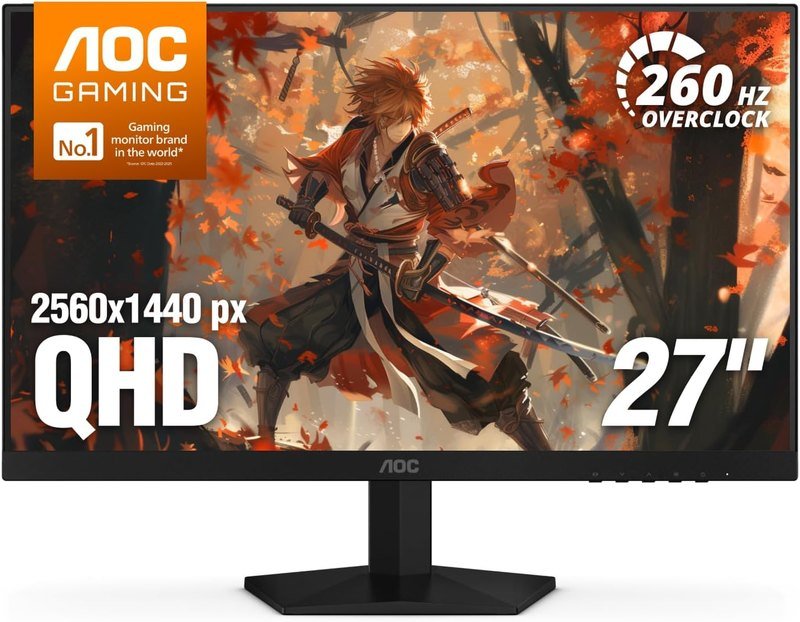
AOC Q27G41ZE
27-inch 1440p IPS at 240Hz. The best balance of sharpness, speed and value.
Check Price on Amazon💰 Best Entry Level
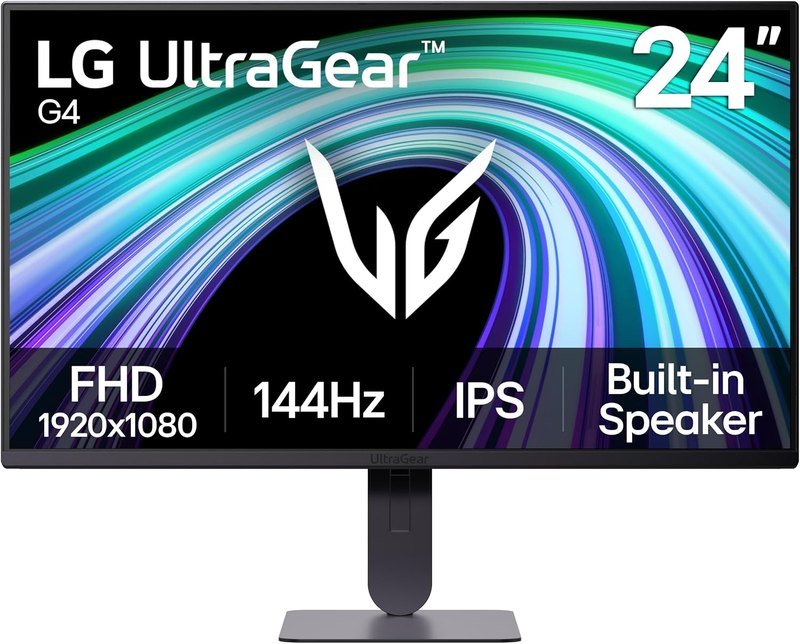
LG UltraGear 24G414B-B
24-inch 1080p 144Hz IPS with a height-adjustable stand and speaker.
Check Price on Amazon🎯 Best for Esports
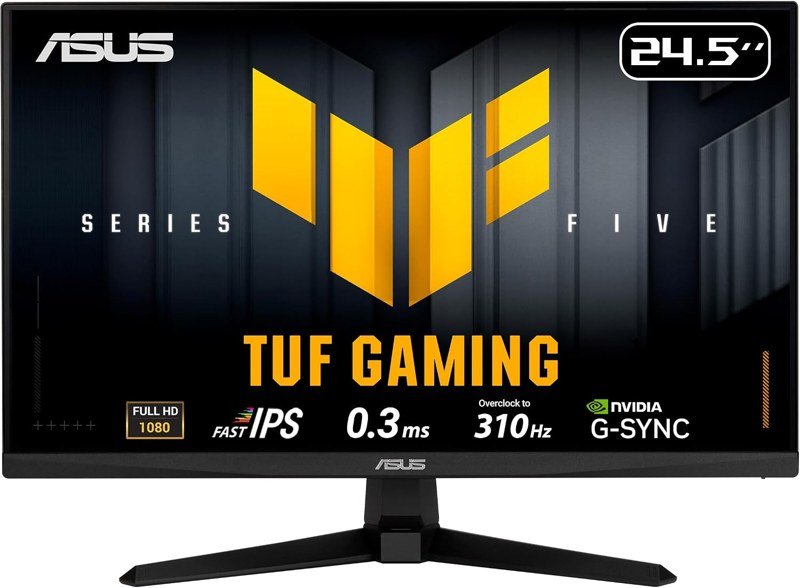
ASUS TUF Gaming VG259QMR5A
24.5-inch Fast IPS overclocked to 310Hz with ELMB Sync.
Check Price on AmazonDeal tip: budget monitor prices change often, especially around sales. Check today’s Amazon price before you buy.
Quick Comparison: Best Affordable Gaming Monitors in 2026
| Monitor | Screen | Panel | Refresh | Best for | Deal |
|---|---|---|---|---|---|
| AOC Q27G41ZE | 27″ 2560 x 1440 | IPS | 240Hz (260Hz OC) | Best value overall | Check Price |
| LG UltraGear 24G414B-B | 24″ 1920 x 1080 | IPS | 144Hz | First gaming monitor | Check Price |
| Dell SE2726HG | 27″ 1920 x 1080 | Fast IPS | 240Hz | Cheap 240Hz | Check Price |
| ASUS TUF Gaming VG259QMR5A | 24.5″ 1920 x 1080 | Fast IPS | 310Hz (OC) | Competitive shooters | Check Price |
| Acer Nitro KG271U Z2 | 27″ 2560 x 1440 | IPS | 275Hz DP / 144Hz HDMI | PC + console | Check Price |
| LG UltraGear 27GS60QC-B | 27″ 2560 x 1440 | VA, 1000R curve | 180Hz | Immersion on a budget | Check Price |
| Sceptre C345B-QUT168 | 34″ 3440 x 1440 | 1500R curve | Up to 180Hz | Ultrawide on a budget | Check Price |
| ASUS TUF Gaming VG27UQ1A | 27″ 3840 x 2160 | Fast IPS | 160Hz | Affordable 4K + consoles | Check Price |
| AOC Q27G4SMN | 27″ 2560 x 1440 | Mini-LED VA | 300Hz | Real HDR for less | Check Price |
| AOC Q27GAZD | 27″ 2560 x 1440 | QD-OLED | 240Hz | Affordable OLED | Check Price |
What Makes a Gaming Monitor Good Value?
A low price only matters if the monitor spends it in the right places. These are the things we prioritise when we judge an affordable gaming monitor.
- Refresh rate first. Going from 60Hz to 144Hz or more is the single biggest upgrade most gamers will feel. Every pick in this guide runs at 144Hz or higher.
- The right resolution for your GPU. 1080p is easy to drive and great at 24 inches; 1440p at 27 inches is the value sweet spot; 4K needs a strong graphics card for high frame rates.
- Panel type that suits your games. IPS gives accurate color and wide viewing angles, VA gives deeper blacks, and OLED or Mini-LED give the best contrast and HDR.
- Honest HDR. “HDR10 support” only means the monitor accepts HDR. For a visible HDR effect you need Mini-LED local dimming (DisplayHDR 1000) or OLED.
- Ports for your setup. DisplayPort for a gaming PC; HDMI 2.1 for PS5 and Xbox Series X at 120Hz with VRR.
- Where it saves money. Most budget monitors cut back on the stand, HDMI version and HDR. Know which of those matter to you before you buy.
Looking for a specific size or refresh rate? See more picks in our guides to the best 1080p monitors, best 24-inch monitors, best 27-inch monitors, best 144Hz monitors and best 240Hz monitors.
The 10 Best Affordable Gaming Monitors in 2026
1. AOC Q27G41ZE (27″ 1440p IPS, 240Hz) – Best Affordable Gaming Monitor Overall
Buy this if: you want the sharpest, fastest gaming screen you can get without paying for premium extras.
Our verdict: The Q27G41ZE is the monitor we would point most budget gamers to first, because it puts its money where you actually see it. You get a 27-inch IPS panel at 2560 x 1440, which is the sweet spot for clarity at desk distance, and a 240Hz refresh rate over DisplayPort (AOC also advertises up to 260Hz with overclocking). Motion stays crisp with a 0.3ms MPRT figure, and Adaptive-Sync works with both AMD and NVIDIA graphics cards to stop tearing. To keep the price down, AOC saves on the extras: the stand only tilts (-3 to +21 degrees), the two HDMI ports are HDMI 2.0, and brightness is a modest 300 nits with 1000:1 contrast. Those are the right compromises for a PC gaming screen, which is why it takes our top spot.
Key specs
- 27-inch IPS, 2560 x 1440 (QHD)
- 240Hz over DisplayPort (up to 260Hz overclocked), 0.3ms MPRT
- 300 nits, 1000:1 contrast
- 1x DisplayPort 1.4, 2x HDMI 2.0, audio out
- Adaptive-Sync for AMD and NVIDIA GPUs; Shadow Control and game modes
- Tilt-only stand (-3° to +21°), three-sided frameless design
Pros
- 1440p at 240Hz is a big jump from a 1080p 144Hz screen
- Works with AMD and NVIDIA variable refresh
- IPS viewing angles and color
- Two HDMI inputs plus DisplayPort
Cons
- Tilt-only stand
- HDMI 2.0 is not ideal for 120Hz console VRR
- No HDR certification
Who it’s for: PC gamers with a mid-range graphics card who want the biggest visual and smoothness upgrade per dollar.
2. LG UltraGear 24G414B-B (24″ 1080p IPS, 144Hz) – Best Cheap Gaming Monitor (Entry Level)
Buy this if: you are upgrading from a 60Hz screen or a laptop and want a reliable brand at an entry-level price.
Our verdict: If your budget is tight, this is where we would start. The 24G414B-B is a 24-inch Full HD IPS monitor with a 144Hz refresh rate, which already feels dramatically smoother than a 60Hz office screen. LG quotes up to 99% sRGB with HDR10 support, and the panel works with both NVIDIA G-SYNC Compatible and AMD FreeSync. What makes it stand out at this level is the stand: it adjusts for height as well as tilt, something many entry-level monitors skip. You also get a built-in speaker, LG gaming tools such as Black Stabilizer and Dynamic Action Sync, and both HDMI and DisplayPort. Note that its 1ms figure is MBR (motion blur reduction), not GtG pixel response.
Key specs
- 24-inch IPS, 1920 x 1080 (Full HD), matte
- 144Hz refresh rate, 1ms MBR
- HDR10, up to 99% sRGB
- NVIDIA G-SYNC Compatible, AMD FreeSync
- HDMI and DisplayPort; built-in speaker; headphone out
- Height and tilt adjustable stand; Black Stabilizer, Dynamic Action Sync, Reader Mode
Pros
- Height-adjustable stand at an entry-level price
- Built-in speaker
- Works with AMD and NVIDIA VRR
- Easy to drive with older graphics cards
Cons
- 1080p at 144Hz is the minimum for gaming today
- 1ms figure is MBR, not GtG
- HDR10 support is basic
Who it’s for: Students, first-time PC builders and console players who want a compact, no-fuss gaming screen.
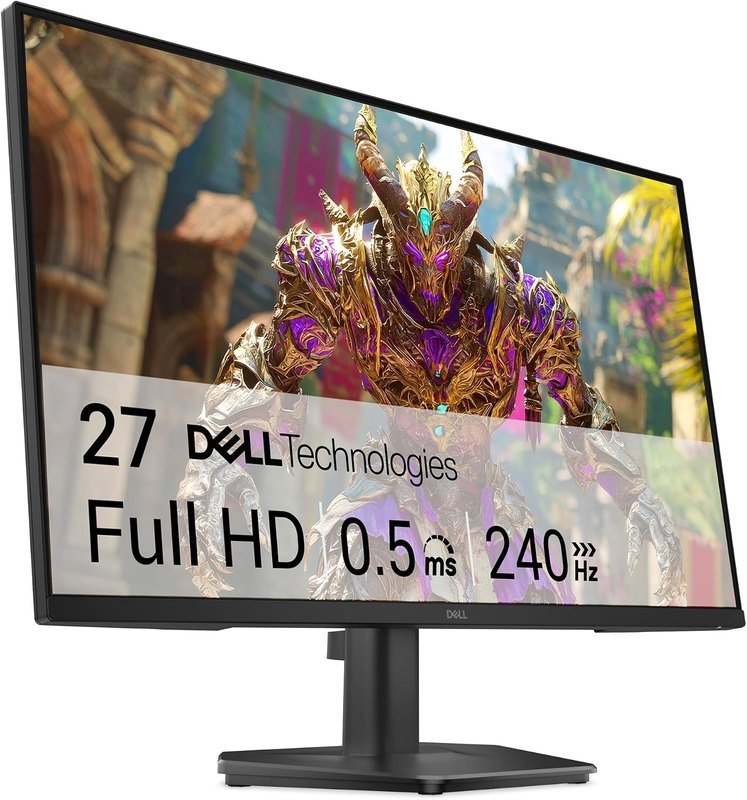
3. Dell SE2726HG (27″ 1080p IPS, 240Hz) – Best Budget 240Hz Gaming Monitor
Buy this if: you want 240Hz smoothness on a bigger screen and your graphics card is not ready for 1440p.
Our verdict: The SE2726HG gets you to 240Hz without stepping up to an expensive panel. It is a 27-inch Full HD Fast IPS monitor with a 0.5ms response time, so fast shooters feel very responsive, and it supports AMD FreeSync Premium plus HDMI VRR for tear-free play on PC and consoles. Dell lists 99% sRGB coverage and TÜV Rheinland 3-star eye comfort certification, and you get two HDMI ports and DisplayPort 1.4. The trade-off is resolution: 1080p on a 27-inch screen looks softer than 1440p, so text and fine detail are less crisp. If you play mostly fast games and your GPU is a few years old, that is a smart trade for high frame rates.
Key specs
- 27-inch Fast IPS, 1920 x 1080, matte
- 240Hz refresh rate, 0.5ms response time
- 99% sRGB
- AMD FreeSync Premium, HDMI VRR
- 2x HDMI, 1x DisplayPort 1.4
- TÜV Rheinland 3-star eye comfort; tilt stand
Pros
- 240Hz at an entry-level price
- Fast 0.5ms response
- HDMI VRR for consoles
- Easy to run at high frame rates
Cons
- 1080p looks soft at 27 inches
- Tilt-only stand
- No HDR
Who it’s for: Fast-paced shooter fans with GTX or RTX 3060-class cards who value frame rate over sharpness.
4. ASUS TUF Gaming VG259QMR5A (24.5″ 1080p Fast IPS, 310Hz) – Best Budget Esports Monitor
Buy this if: you play Valorant, CS2 or Fortnite competitively and want 300Hz+ without paying OLED money.
Our verdict: Esports players need speed above everything, and the VG259QMR5A is one of the most affordable ways to get past 300Hz. Its 24.5-inch Full HD Fast IPS panel overclocks to 310Hz with a 0.3ms (minimum) GtG response time, and ASUS ELMB Sync lets motion blur reduction and variable refresh run at the same time for clearer tracking. The 24.5-inch size is the one most competitive players prefer, because the whole screen stays in your field of view. ASUS adds FreeSync Premium, G-SYNC Compatible support, 99% sRGB color, Gaming AI features such as a dynamic crosshair and Dynamic Shadow Boost, and a 3-year warranty listed in the product title. Stand adjustments are not detailed on the listing.
Key specs
- 24.5-inch Fast IPS, 1920 x 1080
- Up to 310Hz (overclocked), 0.3ms (min.) GtG
- 99% sRGB
- FreeSync Premium, G-SYNC Compatible, ELMB Sync
- TUF Gaming AI (dynamic crosshair, Dynamic Shadow Boost), DisplayWidget Center
- 3-year warranty listed; DisplayPort cable included
Pros
- 310Hz at a budget price
- ELMB Sync for clearer motion
- Esports-friendly 24.5-inch size
- 3-year warranty listed
Cons
- 1080p only
- Stand adjustments not detailed on the listing
- You need very high frame rates to benefit fully
Who it’s for: Competitive FPS players who already hit 250+ fps and want a screen that can show it.
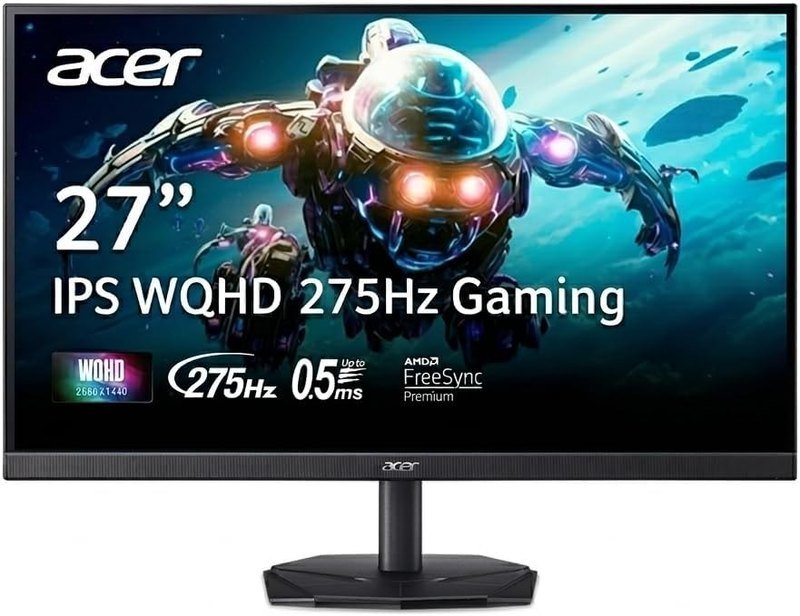
5. Acer Nitro KG271U Z2 (27″ 1440p IPS, 275Hz, 2x HDMI 2.1) – Best Budget Gaming Monitor for PS5 and Xbox
Buy this if: you share one screen between a gaming PC and a PS5 or Xbox Series X.
Our verdict: The KG271U Z2 is the budget pick for a shared PC and console desk. It has two HDMI 2.1 ports plus DisplayPort, so a PS5, an Xbox and a PC can all stay plugged in. Over DisplayPort the 27-inch 1440p IPS panel reaches 275Hz with up to 0.5ms GtG, which is quicker than many pricier monitors. Over HDMI the listing rates it at 144Hz, which still covers the 120Hz modes that current consoles use. Acer quotes 90% DCI-P3 color with HDR10 support, and adds a built-in speaker, a blue light filter, flicker-free backlighting and VESA mounting. HDR10 support here means it accepts an HDR signal; it is not a true high-brightness HDR display.
Key specs
- 27-inch IPS, 2560 x 1440 (WQHD), matte
- Up to 275Hz over DisplayPort, 144Hz over HDMI; up to 0.5ms GtG
- HDR10 support, 90% DCI-P3
- 2x HDMI 2.1, 1x DisplayPort
- AMD FreeSync Premium
- Built-in speaker, VESA mount, blue light filter, flicker-free
Pros
- Two HDMI 2.1 ports for consoles
- Very high refresh rate on PC for the money
- Speaker for quick console sessions
- 1440p sharpness
Cons
- HDMI tops out at 144Hz
- HDR10 support is not real HDR
- Stand adjustments not detailed on the listing
Who it’s for: Console players who also game on PC and want one affordable 1440p screen for both.
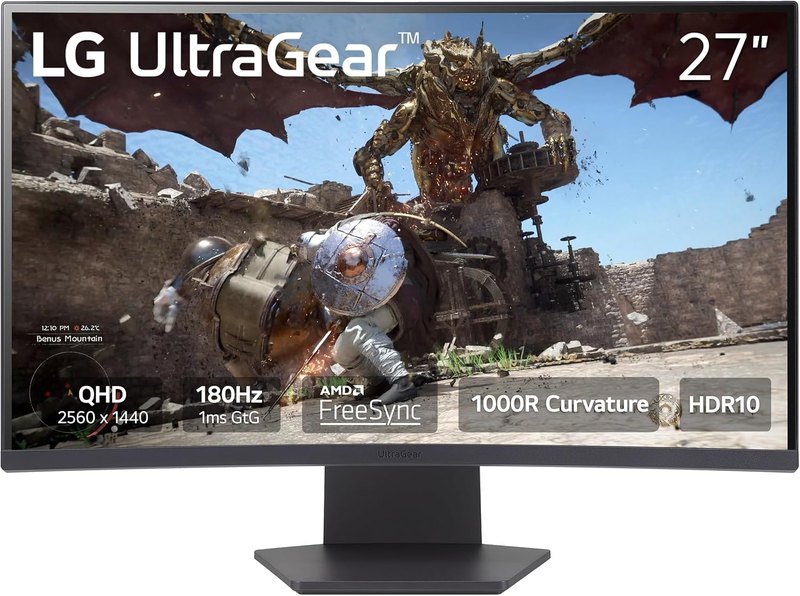
6. LG UltraGear 27GS60QC-B (27″ 1440p curved VA, 180Hz) – Best Budget Curved Gaming Monitor
Buy this if: you want a curved screen for more immersion in racing, open-world and single-player games.
Our verdict: A steep curve can make a 27-inch screen feel bigger than it is, and the 27GS60QC-B brings that effect to a budget price. Its 1000R curve wraps the image around your view, the 2560 x 1440 resolution keeps detail sharp, and a 180Hz refresh rate with 1ms GtG keeps motion smooth. LG lists HDR10 support and up to 99% sRGB, plus AMD FreeSync, two HDMI ports and DisplayPort. The panel is VA (per LG’s own comparison chart on the listing), which gives deeper blacks than a typical IPS screen, although fast dark scenes can show a little smearing. LG’s gamer tools are included: Black Stabilizer, Dynamic Action Sync, a crosshair and an FPS counter. The stand tilts only.
Key specs
- 27-inch curved VA, 2560 x 1440 (QHD), 1000R, matte
- 180Hz refresh rate, 1ms GtG
- HDR10, up to 99% sRGB
- AMD FreeSync
- 2x HDMI, 1x DisplayPort
- Black Stabilizer, Dynamic Action Sync, crosshair, FPS counter; tilt stand
Pros
- Immersive 1000R curve
- VA contrast for darker blacks
- 1440p at 180Hz for the money
- Useful gaming overlays
Cons
- VA can smear in fast dark scenes
- Tilt-only stand
- Steep curve is not ideal for design work
Who it’s for: Single-player and racing fans who want more immersion without a big ultrawide.
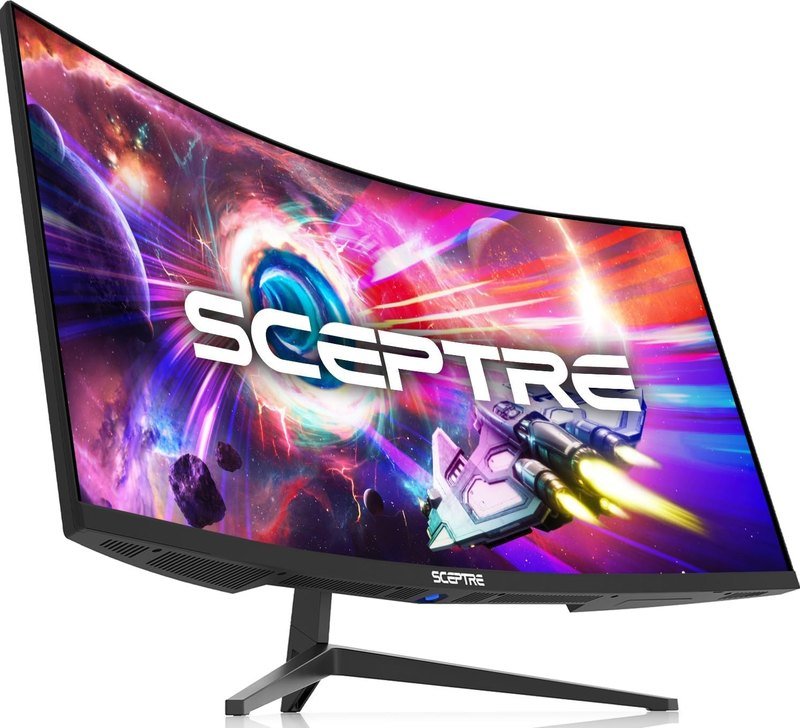
7. Sceptre C345B-QUT168 (34″ 3440×1440 curved, up to 180Hz) – Best Budget Ultrawide Gaming Monitor
Buy this if: you want a 21:9 ultrawide for games and multitasking without paying premium-brand prices.
Our verdict: The C345B-QUT168 is the most affordable way into a full-resolution ultrawide in this guide. You get a 34-inch 21:9 panel at 3440 x 1440 with a 1500R curve, a refresh rate of up to 180Hz (165Hz on some listing styles) and 1ms MPRT, plus 99% sRGB color. Ultrawide gaming is a different experience: racing and flight games fill your peripheral vision, and the extra width doubles as space for two windows side by side. Two DisplayPort inputs make it easy to connect a PC at full refresh rate, and Sceptre adds built-in speakers, picture-by-picture and a lit back cover. The panel type is not stated on the listing, and you will need a capable GPU because 3440 x 1440 pushes about a third more pixels than 1440p.
Key specs
- 34-inch curved ultrawide, 3440 x 1440, 21:9, 1500R
- Up to 180Hz / 165Hz, 1ms MPRT
- 99% sRGB
- 2x DisplayPort
- Picture by Picture; built-in speakers
- Luminous LED back cover
Pros
- Full 3440 x 1440 ultrawide on a budget
- High refresh rate for the money
- Two DisplayPort inputs
- Built-in speakers
Cons
- Panel type not stated on the listing
- Basic stand
- Demanding resolution for budget GPUs
Who it’s for: Racing, flight-sim and strategy players who also want a wide screen for work.
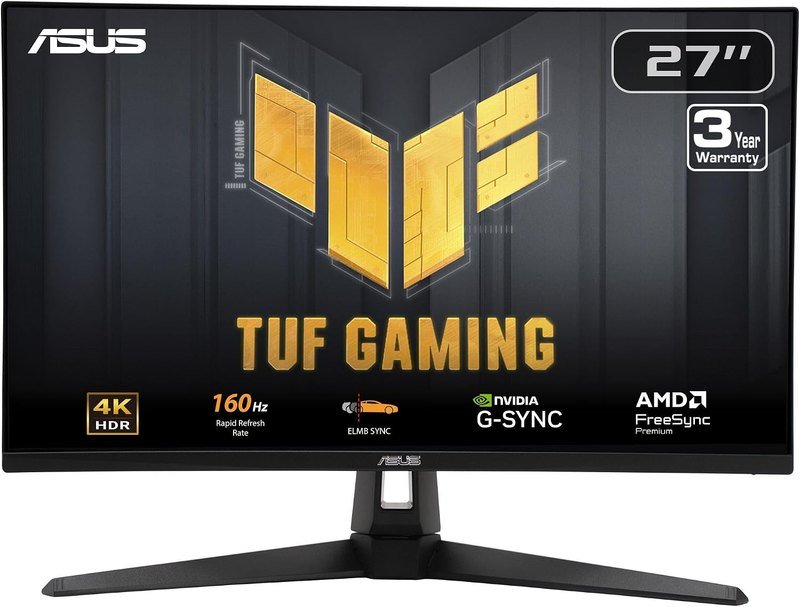
8. ASUS TUF Gaming VG27UQ1A (27″ 4K Fast IPS, 160Hz) – Best Budget 4K Gaming Monitor
Buy this if: you want 4K sharpness for PS5, Xbox or a strong PC without paying for OLED.
Our verdict: 4K gaming monitors used to be expensive, but the VG27UQ1A brings a 27-inch 3840 x 2160 Fast IPS panel at 160Hz into a much more reachable tier. It supports up to 4K 120Hz over HDMI 2.1 without chroma subsampling, which makes it an excellent match for PS5 and Xbox Series X. On PC, ASUS ELMB Sync, G-SYNC Compatible, FreeSync Premium and Variable Overdrive keep motion sharp and tear-free, and the 1ms response time handles fast games. ASUS quotes a 95% DCI-P3 color gamut with HDR support, which helps games look vivid, though this is not a high-brightness HDR display. Keep in mind that 4K at high frame rates needs a strong graphics card.
Key specs
- 27-inch Fast IPS, 3840 x 2160 (4K UHD), matte
- 160Hz refresh rate, 1ms response
- HDR support, 95% DCI-P3
- HDMI 2.1 (4K 120Hz without chroma subsampling), DisplayPort
- ELMB Sync, G-SYNC Compatible, FreeSync Premium, Variable Overdrive
- DisplayPort cable included
Pros
- Very sharp 4K image at 27 inches
- HDMI 2.1 for 4K 120Hz consoles
- ELMB Sync and VRR together
- Wide color gamut
Cons
- 4K needs a powerful GPU on PC
- Basic HDR
- Stand adjustments not detailed on the listing
Who it’s for: PS5 and Xbox owners, and PC gamers with an RTX 4070-class card or better, who want maximum sharpness.
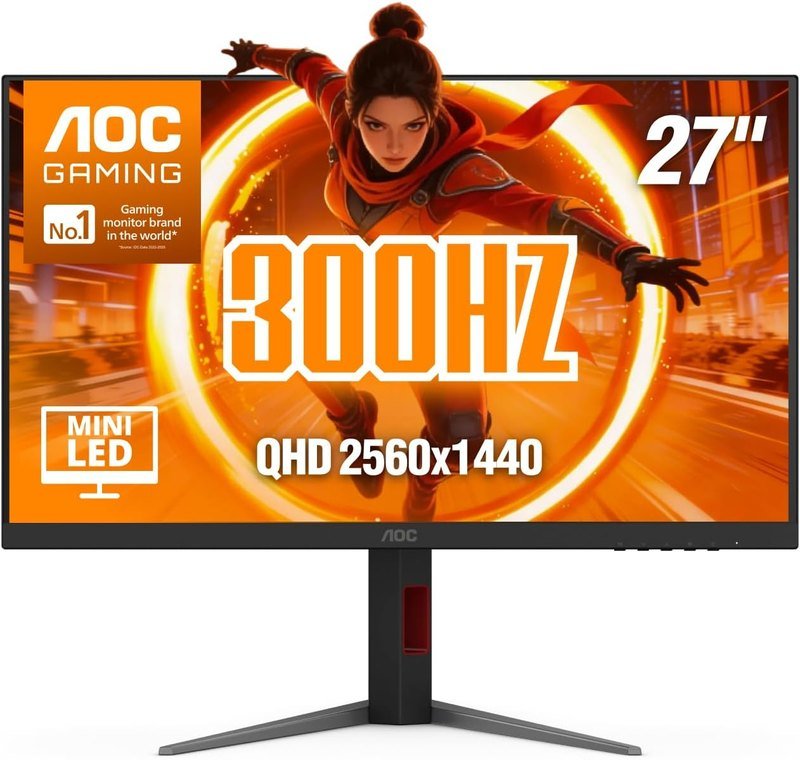
9. AOC Q27G4SMN (27″ 1440p Mini-LED, 300Hz, HDR1000) – Best Budget HDR Gaming Monitor
Buy this if: you want HDR that actually looks like HDR without paying OLED prices.
Our verdict: Most affordable monitors only “support” HDR, which means they accept the signal but cannot show it well. The Q27G4SMN is different: its 27-inch 1440p Mini-LED VA panel has 1,152 local dimming zones and VESA DisplayHDR 1000 certification, so bright highlights can sit next to deep shadows. It is also very fast, with a 300Hz refresh rate via DisplayPort or HDMI and a 1ms GtG response time. AOC quotes 150.2% sRGB (CIE1976) color, and unlike most budget screens it has a fully ergonomic stand with 130mm of height adjustment plus tilt, swivel and pivot. As with any Mini-LED, small bright objects on black can show some blooming, and the glossy finish shows reflections in bright rooms.
Key specs
- 27-inch Mini-LED VA, 2560 x 1440, glossy
- 1,152 local dimming zones, VESA DisplayHDR 1000
- 300Hz via DisplayPort or HDMI, 1ms GtG
- 150.2% sRGB (CIE1976)
- Adaptive-Sync
- Stand with 130mm height, tilt, swivel and pivot
Pros
- Genuine HDR1000 performance
- 300Hz on a 1440p panel
- Fully adjustable stand
- Deep contrast from VA plus local dimming
Cons
- Some blooming around bright objects
- Glossy finish reflects light
- VA can smear slightly in fast dark scenes
Who it’s for: Gamers who play HDR titles and movies and want the most HDR impact per dollar.
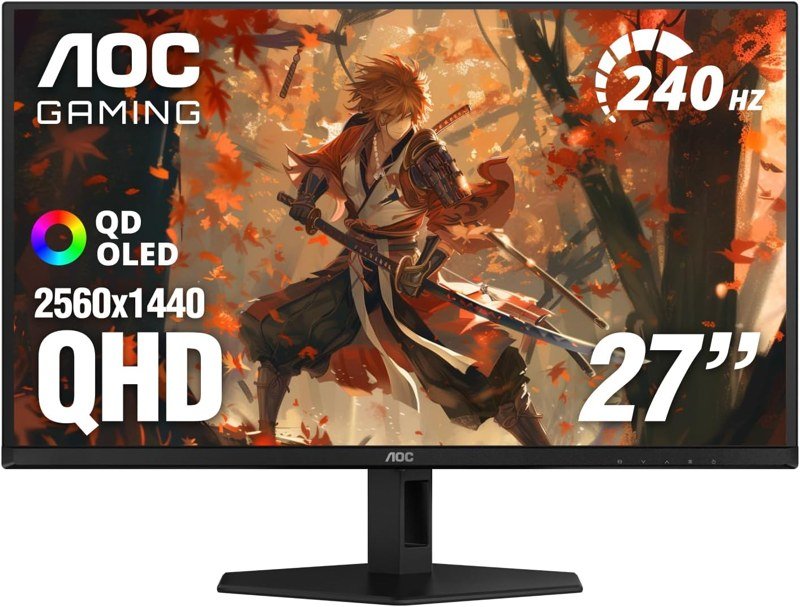
10. AOC Q27GAZD (27″ 1440p QD-OLED, 240Hz) – Best Affordable OLED Gaming Monitor
Buy this if: you want OLED contrast and instant pixel response, and you can stretch your budget a little.
Our verdict: OLED is the biggest picture-quality jump in gaming monitors, and the Q27GAZD is one of the most affordable routes to it. Its 27-inch QD-OLED panel runs at 2560 x 1440 and 240Hz with a 0.03ms GtG response time, so motion looks clean and every pixel makes its own light for true blacks. It carries VESA DisplayHDR 400 True Black certification and a wide color gamut of 147.6% sRGB and 110.2% DCI-P3, and Adaptive-Sync keeps gameplay tear-free. This is the stretch pick in our guide, so it sits at the top of the budget range. The glossy screen looks punchy in a dim room but reflects lamps and windows, and like any OLED it needs a little care with static images.
Key specs
- 27-inch QD-OLED, 2560 x 1440, glossy
- 240Hz refresh rate, 0.03ms GtG
- VESA DisplayHDR 400 True Black
- 147.6% sRGB, 110.2% DCI-P3
- Adaptive-Sync
- NVIDIA G-SYNC Compatible
Pros
- True blacks and very high contrast
- Near-instant response time
- Very wide color gamut
- Real HDR certification
Cons
- Glossy finish reflects light
- OLED needs care with static content
- Highest-priced tier in this guide
Who it’s for: Gamers who mostly play in the evening and want the best picture their budget can stretch to.
Affordable Gaming Monitor Buying Guide
The three budget tiers, explained
Affordable gaming monitors fall into three rough tiers. Entry level is a 24-inch 1080p screen at 144Hz to 180Hz, such as the LG 24G414B-B: the most affordable way to get a smooth gaming experience. The value sweet spot is a 27-inch 1440p IPS or VA monitor at 180Hz to 275Hz, like the AOC Q27G41ZE, Acer KG271U Z2 or LG 27GS60QC-B: noticeably sharper and still affordable. The stretch tier adds premium technology at the top of a budget: 4K (ASUS VG27UQ1A), Mini-LED HDR (AOC Q27G4SMN) or OLED (AOC Q27GAZD). Decide which tier fits your graphics card and budget first, then pick the model.
1080p or 1440p on a budget?
1440p has about 78% more pixels than 1080p, so games, text and spreadsheets look clearly sharper on a 27-inch screen. 1080p still makes sense at 24 to 25 inches, for esports where frame rate matters most, or if your graphics card is older. If you can afford a 27-inch 1440p monitor and your GPU can drive it, it is the upgrade you will notice every day. Our guide on whether 2560 x 1440 is better than 1080p goes deeper, and our best 1440p monitor guide covers more 1440p options.
How much refresh rate do you really need?
144Hz to 180Hz already feels dramatically smoother than 60Hz and suits most players. 240Hz is worth it if you play fast shooters and your PC can push 200+ fps. 300Hz and above, like the 310Hz ASUS VG259QMR5A, is mainly for competitive esports at 1080p. Read is 240Hz good for gaming before you pay extra for speed you may not use.
IPS vs VA vs OLED on a budget
IPS is the safe default: good color, wide viewing angles and fast response, but average contrast (about 1000:1). VA panels, like the LG 27GS60QC-B, have deeper blacks and are common on curved monitors, but can smear slightly in fast dark scenes. OLED, like the AOC Q27GAZD, has perfect blacks and near-instant response, but costs more and needs some care with static content. Our IPS vs OLED comparison explains the differences.
Do budget monitors really do HDR?
Most do not. A label like “HDR10” or “HDR support” only means the monitor can accept an HDR signal. Real HDR needs high brightness with local dimming or self-lit pixels. In this guide, only the Mini-LED AOC Q27G4SMN (DisplayHDR 1000) and the QD-OLED AOC Q27GAZD (DisplayHDR 400 True Black) deliver a genuine HDR experience. If HDR matters to you, see our best HDR monitors guide.
Pair the monitor with your graphics card
As a rough guide, a GTX 1660, RTX 3050 or RX 6600-class card is a good match for 1080p at 144Hz to 240Hz. An RTX 4060, RTX 3070 or RX 7600-class card handles 1440p well in most games, and esports titles can run far above 200 fps. For 4K at high frame rates, look at an RTX 4070 Ti or RX 7900-class card and up. Buying a 240Hz or 4K monitor your PC cannot drive wastes money you could put into the GPU.
Budget monitors for PS5 and Xbox
PS5 and Xbox Series X output up to 120Hz, so a 144Hz-plus monitor is plenty. For 120Hz with VRR, look for HDMI 2.1, such as the Acer Nitro KG271U Z2 (two HDMI 2.1 ports) or the ASUS VG27UQ1A (4K 120Hz over HDMI 2.1). Monitors with HDMI 2.0, like the AOC Q27G41ZE, are better suited to PC gaming. Our best monitor for PS5 guide covers console setups in detail.
Where budget monitors cut corners
The most common savings are a tilt-only stand, HDMI 2.0 instead of HDMI 2.1, modest brightness and “HDR support” without real HDR hardware. Also check how response time is quoted: MPRT and MBR figures (like 1ms MBR) are not the same as GtG pixel response. A VESA mount and a low-cost monitor arm can fix a basic stand, so do not let the stand alone stop you buying a great panel.
Curved and ultrawide on a budget
A curved 27-inch screen like the LG 27GS60QC-B adds immersion without changing your desk setup. A 34-inch 3440 x 1440 ultrawide like the Sceptre C345B-QUT168 adds real width for racing, flight and strategy games, plus room for two windows side by side, but needs a stronger GPU. For more options see our best curved monitors and best ultrawide monitors guides.
Best Settings for a Budget Gaming Monitor
- Set the right refresh rate. Windows often defaults to 60Hz. Go to Settings > System > Display > Advanced display and choose the highest refresh rate. Our guide on how to change the refresh rate on a monitor walks you through it.
- Use DisplayPort on a PC. Several budget monitors only reach full refresh rate over DisplayPort, such as the AOC Q27G41ZE (240Hz over DP) and the Acer KG271U Z2 (275Hz over DP, 144Hz over HDMI).
- Turn on variable refresh. Enable FreeSync or Adaptive-Sync in the monitor menu, then G-SYNC in the NVIDIA Control Panel or FreeSync in AMD Software.
- Pick a medium overdrive level. The highest overdrive setting often causes bright trails (overshoot). Normal or Medium usually looks cleanest.
- Leave HDR off on basic HDR monitors. On monitors without local dimming or OLED, SDR usually looks better. On the Q27G4SMN and Q27GAZD, turn on Windows HDR and run the Windows HDR Calibration app.
- Use dark-scene helpers sparingly. Black Stabilizer, Shadow Boost and Shadow Control make enemies easier to spot but wash out the picture, so use them only in competitive games.
- Fix a basic stand with a VESA arm. Most budget monitors are VESA mountable, so an inexpensive arm can add height and swivel adjustment.
Small settings changes like these often matter more than the price difference between two budget monitors.
Which Affordable Gaming Monitor Should You Buy?
- Want the best all-round value? Get the AOC Q27G41ZE for 1440p at 240Hz.
- On the tightest budget? The LG UltraGear 24G414B-B is a reliable 24-inch 1080p 144Hz starter.
- Want 240Hz on a bigger screen? The 27-inch Dell SE2726HG does 240Hz at 1080p.
- Competitive esports player? The 310Hz ASUS TUF Gaming VG259QMR5A is the fastest pick here.
- Sharing with a PS5 or Xbox? The Acer Nitro KG271U Z2 has two HDMI 2.1 ports, or choose the 4K ASUS TUF Gaming VG27UQ1A.
- Want a curved screen? The LG UltraGear 27GS60QC-B for 27 inches, or the Sceptre C345B-QUT168 for a 34-inch ultrawide.
- Want real HDR or OLED? Choose the Mini-LED AOC Q27G4SMN for HDR1000, or the AOC Q27GAZD for affordable QD-OLED.
Affordable Gaming Monitor FAQ
What is the best affordable gaming monitor in 2026?
For most people, the AOC Q27G41ZE. It combines a 27-inch 1440p IPS panel with a 240Hz refresh rate (up to 260Hz overclocked) and Adaptive-Sync for AMD and NVIDIA cards. If you need something cheaper, the LG UltraGear 24G414B-B is the best entry-level 1080p choice.
Is a 1440p monitor worth it on a budget?
Yes, if your graphics card can drive it. A 27-inch 1440p monitor looks much sharper than 1080p, and budget models like the AOC Q27G41ZE and Acer KG271U Z2 now reach 240Hz and higher. Stick with 1080p if you have an older GPU or play mainly competitive esports.
Is 144Hz enough for gaming?
For most players, yes. 144Hz is a huge step up from 60Hz and covers the 120Hz modes of PS5 and Xbox Series X. Higher refresh rates such as 240Hz mainly help in fast competitive shooters when your PC can produce matching frame rates.
Are cheap HDR monitors worth it?
Usually not for the HDR itself. “HDR10 support” on a budget monitor rarely looks better than SDR. If you want real HDR, choose a Mini-LED monitor with DisplayHDR 1000, like the AOC Q27G4SMN, or an OLED.
Is a budget OLED gaming monitor worth it?
If you can stretch your budget and play mostly in a dim room, yes. A 1440p QD-OLED such as the AOC Q27GAZD gives true blacks and 0.03ms response. Use a dark theme and hide static elements like the taskbar to reduce burn-in risk.
IPS or VA for a cheap gaming monitor?
IPS is the better all-rounder for color and fast response. VA offers deeper blacks and is common on curved models, but can smear in fast dark scenes. Choose VA if contrast matters more to you than motion clarity.
What is the best budget monitor for PS5?
The Acer Nitro KG271U Z2, thanks to two HDMI 2.1 ports. If you want 4K, the ASUS TUF Gaming VG27UQ1A supports 4K 120Hz over HDMI 2.1 without chroma subsampling.
Do I need G-SYNC or FreeSync?
You need variable refresh rate of some kind to stop tearing, but not a dedicated G-SYNC module. Every monitor in this guide supports FreeSync or Adaptive-Sync, and most NVIDIA cards can use these through G-SYNC Compatible mode.
Final Verdict
The best affordable gaming monitor for most people is a 27-inch 1440p screen at 240Hz, and the AOC Q27G41ZE delivers exactly that without paying for extras you do not need. On a tighter budget, the LG UltraGear 24G414B-B is a dependable 1080p starter, esports players should get the ASUS TUF Gaming VG259QMR5A, and if you can stretch a little further, the AOC Q27G4SMN and AOC Q27GAZD bring real HDR and OLED into reach. Prices change often, so check today’s deal before you buy.
(No pictures in this read.)
A former esports professional turned tech journalist, Aiden Johnson is on a mission to help gamers optimize their setups. His expertise extends beyond gaming monitors, encompassing the broader tech ecosystem. Known for breaking down complex topics into digestible pieces, Aiden provides a holistic view of how monitors fit into the larger gaming and tech landscape.