

27 inches is the most popular monitor size for a reason: it fits any desk, gives you room for two windows side by side and works brilliantly for gaming. The quick answer: the best 27 inch monitor for most gamers is a 1440p OLED or fast IPS screen, while 4K and 5K models are best for sharp text and Mac work. Our top pick is the ASUS ROG Strix OLED XG27AQDMGR, the best value is the ASUS TUF Gaming VG27AQ3A, and the best budget choice is the Dell SE2726HG.
Every monitor below is a current model sold on Amazon US. We cover 27-inch OLED, 4K and 5K screens, a USB-C office monitor, a curved gaming model, a budget 240Hz screen and picks that work with PS5 and Xbox.
Top 3 27-Inch Monitors at a Glance
🏆 Best Overall
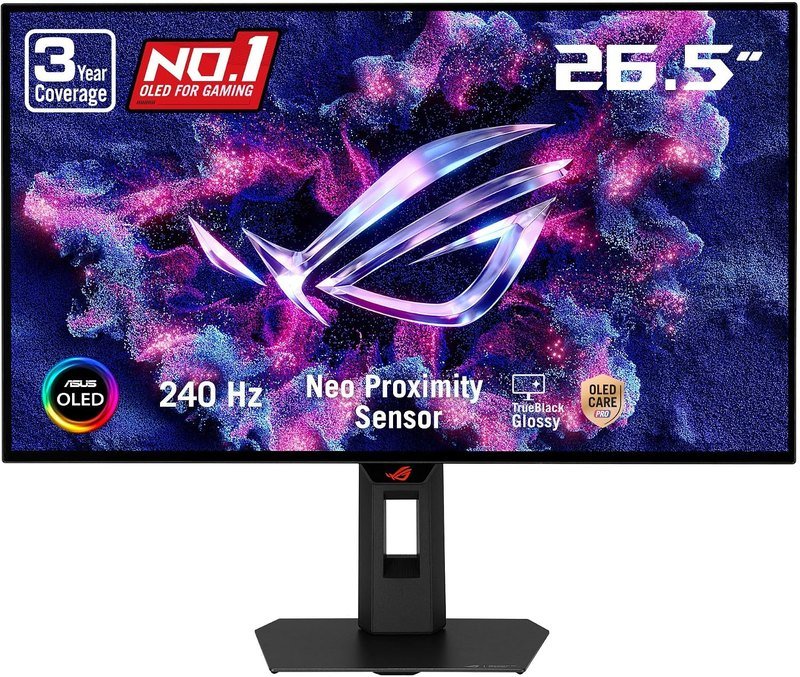
ASUS ROG Strix OLED XG27AQDMGR
27-inch-class 1440p OLED at 240Hz with DisplayHDR True Black 400.
Check Price on Amazon⚡ Best Value
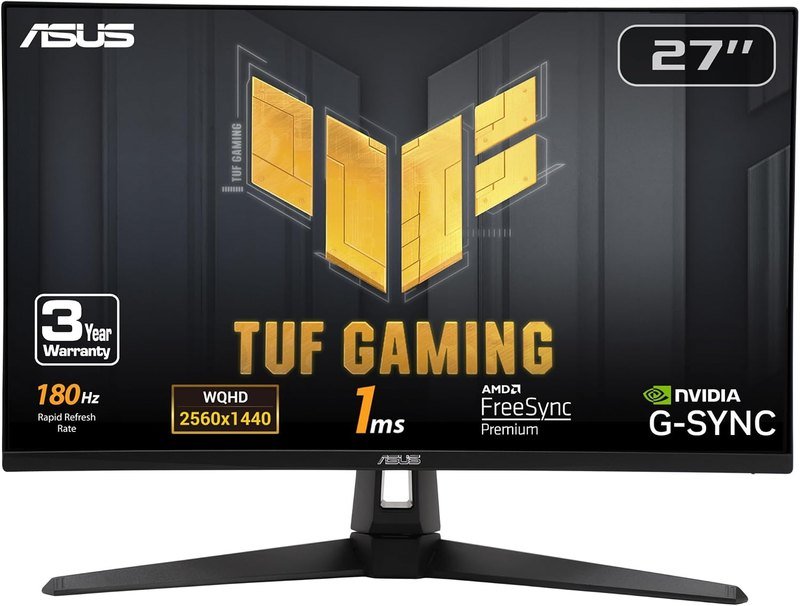
ASUS TUF Gaming VG27AQ3A
1440p 180Hz Fast IPS with ELMB Sync at a great price.
Check Price on AmazonDeal tip: 27-inch monitors go on sale often. Check the live Amazon price before you buy.
Quick Comparison: Best 27-Inch Monitors in 2026
| Monitor | Resolution | Panel | Refresh | Best for | Deal |
|---|---|---|---|---|---|
| ASUS ROG Strix OLED XG27AQDMGR | 2560×1440 | WOLED (glossy) | 240Hz | Best overall | Check Price |
| ASUS TUF Gaming VG27UQ1A | 3840×2160 | Fast IPS | 160Hz | Sharp 4K, consoles | Check Price |
| Acer Predator X27U W1 | 2560×1440 | QD-OLED | 240Hz | OLED + consoles | Check Price |
| ASUS TUF Gaming VG27AQ3A | 2560×1440 | Fast IPS | 180Hz | Best value 1440p | Check Price |
| AOC Q27G41ZE | 2560×1440 | IPS | 240Hz (260Hz OC) | Budget esports | Check Price |
| Dell 27 Plus S2725DC | 2560×1440 | Not listed | 144Hz | Office, laptops | Check Price |
| BenQ MA270S | 5120×2880 | Nano Gloss | Not listed | MacBook, creators | Check Price |
| LG UltraGear 27GS60QC-B | 2560×1440 | Curved 1000R | 180Hz | Curved gaming | Check Price |
| Dell 27 SE2726HG | 1920×1080 | Fast IPS | 240Hz | Tight budgets | Check Price |
What Makes a Great 27-Inch Monitor
At 27 inches, resolution and panel type matter more than at any other size. Here is what to look for.
- Resolution: 1440p is the sweet spot. 2560 x 1440 is sharp at 27 inches and easy for GPUs to run. 4K and 5K are sharper for text and photo work; 1080p looks soft for reading but is fine for budget gaming.
- Refresh rate. 144Hz to 180Hz is smooth for most people; 240Hz is ideal for competitive gaming; 60Hz is fine for office and Mac work.
- Panel type. OLED gives perfect blacks and instant motion, IPS gives accurate color and wide viewing angles, and curved VA or IPS models add immersion.
- Connectivity. USB-C or Thunderbolt for laptops and Macs; HDMI 2.1 for PS5 and Xbox Series X.
- Ergonomics. A height-adjustable stand is worth having for long sessions; otherwise budget for a VESA arm.
- HDR that is real. OLED True Black certifications deliver visible HDR. “HDR10 support” on budget screens adds little.
Is 27 inches right for you? Our comparison of 24-inch vs 27-inch monitors and 27-inch vs 32-inch monitors will help you decide.
The 9 Best 27-Inch Monitors in 2026
1. ASUS ROG Strix OLED XG27AQDMGR (26.5″ 1440p WOLED, 240Hz) – Best 27-Inch Monitor Overall
Buy this if: you want the best picture and motion you can get on a 27-inch screen at a sensible price.
Our verdict: The XG27AQDMGR is the 27-inch monitor we would buy for gaming and everyday use. Its 26.5-inch QHD WOLED panel uses ASUS TrueBlack Glossy coating, which keeps blacks deep and colors vivid, and the 240Hz refresh rate with 0.03ms response makes motion incredibly clear. It is rated VESA DisplayHDR True Black 400, covers 99% DCI-P3 with true 10-bit color and Delta E under 2, so photos and HDR content look accurate as well as punchy. ASUS adds OLED Care Pro with a Neo Proximity Sensor that dims the screen when you step away, an ergonomic stand and a 3-year warranty. The glossy finish does reflect bright lamps, so it is best in controlled lighting.
Key specs
- 26.5-inch WOLED, 2560 x 1440, TrueBlack Glossy
- 240Hz refresh rate, 0.03ms GtG
- VESA DisplayHDR True Black 400, 99% DCI-P3, true 10-bit, Delta E under 2
- ELMB Sync; works with PS5 and Xbox
- OLED Care Pro with Neo Proximity Sensor
- Ergonomic stand; DisplayPort and HDMI cables in the box; 3-year warranty
Pros
- Excellent OLED contrast and color
- Very fast 240Hz motion
- Burn-in protection features
- Strong 3-year warranty
Cons
- Glossy screen reflects room light
- 1440p text is less sharp than 4K at this size
- OLED needs some care for static work
Who it’s for: Gamers and movie fans who want premium OLED picture quality in the most popular monitor size.
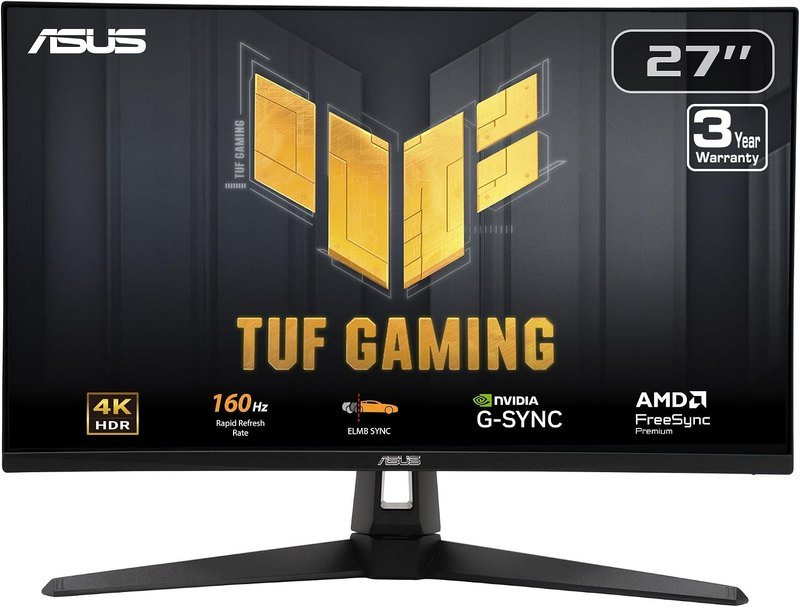
2. ASUS TUF Gaming VG27UQ1A (27″ 4K Fast IPS, 160Hz) – Best 27-Inch 4K Monitor
Buy this if: you want the sharpness of 4K on a 27-inch screen and fast gaming performance.
Our verdict: 4K on a 27-inch screen gives you crisp text and very detailed games, and the VG27UQ1A makes it affordable. Its Fast IPS panel runs at 160Hz with 1ms response, and ELMB Sync combines blur reduction with variable refresh for clearer motion. Colors are rich with 95% DCI-P3 coverage. For console players, HDMI 2.1 supports 4K at 120Hz without chroma subsampling, so PS5 and Xbox Series X look their best. It supports HDR, but without a high certification, so treat it as a sharp, fast SDR monitor first.
Key specs
- 27-inch Fast IPS, 3840 x 2160
- 160Hz refresh rate, 1ms response
- HDR support, 95% DCI-P3
- HDMI 2.1 (4K 120Hz for consoles), DisplayPort
- ELMB Sync, G-SYNC Compatible, FreeSync Premium, variable overdrive
- DisplayPort cable included
Pros
- Affordable 4K at 160Hz
- HDMI 2.1 for consoles
- Wide color gamut
- Very sharp text
Cons
- Basic HDR
- IPS contrast is average
- Needs a strong GPU for 4K at high fps
Who it’s for: Gamers and creators who want 4K detail on a 27-inch screen.
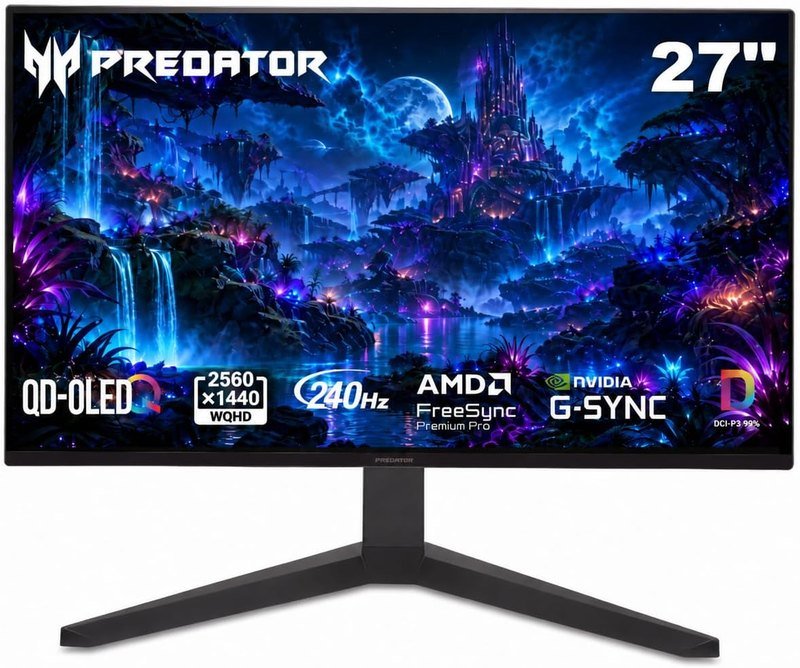
3. Acer Predator X27U W1 (26.5″ QD-OLED, 240Hz, 2x HDMI 2.1) – Best 27-Inch OLED for PS5 and Xbox
Buy this if: you want a 27-inch OLED that keeps a console and a PC connected at the same time.
Our verdict: The Predator X27U W1 brings QD-OLED to a 26.5-inch WQHD screen with the connectivity a mixed setup needs: two HDMI 2.1 ports and two DisplayPort inputs. That means a PS5 and an Xbox can stay plugged in next to your PC. The panel runs at 240Hz with 0.03ms GtG, covers 99% DCI-P3 with true 10-bit color and Delta E under 2, and supports HDR10. An image retention refresh feature helps protect the OLED panel, and the ergonomic stand and built-in speaker add convenience. It supports both FreeSync Premium and G-SYNC Compatible.
Key specs
- 26.5-inch QD-OLED, 2560 x 1440 WQHD, ZeroFrame design
- 240Hz refresh rate, 0.03ms GtG
- DCI-P3 99%, true 10-bit, Delta E under 2, HDR10
- 2x HDMI 2.1, 2x DisplayPort
- AMD FreeSync Premium, NVIDIA G-SYNC Compatible
- Ergonomic stand, built-in speaker, image retention refresh
Pros
- Two HDMI 2.1 ports for consoles
- QD-OLED color and contrast
- Built-in speaker
- Sold and shipped by Amazon
Cons
- No VESA HDR certification listed
- OLED burn-in care still needed
- 1440p, not 4K
Who it’s for: Console and PC gamers who want OLED in a 27-inch size.
4. ASUS TUF Gaming VG27AQ3A (27″ 1440p Fast IPS, 180Hz) – Best Value 27-Inch Gaming Monitor
Buy this if: you want a proven 27-inch 1440p gaming monitor at a great price.
Our verdict: The VG27AQ3A has been a favorite for a reason. It offers 27-inch 1440p, a 180Hz Fast IPS panel with 1ms response, and a wide 130% sRGB color gamut for a very fair price. ELMB Sync combines motion blur reduction with variable refresh, and it supports FreeSync Premium, G-SYNC Compatible and Adaptive-Sync, so it works well with any modern GPU. HDR-10 support and built-in speakers round it out. It is not the brightest or the fanciest, but for most mid-range gaming PCs it is the smartest buy at this size.
Key specs
- 27-inch Fast IPS, 2560 x 1440
- 180Hz refresh rate, 1ms response
- 130% sRGB, HDR-10 support
- ELMB Sync; FreeSync Premium, G-SYNC Compatible, Adaptive-Sync
- Built-in speakers
- DisplayPort cable included
Pros
- Great price for 1440p 180Hz
- Vivid wide-gamut color
- Works with AMD and NVIDIA VRR
- Speakers built in
Cons
- HDR is basic
- Stand adjustments are not detailed on the listing
- Average contrast for IPS
Who it’s for: Mid-range PC gamers upgrading from 1080p.
5. AOC Q27G41ZE (27″ 1440p IPS, 240Hz/260Hz OC) – Best 27-Inch Monitor for Esports on a Budget
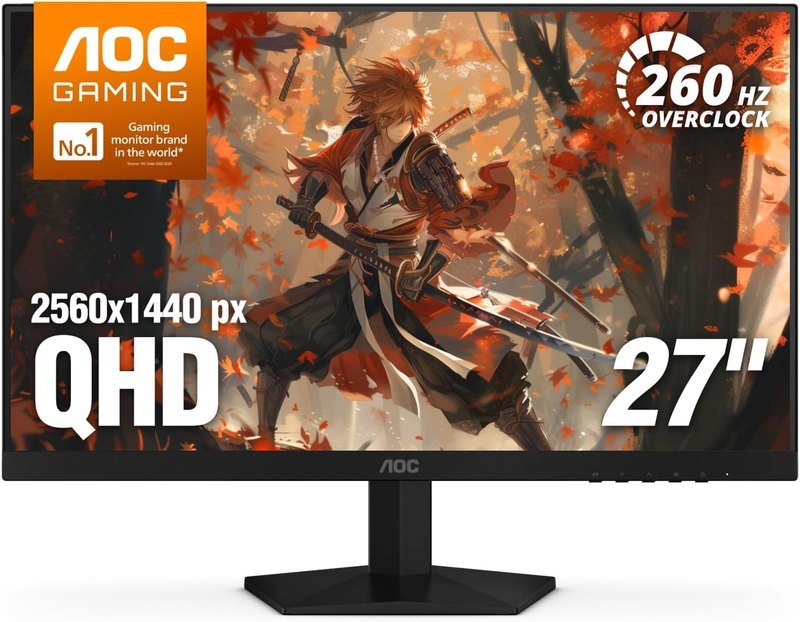
Buy this if: you want the most refresh rate per dollar on a 27-inch 1440p screen.
Our verdict: For competitive players on a budget, the Q27G41ZE delivers 240Hz natively and up to 260Hz overclocked over DisplayPort, with a 0.3ms MPRT figure, at a price usually reserved for 165Hz screens. Adaptive-Sync works with both AMD and NVIDIA cards, and AOC includes Shadow Control and Game Mode presets for shooters. To keep costs down, the stand only tilts and the two HDMI ports are HDMI 2.0, and brightness is a modest 300 nits. AOC still lists a 3-year warranty.
Key specs
- 27-inch IPS, 2560 x 1440
- 240Hz native, up to 260Hz overclocked, 0.3ms MPRT
- 300 nits, 1000:1 contrast
- 1x DisplayPort 1.4, 2x HDMI 2.0, audio out
- Adaptive-Sync (AMD and NVIDIA)
- Tilt-only stand (-3 to +21 degrees), 3-year warranty
Pros
- 240Hz+ for a budget price
- Three-sided frameless design
- Works with AMD and NVIDIA VRR
- 3-year warranty
Cons
- Tilt-only stand
- HDMI 2.0 limits console use
- No HDR certification
Who it’s for: Budget-minded competitive gamers.
6. Dell 27 Plus S2725DC (27″ QHD, USB-C 65W) – Best 27-Inch Monitor for Office Work
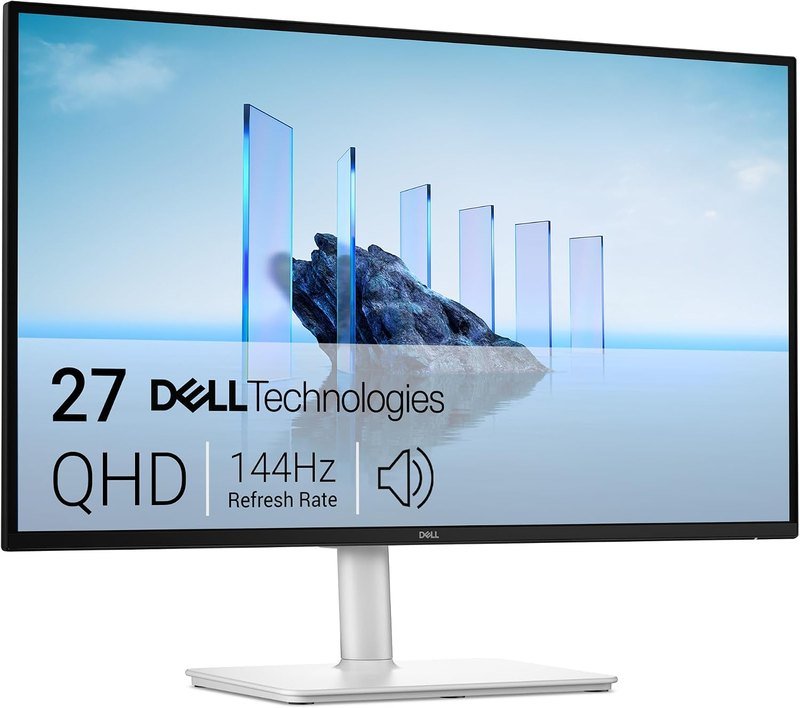
Buy this if: you work on a laptop and want a clean one-cable 27-inch setup.
Our verdict: The Dell 27 Plus S2725DC is the 27-inch monitor we recommend for home offices. One USB-C cable delivers video and up to 65W of charging to your laptop, while a pop-out USB-C port (up to 15W) and a USB-A port on the edge make quick connections easy. The QHD resolution gives you more workspace than 1080p, 144Hz makes scrolling smooth, and the 1500:1 contrast ratio is better than typical office monitors. Two 3W speakers handle calls, the stand adjusts for height, tilt, pivot and swivel, and TÜV 4-star eye comfort certification suits long days.
Key specs
- 27-inch QHD 2560 x 1440, Ash White
- 144Hz refresh rate, 1ms MPRT, 1500:1 contrast
- USB-C with up to 65W PD; pop-out USB-C (15W) and USB-A
- HDMI and DisplayPort 1.4
- 2x 3W speakers, AMD FreeSync
- Height, tilt, pivot and swivel stand; TÜV 4-star eye comfort
Pros
- One-cable laptop charging
- Easy-access front USB ports
- Fully adjustable stand
- Smooth 144Hz
Cons
- No HDR
- Not built for competitive gaming
- Panel type not stated on the listing
Who it’s for: Remote workers, students and laptop users.
7. BenQ MA270S (27″ 5K, Thunderbolt 4) – Best 27-Inch Monitor for Mac
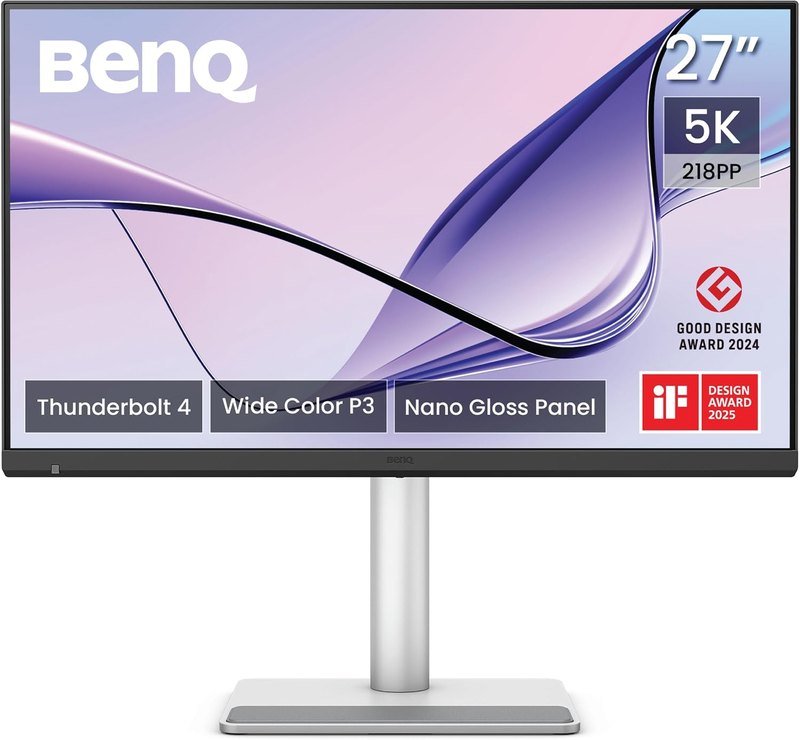
Buy this if: you use a Mac and want Retina-class 5K sharpness with one-cable Thunderbolt.
Our verdict: Macs scale best on 5K at 27 inches, and the BenQ MA270S is built for exactly that. Its 5120 x 2880 Nano Gloss panel makes text look as crisp as an iMac, with wide P3 color and Mac-specific color tuning. Two Thunderbolt 4 ports carry the 5K signal, data and up to 96W (and 15W) of power, and support daisy chaining. Smart KVM lets you switch between two computers, and you can control brightness and volume from macOS. HDMI and USB-C are also included, and the stand adjusts for height, tilt, swivel and pivot. It is a work and creative monitor, not a gaming one.
Key specs
- 27-inch 5K, 5120 x 2880, Nano Gloss panel
- Wide P3 color gamut, Mac Color tuning
- Dual Thunderbolt 4 (96W / 15W power delivery), daisy chain
- HDMI and USB-C
- Smart KVM; brightness and volume control from Mac
- Height, tilt, swivel and pivot stand
Pros
- 5K sharpness ideal for macOS
- 96W Thunderbolt 4 one-cable setup
- KVM for two computers
- Mac brightness and volume control
Cons
- Not for fast gaming
- Glossy-type finish can reflect lights
- Refresh rate is not stated on the listing
Who it’s for: MacBook Pro and Mac mini owners, designers and photographers.
8. LG UltraGear 27GS60QC-B (27″ 1440p curved, 180Hz) – Best 27-Inch Curved Monitor
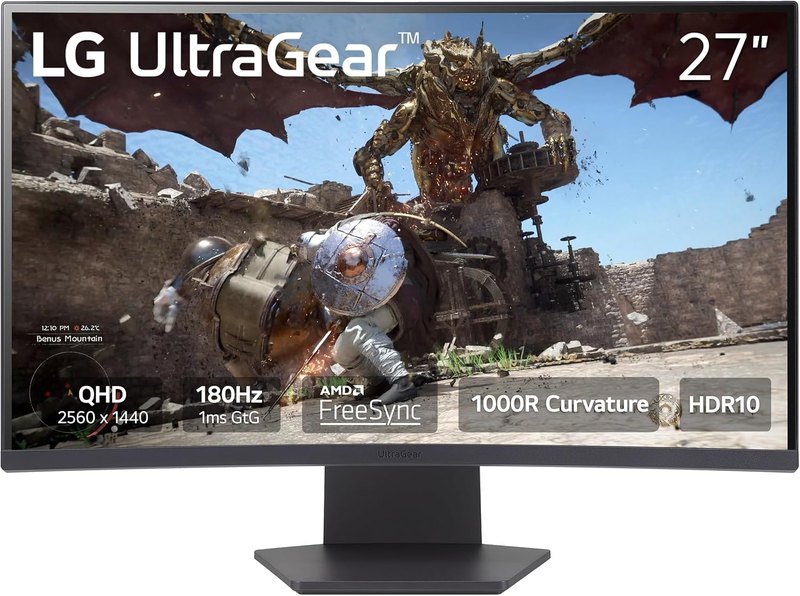
Buy this if: you like the immersion of a curved screen in a standard 27-inch size.
Our verdict: The 27GS60QC-B gives you a deep 1000R curve on a 27-inch 1440p screen, so games feel a little more immersive without needing an ultrawide-sized desk. It runs at 180Hz with 1ms GtG, supports FreeSync and HDR10, and covers 99% sRGB. Two HDMI ports and a DisplayPort make it easy to connect a PC and a console, and LG includes Black Stabilizer, Dynamic Action Sync, a crosshair and FPS counter. The stand tilts only, which is the main trade-off at its price.
Key specs
- 27-inch QHD 2560 x 1440, 1000R curve
- 180Hz refresh rate, 1ms GtG
- HDR10, 99% sRGB
- 2x HDMI, 1x DisplayPort
- AMD FreeSync
- Three-side borderless design, tilt-adjustable stand
Pros
- Immersive curve in a 27-inch size
- Fast 180Hz 1440p
- Two HDMI ports
- Good value
Cons
- Tilt-only stand
- HDR10 is not true HDR
- Strong curve for office work
Who it’s for: Gamers who want a curved screen without moving to an ultrawide.
9. Dell 27 SE2726HG (27″ 1080p IPS, 240Hz) – Best Budget 27-Inch Monitor
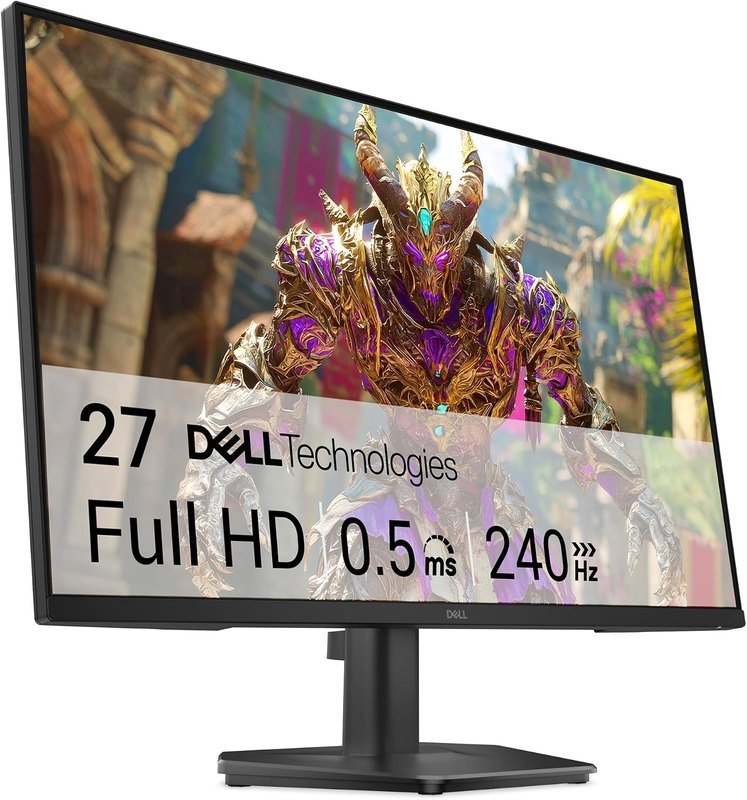
Buy this if: you want a fast, low-cost 27-inch screen and do not need 1440p.
Our verdict: If budget is the priority, the Dell SE2726HG gives you a 27-inch Fast IPS panel at 240Hz with 0.5ms response, which is very quick for the price. It supports FreeSync Premium and HDMI VRR, covers 99% sRGB and has TÜV Rheinland 3-star blue light certification. Two HDMI ports and DisplayPort 1.4 handle a PC and a console. The catch is resolution: 1080p on a 27-inch screen is noticeably softer for text than 1440p, so this is best for gaming and casual use rather than heavy office work. The stand tilts only.
Key specs
- 27-inch Fast IPS, 1920 x 1080
- 240Hz refresh rate, 0.5ms response
- 99% sRGB, TÜV Rheinland 3-star eye comfort
- 2x HDMI, 1x DisplayPort 1.4
- AMD FreeSync Premium, HDMI VRR
- Tilt-adjustable stand
Pros
- 240Hz for a budget price
- Accurate sRGB color
- HDMI VRR support
- Trusted brand
Cons
- 1080p looks soft at 27 inches
- Tilt-only stand
- No HDR
Who it’s for: Budget gamers and students who value smooth motion over sharpness.
27-Inch Monitor Buying Guide
1080p vs 1440p vs 4K vs 5K at 27 inches
1080p at 27 inches is about 82 pixels per inch, so text and edges look soft up close. 1440p raises that to about 109 PPI, which most people find sharp enough for gaming and work. 4K is about 163 PPI and looks very crisp, though you will usually use 150% scaling. 5K (about 218 PPI) matches Apple Retina displays and is the best choice for macOS. For most gamers, 1440p is the best balance; see our best 1440p monitors and best 4K monitors guides for more choices.
Is 27 inches good for gaming?
Yes. A 27-inch screen fills your view at normal desk distance without forcing you to move your head, which is why it is the standard size for both casual and competitive gaming. Competitive players who sit very close sometimes prefer 24 to 25 inches. Our article is a 27-inch monitor good for gaming covers the details.
OLED vs IPS at 27 inches
OLED monitors like the ASUS XG27AQDMGR and Acer X27U W1 deliver perfect blacks, very high contrast and instant response, making games and movies look fantastic. IPS monitors like the ASUS VG27AQ3A and VG27UQ1A cost less, have no burn-in risk and are better for long hours of static office work.
How far should you sit from a 27-inch monitor?
Around 60 to 80 cm (about 2 to 2.5 feet) is comfortable for most people. Sit a little further from 1080p screens and a little closer to 4K or 5K screens to appreciate the detail. See how far to sit from a 27-inch monitor.
27-inch monitors for office work and laptops
For productivity, 1440p or higher gives you enough room for two documents side by side. USB-C with power delivery, like the Dell S2725DC, means one cable to charge and connect your laptop. If you use a Mac, a 5K screen such as the BenQ MA270S gives the sharpest text.
27-inch monitors for PS5 and Xbox
Both consoles support 1440p and 4K at up to 120Hz on monitors with HDMI 2.1. The ASUS VG27UQ1A and Acer Predator X27U W1 are good console picks. Budget monitors with HDMI 2.0 still work, but usually at lower refresh rates.
Curved or flat at 27 inches?
At 27 inches the curve is a matter of taste. A curved model like the LG 27GS60QC-B feels a bit more immersive in games, while flat screens are easier for spreadsheets and design work.
Best Settings for Your 27-Inch Monitor
- Native resolution and refresh rate. In Windows Settings > System > Display, choose the native resolution, then select the highest refresh rate under Advanced display.
- Scaling. 100% for 1440p, 150% for 4K and 200% for 5K (macOS handles 5K automatically).
- Use DisplayPort or HDMI 2.1 for gaming. This ensures you reach the full refresh rate.
- Turn on VRR. Enable G-SYNC or FreeSync in your GPU software and Adaptive-Sync in the monitor menu.
- Overdrive. On IPS monitors, choose a medium overdrive setting to avoid overshoot trails.
- Ergonomics. Set the top of the screen at or slightly below eye level, about an arm’s length away.
- OLED care. Use dark mode, hide the taskbar and let the monitor run its pixel refresh routines.
Using it mainly for work? Read is a 27-inch monitor good for office work for setup tips.
Which 27-Inch Monitor Should You Buy?
- Want the best 27-inch monitor overall? Get the ASUS ROG Strix OLED XG27AQDMGR.
- Want 4K sharpness? The ASUS TUF Gaming VG27UQ1A.
- OLED with consoles? The Acer Predator X27U W1 with two HDMI 2.1 ports.
- Best value for gaming? The ASUS TUF Gaming VG27AQ3A, or the AOC Q27G41ZE if you want 240Hz.
- Working from a laptop? The Dell 27 Plus S2725DC.
- Using a Mac? The 5K BenQ MA270S.
- Want a curved 27-inch? The LG UltraGear 27GS60QC-B.
- Lowest budget? The Dell SE2726HG.
27-Inch Monitor FAQ
What is the best 27-inch monitor in 2026?
For most people, the ASUS ROG Strix OLED XG27AQDMGR. It offers a 1440p OLED panel at 240Hz, DisplayHDR True Black 400, 99% DCI-P3 and a 3-year warranty.
What resolution is best for a 27-inch monitor?
1440p is the best balance for gaming and work. Choose 4K or 5K for sharper text and creative work, and 1080p only on a tight budget.
Is a 27-inch monitor too big?
Not for most desks. It is comfortable at 60 to 80 cm. If you sit very close or play competitive shooters, a 24 to 25-inch screen can be easier to take in.
Is 1080p OK on a 27-inch monitor?
It is usable for gaming and video, but text looks noticeably soft. 1440p is a big upgrade for only a little more money.
Is a 27-inch monitor good for PS5?
Yes. Choose one with HDMI 2.1 to get 120Hz in supported games at 1440p or 4K.
Which 27-inch monitor is best for a MacBook?
A 5K monitor like the BenQ MA270S gives the sharpest macOS text and one-cable Thunderbolt charging. A 4K USB-C monitor is a cheaper alternative.
Is a 27-inch OLED worth it?
If you play games or watch movies in a dim room, yes. OLED contrast and motion are a big step up. For long hours of static office work, IPS is the lower-risk choice.
Should I get a curved 27-inch monitor?
Only if you like the look and feel. At 27 inches a curve adds a little immersion; it matters much more on ultrawides.
Final Verdict
The best 27-inch monitor for most people is a 1440p screen with a fast panel, and the ASUS ROG Strix OLED XG27AQDMGR is our top pick thanks to its OLED picture, 240Hz and 3-year warranty. Choose the ASUS TUF Gaming VG27AQ3A for value, the BenQ MA270S for a Mac, or the Dell SE2726HG if budget comes first. Prices change often, so check today’s deal before you buy.

A former esports professional turned tech journalist, Aiden Johnson is on a mission to help gamers optimize their setups. His expertise extends beyond gaming monitors, encompassing the broader tech ecosystem. Known for breaking down complex topics into digestible pieces, Aiden provides a holistic view of how monitors fit into the larger gaming and tech landscape.