
Picking a monitor for a PS5 is not the same as picking one for a gaming PC. The console tops out at 120Hz, it needs HDMI 2.1 to run 4K at that speed, and it only shows off HDR properly on a screen that can actually get bright or truly dark. The quick answer: the best monitor for PS5 is a 4K screen with HDMI 2.1 and real HDR. Our top pick is the ASUS ROG Swift OLED PG27UCDM, PlayStation fans who never want to think about burn-in should get the Sony INZONE M9 II, and the best budget 4K option is the ASUS TUF Gaming VG27UQ1A.
Every monitor below works with both the standard PS5 and the PS5 Pro, is sold on Amazon US, and was chosen for how it handles console gaming at a desk, not for PC-only features you will never use.
Top 3 Monitors for PS5 at a Glance
🏆 Best Overall
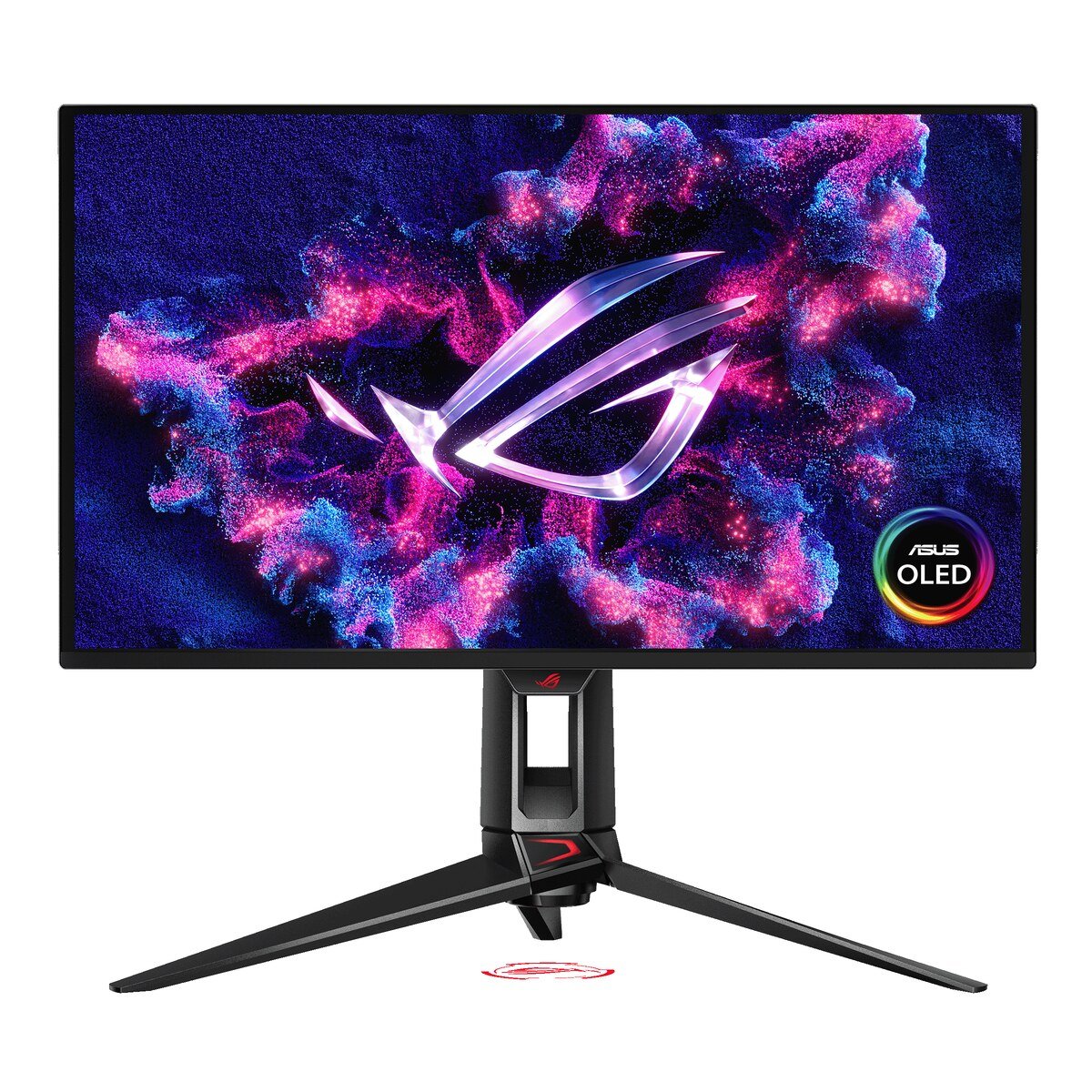
ASUS ROG Swift OLED PG27UCDM
27-inch 4K QD-OLED, HDMI 2.1. Perfect blacks and the sharpest PS5 Pro image.
Check Price on Amazon🎮 Best for PlayStation Fans
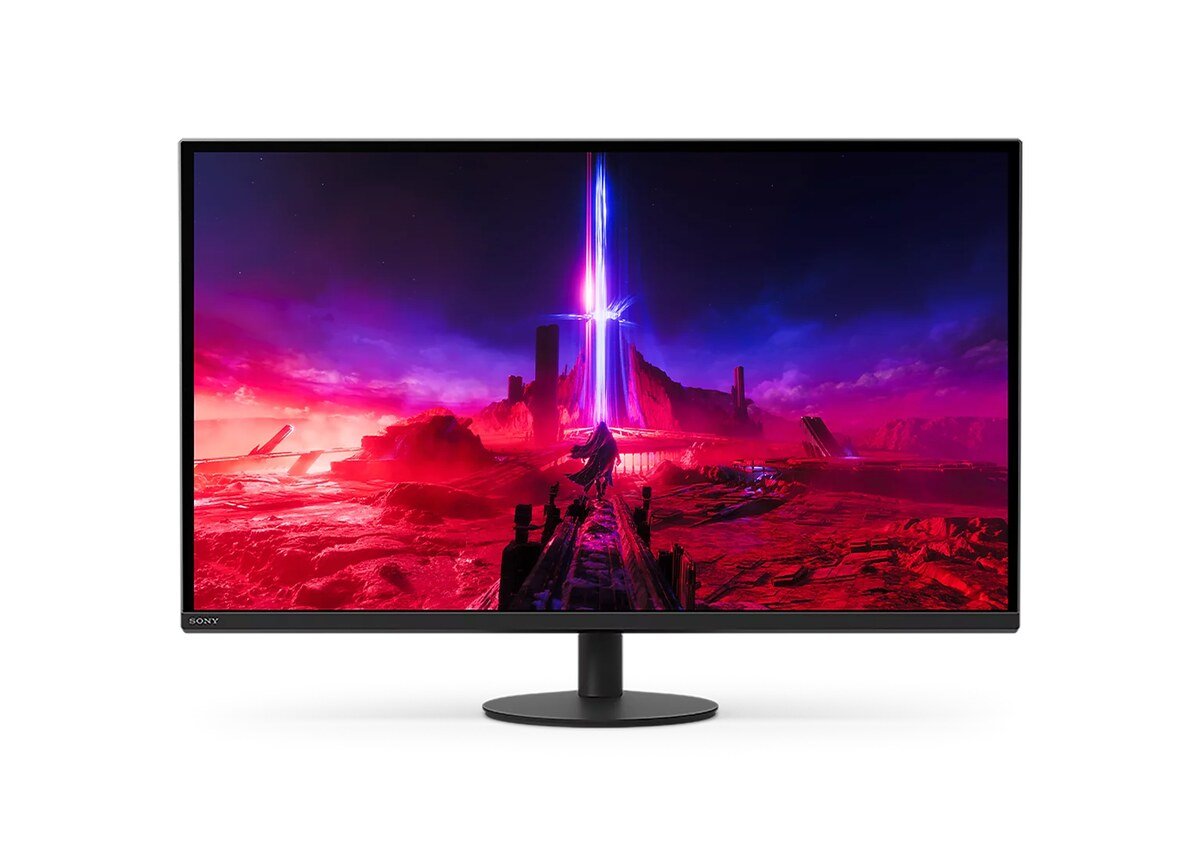
Sony INZONE M9 II
Sony’s own 4K monitor with bright HDR and zero burn-in risk.
Check Price on Amazon💰 Best Budget
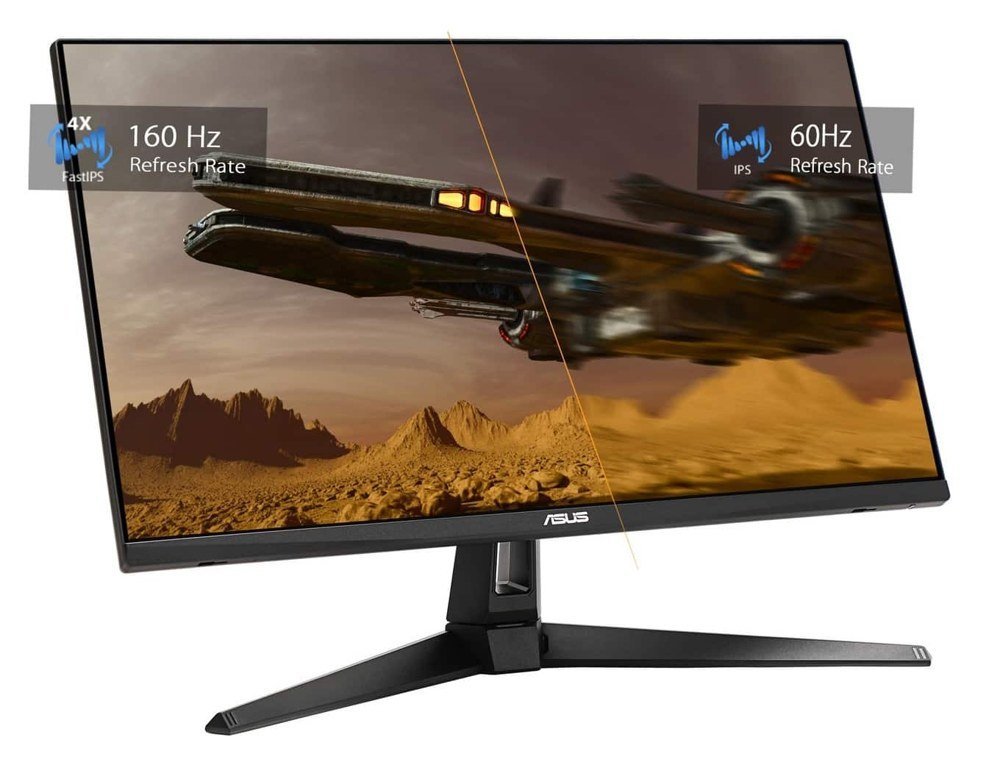
ASUS TUF Gaming VG27UQ1A
True 4K at 120Hz over HDMI 2.1 for a fraction of OLED money.
Check Price on AmazonBlack Friday tip: most of these monitors are discounted on Amazon this week. Prices change fast, so check the live price before you buy.
Quick Comparison: Best Monitors for PS5 and PS5 Pro
| Monitor | Screen | Panel | PS5 Max | Best for | Deal |
|---|---|---|---|---|---|
| ASUS ROG Swift OLED PG27UCDM | 27-inch 4K | QD-OLED | 4K 120Hz | Best overall | Check Price |
| Sony INZONE M9 II | 27-inch 4K | IPS, local dimming | 4K 120Hz | PlayStation fans | Check Price |
| Alienware AW3225QF | 31.6-inch curved 4K | QD-OLED | 4K 120Hz | Big-screen immersion | Check Price |
| Samsung Odyssey OLED G8 G81SF | 27-inch 4K | QD-OLED | 4K 120Hz | OLED for less | Check Price |
| Acer Nitro XV275K V3 | 27-inch 4K | IPS Mini-LED | 4K 120Hz | Bright HDR on a budget | Check Price |
| ASUS TUF Gaming VG27UQ1A | 27-inch 4K | Fast IPS | 4K 120Hz | Best value 4K 120Hz | Check Price |
| Dell S2725QS | 27-inch 4K | IPS | 4K 120Hz | Budget 4K, adjustable stand | Check Price |
| Dell S3225QS | 31.5-inch 4K | VA | 4K 120Hz | Big screen, small budget | Check Price |
| KOORUI S2721PM | 27-inch 1440p | IPS Mini-LED | 1440p 120Hz | Budget 1440p with VRR | Check Price |
What a PS5 and PS5 Pro Need From a Monitor
Before you spend money, it helps to know exactly what the console sends to the screen.
- HDMI 2.1 for 4K at 120Hz. The PS5 can output 4K at up to 120Hz, but only over HDMI 2.1. On an HDMI 2.0 monitor it tops out at 4K 60Hz or 1440p 120Hz.
- 1440p is supported. The PS5 outputs 1440p, and VRR works at 1440p on monitors that support it. That makes a good 1440p screen a smart budget choice.
- 120Hz is the ceiling. No PS5 game runs above 120fps, so a 240Hz or 360Hz panel adds nothing for the console itself.
- VRR smooths out dips. Variable Refresh Rate keeps games smooth when the frame rate drops below the target. On PS5 it typically works from around 48Hz upward.
- HDR is what you will notice most. OLED or mini-LED with many dimming zones looks dramatically better than a basic “HDR400” LCD.
- PS5 Pro rewards a dense 4K panel. The Pro’s PSSR upscaling produces a sharper image, and a 27-inch 4K screen is where that extra detail is easiest to see.
What this means for your monitor: buy for image quality first (4K, HDR, contrast), make sure it has HDMI 2.1 if you want 4K at 120Hz, and don’t pay extra for refresh rates the console cannot use.
The 9 Best Monitors for PS5 and PS5 Pro
1. ASUS ROG Swift OLED PG27UCDM (27″ 4K QD-OLED) – Best Overall Monitor for PS5
Buy this if: you want the best picture a desk monitor can give a PS5 or PS5 Pro.
Our verdict: This is the monitor we would put next to a PS5 Pro without a second thought. Every pixel lights itself, so dark games like Silent Hill f or the night levels in Astro Bot look the way they were designed to: true black, with highlights that pop instead of fading into gray. At 27 inches, 4K gives a very dense image, which is exactly where the PS5 Pro’s sharper upscaling shows. It accepts every PS5 signal, including 4K at 120Hz with VRR over HDMI 2.1, and ASUS backs it with a 3-year warranty that the company says covers burn-in.
Key specs
- 27-inch (26.5″ viewable) 4K QD-OLED, 240Hz max (PS5 uses up to 120Hz)
- HDMI 2.1: 4K @ 120Hz from PS5 and PS5 Pro
- DisplayPort 2.1a UHBR20 for a future PC
- 0.03ms response time, G-SYNC Compatible / VRR
- 3-year warranty that ASUS says covers burn-in
Pros
- Per-pixel contrast makes HDR games look spectacular
- Very sharp 4K at 27 inches shows off PS5 Pro detail
- Supports every PS5 resolution and refresh mode
- Headroom if you add a gaming PC later
Cons
- Premium price, even on sale
- Lower full-screen brightness than mini-LED in a very sunny room
- 240Hz is more than a PS5 can use
Who it’s for: PS5 and PS5 Pro owners who want the best possible picture at a normal desk distance and are happy to pay for it.
2. Sony INZONE M9 II (27″ 4K Full-Array Local Dimming) – Best Monitor for PlayStation Fans
Buy this if: you are all-in on PlayStation and want bright HDR without any burn-in worries.
Our verdict: Made by the company behind the PS5, the INZONE M9 II is the easiest choice for PlayStation owners. Full-array local dimming and DisplayHDR 600 certification give HDR games real punch, while the IPS panel means you can leave a static HUD or the PS5 home screen up for hours without a second thought. It takes 4K at 120Hz from a PS5 or PS5 Pro over HDMI 2.1, and the built-in speakers mean you can start playing the day it arrives. Stock has been getting thinner, so if it’s available at a good price, don’t wait too long.
Key specs
- 27-inch 4K IPS with full-array local dimming
- Up to 160Hz via DisplayPort, up to 144Hz via HDMI 2.1
- VESA DisplayHDR 600, up to 750 nits peak (Sony)
- Built-in speakers, 3-year limited warranty
- Low-profile stand
Pros
- Designed with PS5 owners in mind
- Bright HDR and zero burn-in risk
- Speakers included
Cons
- Some blooming around bright objects on dark backgrounds
- Blacks are not as deep as OLED
- Stock may be limited
Who it’s for: PS5 and PS5 Pro owners who play long sessions and want a bright, burn-in-free 4K screen with a PlayStation-friendly setup.
3. Alienware AW3225QF (32″ Curved 4K QD-OLED) – Best 32-Inch Monitor for PS5
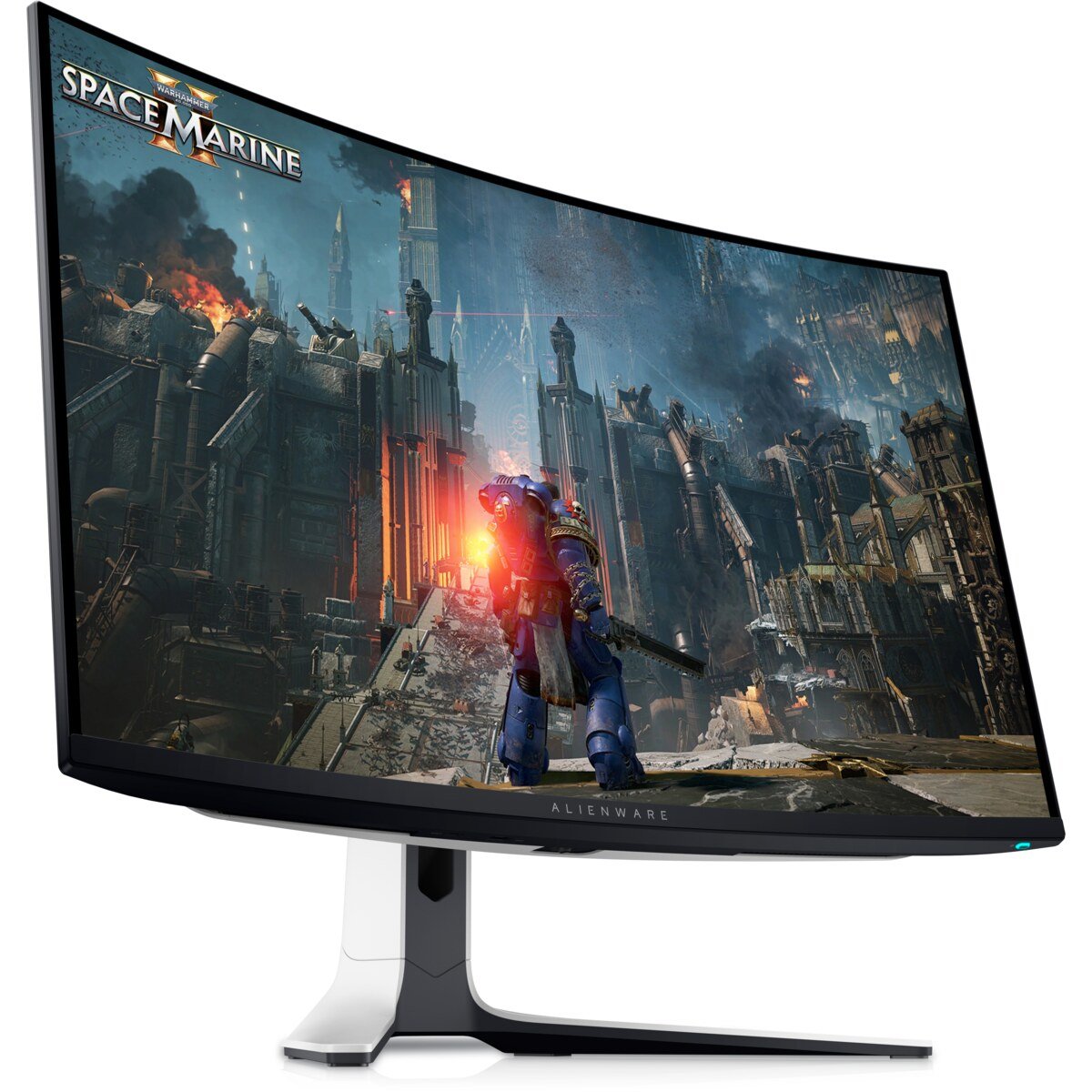
Buy this if: you want your PS5 games to feel like a private cinema on your desk.
Our verdict: If 27 inches feels small, this is the upgrade. The 32-inch curved QD-OLED wraps open-world games like Ghost of Yōtei around your field of view, and Dell lists two full HDMI 2.1 FRL ports with 4K at 120Hz, VRR and ALLM for consoles. That means a PS5 and a second console can both stay plugged in. It also has eARC, so you can send Dolby Atmos straight to a soundbar, something very few monitors offer. Dell’s 3-year warranty includes OLED burn-in.
Key specs
- 31.6-inch 1700R curved 4K QD-OLED, 240Hz
- 2x HDMI 2.1 FRL (4K 120Hz, VRR, ALLM), eARC
- Dolby Vision and VESA DisplayHDR True Black 400, up to 1000 nits peak (Dell)
- 99% DCI-P3
- 3-year warranty including OLED burn-in (Dell)
Pros
- Huge, immersive 4K OLED image
- Two HDMI 2.1 ports for two consoles
- eARC for a soundbar
- Burn-in covered by warranty
Cons
- The curve is a matter of taste
- Expensive
- No built-in speakers
Who it’s for: PS5 players with a deep desk (about 3 feet / 90 cm from the screen) who want maximum immersion.
4. Samsung Odyssey OLED G8 G81SF (27″ 4K QD-OLED) – Best OLED Value for PS5
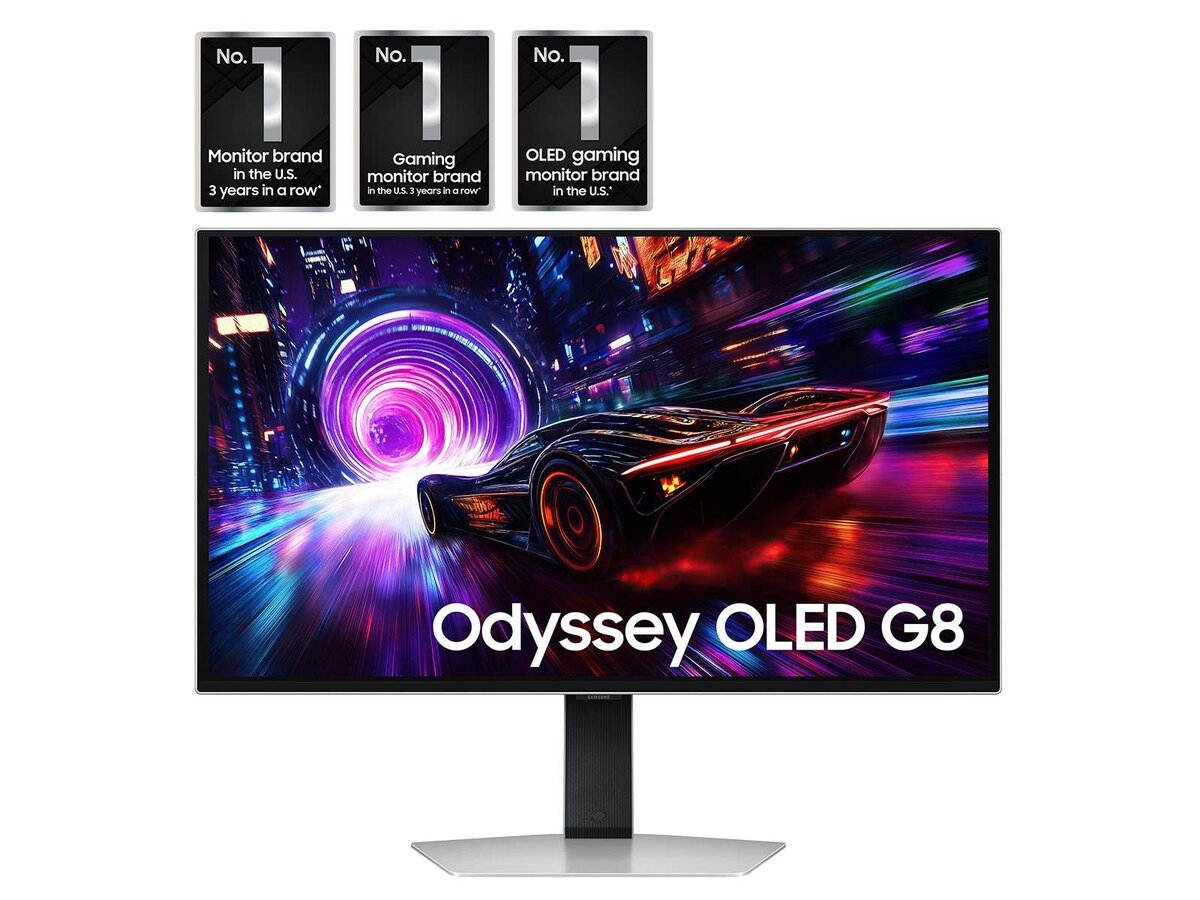
Buy this if: you want 4K OLED for your PS5 but your room has windows or bright lights.
Our verdict: The G81SF uses the same class of 27-inch 4K QD-OLED panel as our top pick, but with a glare-free matte finish that handles a bright room better. It has two HDMI 2.1 ports with full 48Gbps bandwidth, so a PS5 runs at 4K 120Hz, and it is often heavily discounted on Amazon, which makes it the cheapest way into 4K OLED for many buyers. One tip: turn on Samsung’s VRR Control in the menu to avoid flicker in darker scenes.
Key specs
- 27-inch 4K QD-OLED, 240Hz, 0.03ms
- 2x HDMI 2.1 (48Gbps), 1x DisplayPort 1.4
- VESA DisplayHDR True Black 400, FreeSync Premium Pro
- Glare-free matte finish
Pros
- 4K OLED picture for less money when on sale
- Matte finish cuts reflections in daytime
- Two HDMI 2.1 ports
Cons
- Matte coating makes blacks look slightly raised in bright rooms
- No speakers or USB-C
- VRR flicker can appear if VRR Control is off
Who it’s for: PS5 players who want OLED picture quality in a lit room at a lower price than the flagships.
5. Acer Nitro XV275K V3 (27″ 4K Mini-LED, HDR1000) – Best Budget HDR Monitor for PS5
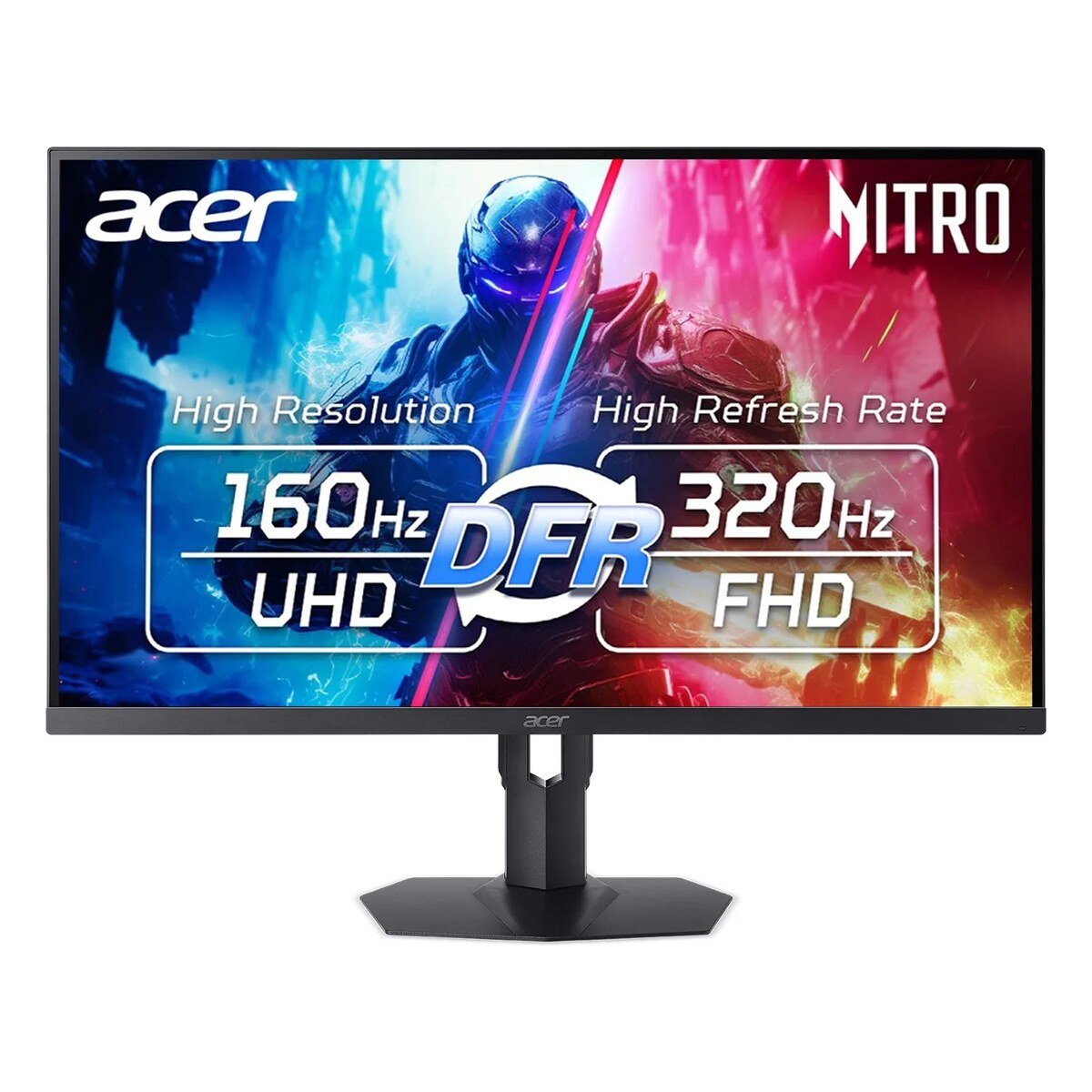
Buy this if: you want bright 4K HDR without paying OLED prices.
Our verdict: This is the HDR bargain of the list. A 1,152-zone mini-LED backlight and VESA DisplayHDR 1000 certification mean HDR highlights get genuinely bright, which no budget OLED can match, and there is no burn-in risk at all. Acer lists two HDMI 2.1 ports, so a PS5 runs at full 4K 120Hz. The one thing to know: Acer only lists VRR over DisplayPort, so PS5 VRR over HDMI is not confirmed. If VRR matters most to you, the ASUS TUF VG27UQ1A or Samsung G81SF are safer picks.
Key specs
- 27-inch 4K IPS, 1,152-zone mini-LED backlight
- VESA DisplayHDR 1000, 1000 nits peak (Acer)
- 2x HDMI 2.1, 2x DisplayPort 1.4
- Dual mode: 4K 160Hz or 1080p 320Hz
Pros
- Brightest HDR in its price range
- 4K 120Hz from PS5 over HDMI 2.1
- No burn-in risk
Cons
- Some blooming, as with all mini-LED
- PS5 VRR over HDMI is unconfirmed
- Mixed Amazon user ratings
Who it’s for: Budget-minded PS5 players who want real HDR impact and play in a bright room.
6. ASUS TUF Gaming VG27UQ1A (27″ 4K 160Hz Fast IPS) – Best Value 4K 120Hz Monitor for PS5
Buy this if: you want full 4K at 120Hz from your PS5 for the lowest price on this list.
Our verdict: This is the value champion for PS5 owners. ASUS lists two HDMI 2.1 ports, and the monitor accepts 4K at 120Hz from consoles without chroma subsampling, so you get the full, sharp 4K image at the console’s top refresh rate. Adaptive-Sync VRR runs from 48Hz over HDMI, which lines up with the PS5’s VRR window, and the Fast IPS panel keeps motion clean in shooters and racing games. It’s been dropping well under its $329 list price on Amazon for Black Friday, which makes it the cheapest route to “proper” 4K 120Hz PS5 gaming. HDR is basic, so think of it as a sharp, fast SDR screen first.
Key specs
- 27-inch 4K Fast IPS, 160Hz max (PS5 uses up to 120Hz), 1ms GTG
- 2x HDMI 2.1, 1x DisplayPort 1.4 DSC
- 4K 120Hz from consoles without chroma subsampling (ASUS)
- Adaptive-Sync VRR, FreeSync Premium, G-SYNC Compatible
- 95% DCI-P3, HDR10, 300 nits; 2x 2W speakers; 3-year warranty
Pros
- Lowest price here for true 4K 120Hz over HDMI 2.1
- Two HDMI 2.1 ports for PS5 plus another console
- Fast IPS keeps motion sharp
- Built-in speakers and a headphone jack
Cons
- HDR10 at 300 nits is entry-level
- IPS contrast looks gray in dark scenes
- Basic speakers
Who it’s for: PS5 players who want sharp 4K at 120Hz and VRR on a tight budget.
7. Dell 27 Plus 4K S2725QS (27″ 4K 120Hz IPS) – Best Budget 4K Monitor with an Adjustable Stand
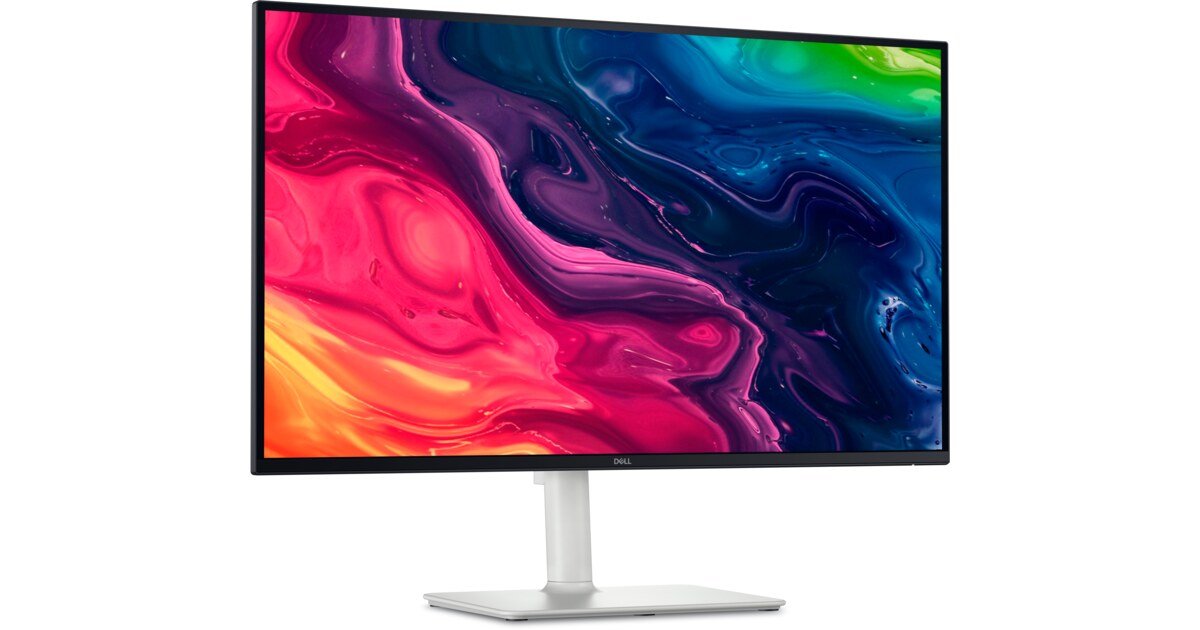
Buy this if: you want sharp 4K at 120Hz plus a fully adjustable stand and decent speakers.
Our verdict: The S2725QS is one of the cheapest ways to get true 4K at 120Hz from a PS5, with VRR support. It is a bright, sharp, well-built IPS panel with a height, swivel and pivot stand and surprisingly decent 2x 5W speakers, so you don’t need anything else to start playing. HDR is entry-level, but for the price it is hard to beat, and it is one of Amazon’s best-selling 4K monitors.
Key specs
- 27-inch 4K IPS, 120Hz, AMD FreeSync Premium
- 350 nits, 1500:1 contrast, 99% sRGB (Dell)
- Accepts 4K 120Hz from PS5
- 2x 5W speakers
- Height, swivel and pivot stand
Pros
- Very low price for 4K 120Hz
- Sharp text and HUD
- Speakers and a good stand included
Cons
- Entry-level HDR
- IPS contrast looks grayish next to OLED
- Average motion handling
Who it’s for: Students and casual players who want sharp 4K on PS5 and may add an HDR screen later.
8. Dell 32 Plus 4K S3225QS (32″ 4K 120Hz VA) – Best Big Budget Monitor for PS5
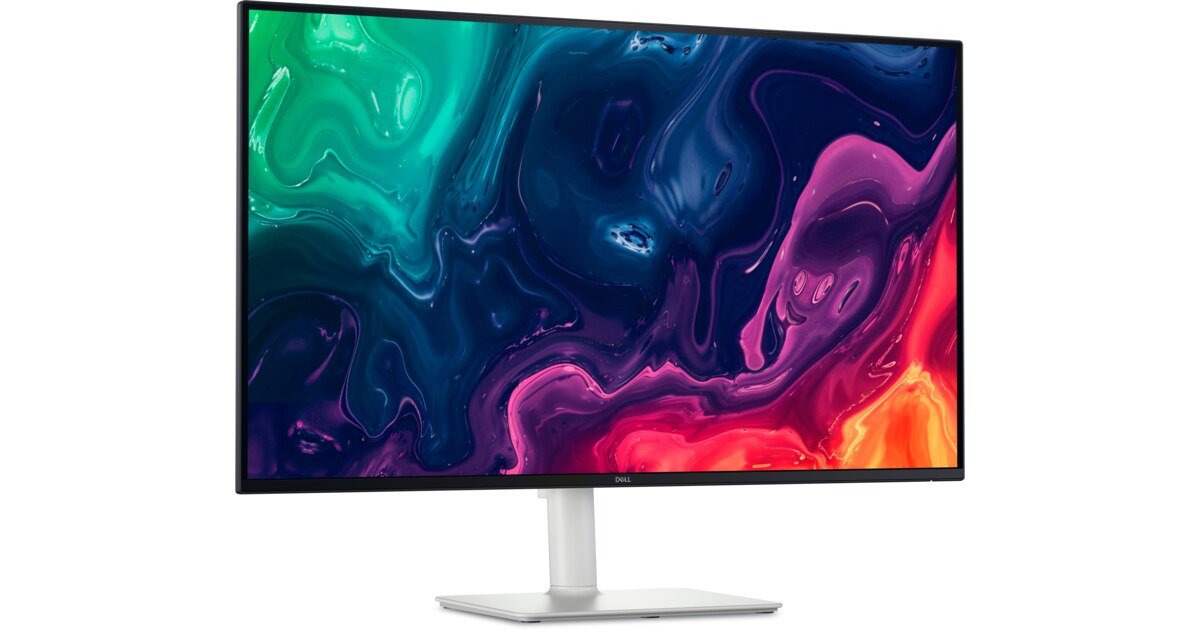
Buy this if: you want a big 32-inch 4K screen for your PS5 without OLED money.
Our verdict: Want size over everything? The S3225QS gives you a 31.5-inch 4K canvas with two HDMI 2.1 ports that accept 4K at 120Hz with HDR and VRR. Its VA panel has about double the contrast of a typical IPS (3000:1 vs 1500:1 on Dell’s spec sheets), so dark scenes look deeper than on the 27-inch Dell. Two ports also mean a PS5 and another console can share it.
Key specs
- 31.5-inch 4K VA, 120Hz, FreeSync Premium
- 2x HDMI 2.1 (4K 120Hz, HDR, VRR), 1x DisplayPort 1.4
- 3000:1 contrast, 99% sRGB, 95% DCI-P3 (Dell)
- 2x 5W speakers
Pros
- Biggest screen for the money in this guide
- Better contrast than budget IPS
- Two HDMI 2.1 ports
Cons
- Some VA smearing in dark scenes
- Basic HDR
- No USB hub
Who it’s for: PS5 players who sit a little further back or simply want a bigger 4K screen on a budget.
9. KOORUI S2721PM (27″ 1440p Mini-LED, HDR1000) – Best 1440p Monitor for PS5
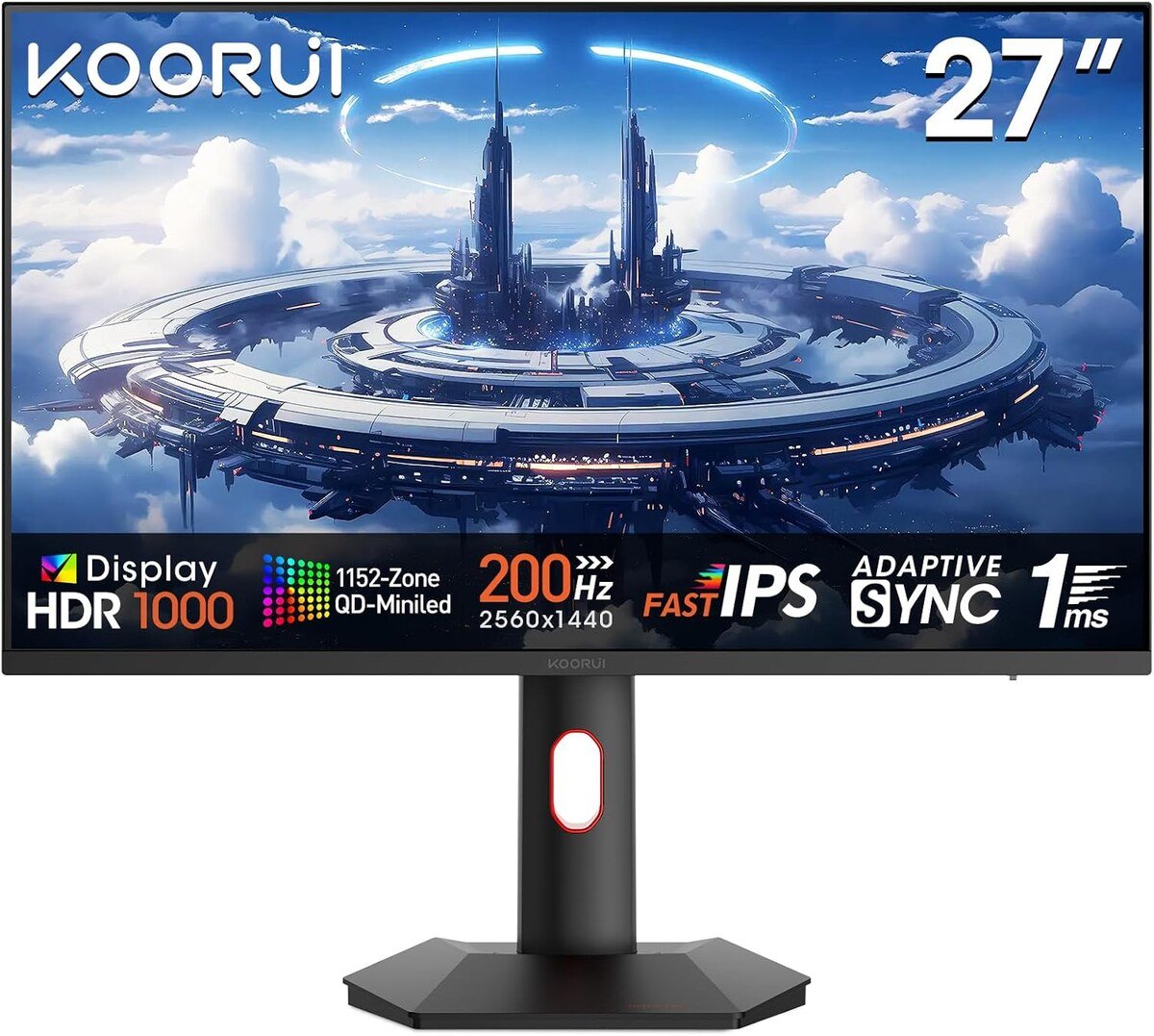
Buy this if: your budget is tight and you’re happy playing at 1440p.
Our verdict: The S2721PM supports PS5 VRR at 1440p and 120Hz, which many cheap monitors don’t. Add a mini-LED backlight and a DisplayHDR 1000 badge, and you get HDR brightness that is remarkable at this price. You won’t get 4K, since it uses HDMI 2.0, but at 27 inches and desk distance 1440p still looks clean, and it makes a great second-room or kids’ room PS5 monitor.
Key specs
- 27-inch 1440p IPS with mini-LED backlight
- Up to 200Hz on PC; PS5 up to 1440p 120Hz
- DisplayHDR 1000 (KOORUI listing)
- HDMI 2.0 + DisplayPort 1.4
- Height-adjustable stand
Pros
- Real HDR brightness for little money
- PS5 VRR at 1440p
- Great second-room monitor
Cons
- No 4K or 4K 120Hz (HDMI 2.0 only)
- Some blooming and calibration quirks
Who it’s for: PS5 owners on a tight budget who still want bright HDR and smooth 1440p gameplay.
Buying Guide: How to Choose a Monitor for PS5 and PS5 Pro
HDMI 2.1 vs HDMI 2.0
For 4K at 120Hz from a PS5 or PS5 Pro, you need HDMI 2.1. HDMI 2.0 still gives you 4K at 60Hz or 1440p at 120Hz, which is fine for many single-player games but leaves performance modes on the table. Every 4K pick in this guide supports 4K 120Hz from the console.
4K vs 1440p for PS5
Choose 4K if you can. Most PS5 games are designed around a 4K output, so a 4K monitor shows the image without rescaling, and PS5 Pro owners get the full benefit of PSSR. 1440p is still a strong budget option at 27 inches or smaller, and the PS5 supports VRR at 1440p.
Refresh rate: is 120Hz enough?
Yes. The PS5 outputs a maximum of 120Hz, so 120Hz to 144Hz is all you need for the console. Only pay for 240Hz or more if you also game on a PC.
VRR on PS5
VRR (what is VRR) syncs the monitor to the game’s frame rate, so dips feel smooth instead of stuttery. On PS5 it usually works from around 48Hz up. It’s a worthwhile extra, especially in performance modes that hover between 60 and 120fps.
HDR: the feature you’ll actually see
Basic “HDR400” LCDs add very little. For HDR you can see, choose OLED (DisplayHDR True Black 400 and up) or mini-LED with many dimming zones. Not sure about the badges? Our HDR 400 vs HDR 1000 guide explains the difference.
Screen size and viewing distance
At a normal desk distance of 24 to 32 inches (60 to 80 cm), 27-inch 4K is the sweet spot. If you sit around 3 feet (90 cm) away, 32-inch 4K feels more immersive. 1440p looks best at 27 inches or smaller.
OLED burn-in: should you worry?
Many PS5 games have static HUDs, and the home screen can sit on the display for a long time. Modern QD-OLED monitors run pixel-refresh routines, and some (ASUS PG27UCDM, Alienware AW3225QF) come with warranties that cover burn-in. If you play 8+ hours a day with the same HUD, a mini-LED or IPS screen like the Sony INZONE M9 II removes the risk entirely.
Speakers and audio
A PS5 sends sound over HDMI, so a monitor with built-in speakers (Sony INZONE M9 II, ASUS TUF VG27UQ1A, Dell S2725QS, Dell S3225QS) works out of the box. Otherwise, plug headphones into the DualSense controller, or use a monitor with eARC like the AW3225QF to send audio to a soundbar.
Monitor or TV for PS5?
From a couch, a big 4K TV makes sense. At a desk, in a bedroom, or anywhere you sit within about 3 feet of the screen, a monitor is sharper, takes less space and usually has lower input lag.
Best PS5 Settings for a Monitor
- Settings > Screen and Video > Video Output: set Resolution to Automatic (it chooses 2160p on a 4K monitor) and 4K Video Transfer Rate to Automatic. If you see flicker or a black screen, try -1 or -2.
- Enable 120Hz Output: Automatic.
- VRR: Automatic, if your monitor supports it on PS5. You can also turn on “Apply to Unsupported Games” and check whether a game looks better.
- HDR: On When Supported, then run Adjust HDR with the monitor in HDR mode. Raise brightness until the symbol just disappears on each screen.
- RGB Range: Automatic.
- On the monitor: turn on HDR or console mode, enable game mode or auto low latency, and set overdrive to a medium setting on LCD screens.
Want more help? See our guide on the best monitor for GTA 6 on PS5 and Xbox.
Which Monitor Should You Buy for PS5?
- Want the best picture, money no object? Get the ASUS ROG Swift OLED PG27UCDM, or the Alienware AW3225QF if you want 32 inches and a curve.
- Want OLED for less? The Samsung Odyssey OLED G8 G81SF is often heavily discounted. Check the live price.
- All-in on PlayStation and hate burn-in worries? The Sony INZONE M9 II is made for you.
- Want bright HDR on a budget? The Acer Nitro XV275K V3 is the mini-LED bargain.
- Just want 4K at 120Hz as cheaply as possible? The ASUS TUF Gaming VG27UQ1A, or the Dell S2725QS if you want a height-adjustable stand. For 32 inches, the Dell S3225QS.
- Tight budget and okay with 1440p? The KOORUI S2721PM.
PS5 Monitor FAQ
Is 1440p good for PS5?
Yes. The PS5 supports 1440p output, including VRR on supported monitors. A 27-inch 1440p screen looks clean at desk distance, though 4K is noticeably sharper.
Do I need HDMI 2.1 for PS5?
Only for 4K at 120Hz. HDMI 2.0 still runs 4K at 60Hz or 1440p at 120Hz.
Can I use a 240Hz monitor with PS5?
Yes. It works perfectly, but the PS5 sends a maximum of 120Hz, so the extra refresh rate only helps if you also game on PC.
Is OLED or mini-LED better for PS5?
OLED gives perfect blacks and the best dark scenes. Mini-LED gets brighter and has no burn-in risk, which suits bright rooms and very long sessions.
Does the PS5 Pro need a different monitor?
No. Any monitor that works with a PS5 works with a PS5 Pro. A dense 4K panel simply shows off the Pro’s sharper image best.
Does the PS5 support 1080p monitors?
Yes, but at 1080p you lose most of the console’s detail. If your budget allows, 1440p or 4K is a much better match.
What about PlayStation’s own 27-inch Gaming Monitor?
Sony’s official 27-inch Gaming Monitor with DualSense Charging Hook is a 1440p IPS screen with VRR, HDR, two HDMI 2.1 ports and a fold-out hook that charges your controller. It runs at up to 120Hz on PS5 (240Hz on PC) and launched at $349.99. It’s a neat PlayStation-matched 1440p option, but if you want 4K, the picks above give you more for similar money.
Can I play PS5 on a monitor without speakers?
Yes. Plug headphones into the DualSense controller’s 3.5mm jack, or use a monitor with an audio output or eARC.
Final Verdict
For most PS5 and PS5 Pro owners, the best monitor for PS5 is one that puts image quality first: 4K resolution, HDMI 2.1 and strong HDR. The ASUS ROG Swift OLED PG27UCDM is our top pick. Choose the Sony INZONE M9 II for bright, burn-in-free 4K from the PlayStation makers, or the ASUS TUF Gaming VG27UQ1A if you just want sharp 4K at 120Hz on a budget. With Black Friday deals live right now, it’s a great time to upgrade.

As a self-proclaimed resolution connoisseur, Jacob Miller is dedicated to exploring the world of gaming and tech through the lens of monitors. His articles not only cover the technical specifications but also delve into the user experience, offering practical advice for gamers seeking the perfect display. Jacob’s background in graphic design adds an artistic touch to his reviews.