

An ultrawide monitor replaces two screens with one seamless panel, pulls you deeper into games, and gives you room for a full timeline, a giant spreadsheet or three windows side by side. The quick answer: the best ultrawide monitor for most people is a 34-inch 3440 x 1440 OLED with a fast refresh rate. Our top pick is the Alienware AW3425DW, sim racers and multitaskers should get the 49-inch Samsung Odyssey OLED G9, and the best value is the Alienware AW3425DWM.
Every monitor below is a current model sold on Amazon US. We cover every budget and use: OLED for gaming, 49-inch super ultrawides, 5K2K screens, one-cable productivity monitors for laptops, and a budget pick that still has a proper 3440 x 1440 resolution.
Top 3 Ultrawide Monitors at a Glance
🏆 Best Overall
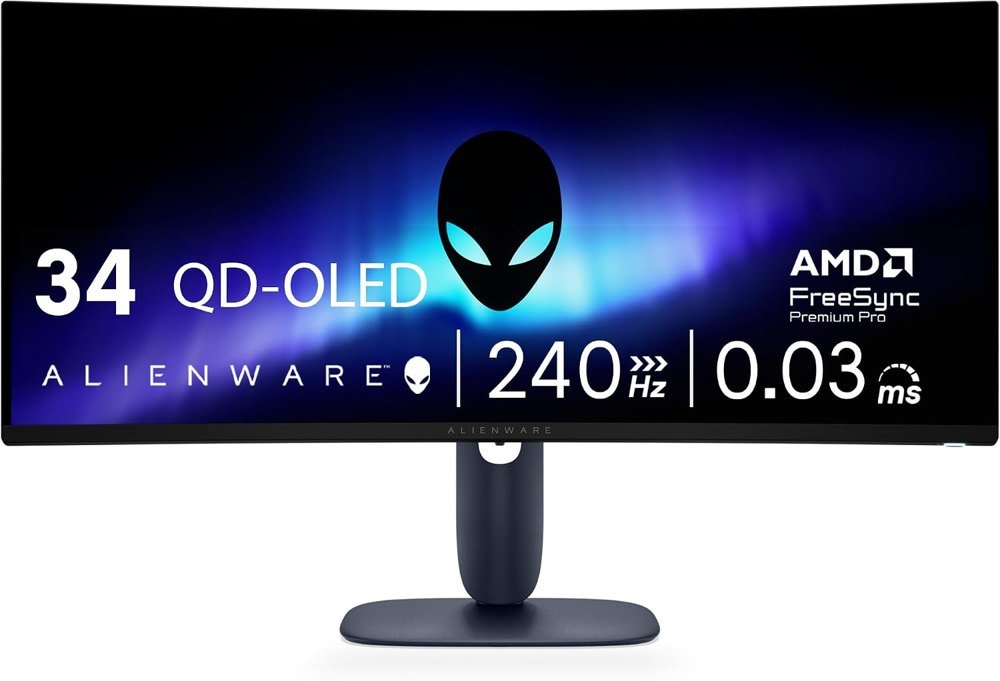
Alienware AW3425DW
34-inch QD-OLED at 240Hz with a burn-in warranty. The best all-round ultrawide.
Check Price on Amazon🖥️ Best Super Ultrawide
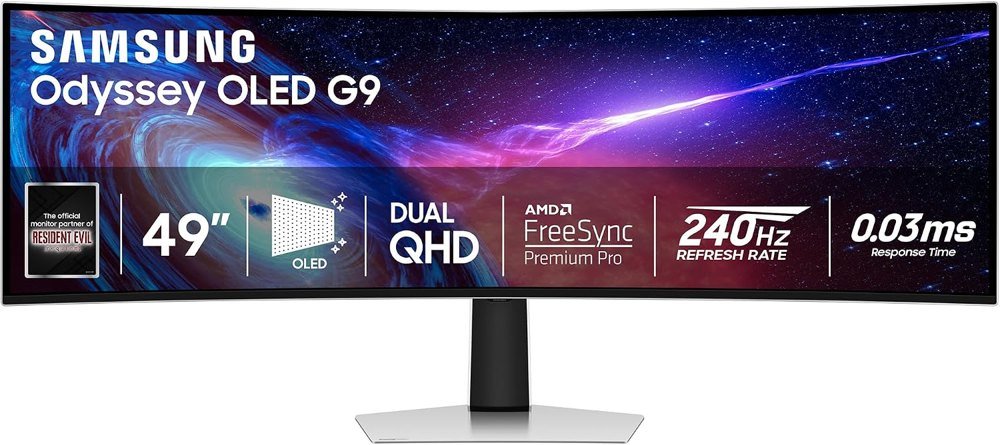
Samsung Odyssey OLED G9 G93SC
49-inch 32:9 OLED. Two 27-inch 1440p screens in one curved panel.
Check Price on Amazon💰 Best Value
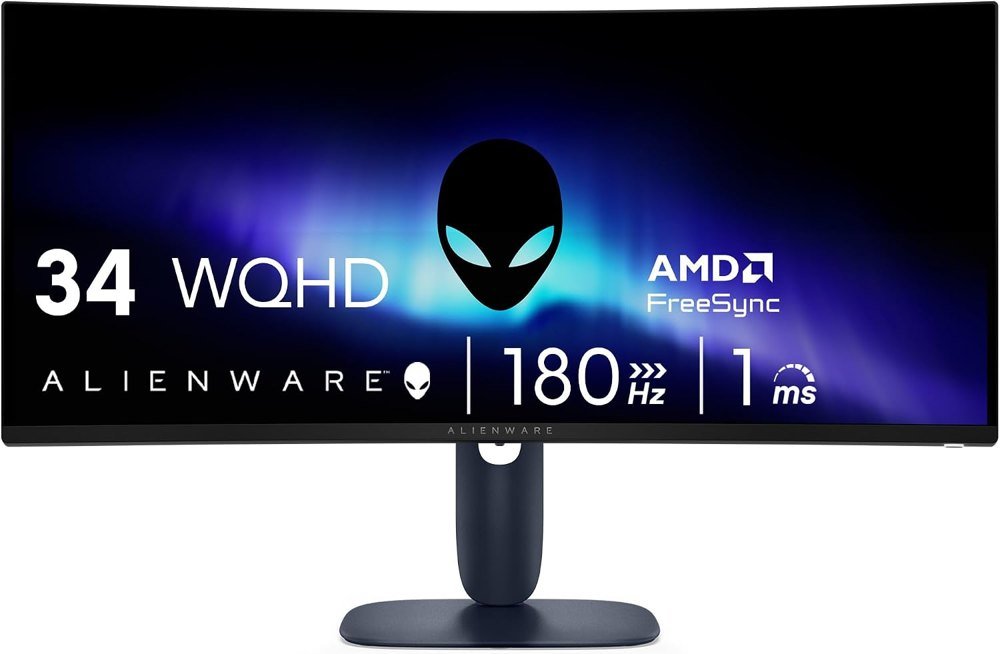
Alienware AW3425DWM
34-inch 1440p at 180Hz with a great stand, for about half the price of OLED.
Check Price on AmazonDeal tip: ultrawide prices move a lot during sales events. Check the live Amazon price before you buy.
Quick Comparison: Best Ultrawide Monitors in 2026
| Monitor | Screen | Panel | Refresh | Best for | Deal |
|---|---|---|---|---|---|
| Alienware AW3425DW | 34″ 3440×1440 | QD-OLED | 240Hz | Best overall | Check Price |
| ASUS ROG Swift OLED PG34WCDN | 34″ 3440×1440 | RGB QD-OLED | 360Hz | Premium 34″, sharp text | Check Price |
| LG UltraGear 45GX950A-B | 45″ 5120×2160 | WOLED | 165Hz / 330Hz | 5K2K gaming | Check Price |
| Samsung Odyssey OLED G9 G93SC | 49″ 5120×1440 (32:9) | QD-OLED | 240Hz | Super ultrawide, sims | Check Price |
| MSI MAG 341CQP QD-OLED | 34″ 3440×1440 | QD-OLED | 175Hz | Work + play, KVM | Check Price |
| Alienware AW3425DWM | 34″ 3440×1440 | VA | 180Hz | Best value | Check Price |
| Sceptre C345B-QUT168 | 34″ 3440×1440 | VA | 165Hz | Best budget | Check Price |
| Dell UltraSharp 34 U3426WER | 34″ 3440×1440 | IPS Black | 120Hz | Productivity, laptops | Check Price |
| Dell UltraSharp U4025QW | 40″ 5120×2160 | IPS Black | 120Hz | 5K2K for work | Check Price |
What Makes a Great Ultrawide Monitor
Ultrawides are not just wider 27-inch screens. A few details decide whether one feels amazing or awkward on your desk.
- Aspect ratio: 21:9 or 32:9. 21:9 (34, 40 and 45 inches) is the sweet spot that most games and apps support. 32:9 (49 inches) equals two 16:9 monitors side by side and is best for sims and heavy multitasking.
- Resolution must match the size. 3440 x 1440 is ideal at 34 inches (about 110 pixels per inch). At 40 to 45 inches, look for 5K2K (5120 x 2160) to keep text sharp.
- Panel type changes everything. OLED gives perfect blacks and instant response; VA gives deep contrast for less money; IPS Black gives accurate color for work with no burn-in risk.
- Refresh rate for gaming. 144Hz to 180Hz is smooth for most players; 240Hz and above rewards fast shooters if your GPU can keep up.
- Curve radius. 1800R is a gentle curve that suits mixed work and play; 1500R and 1000R wrap tighter for more immersion.
- Connectivity. For a laptop, USB-C or Thunderbolt with power delivery turns the monitor into a dock. For gaming PCs, DisplayPort is the safest way to reach the full refresh rate.
Not sure an ultrawide suits you? Our guide is an ultrawide monitor worth it for gaming covers the pros and cons in detail.
The 9 Best Ultrawide Monitors in 2026
1. Alienware AW3425DW (34″ QD-OLED, 240Hz) – Best Ultrawide Monitor Overall
Buy this if: you want a true OLED ultrawide that does everything well without paying flagship money.
Our verdict: This is the ultrawide we would recommend to most people. Its 34-inch QD-OLED panel lights every pixel on its own, so dark scenes in games and movies get true black instead of the gray haze you see on LCD ultrawides, and the 240Hz refresh rate with 0.03ms response time keeps fast games razor sharp. The gentle 1800R curve wraps the 3440 x 1440 image around your view without looking warped in spreadsheets. Dell backs it with a 3-year warranty that, according to Dell, covers burn-in, and two HDMI 2.1 ports mean a console can share the desk with your PC. It regularly sells well below its launch price, which is why it beats pricier OLEDs as our top pick.
Key specs
- 34.2-inch (21:9) QD-OLED, 3440 x 1440, 1800R curve
- 240Hz refresh rate, 0.03ms GtG response time
- VESA DisplayHDR True Black 400, up to 1,000 nits HDR peak (3% window), 99.3% DCI-P3
- 1x DisplayPort 1.4 (DSC), 2x HDMI 2.1 (FRL, VRR), USB-C downstream with 15W charging
- AMD FreeSync Premium Pro, NVIDIA G-SYNC Compatible; height, tilt, swivel and slant stand
- 3-year warranty with Advanced Exchange (Dell says it covers burn-in)
Pros
- Per-pixel contrast makes HDR games and films look spectacular
- 240Hz feels instantly smoother than 144Hz or 165Hz ultrawides
- Fully adjustable stand and two HDMI 2.1 ports
- Burn-in coverage gives real peace of mind
Cons
- No USB-C video input for laptops
- Text has slight color fringing compared with newer RGB-stripe OLEDs
- DisplayPort 1.4 (with DSC) rather than the newer DisplayPort 2.1
Who it’s for: PC gamers and movie fans who want the OLED ultrawide experience at the best balance of price and performance.
2. ASUS ROG Swift OLED PG34WCDN (34″ RGB QD-OLED, 360Hz) – Best Premium 34-Inch Ultrawide
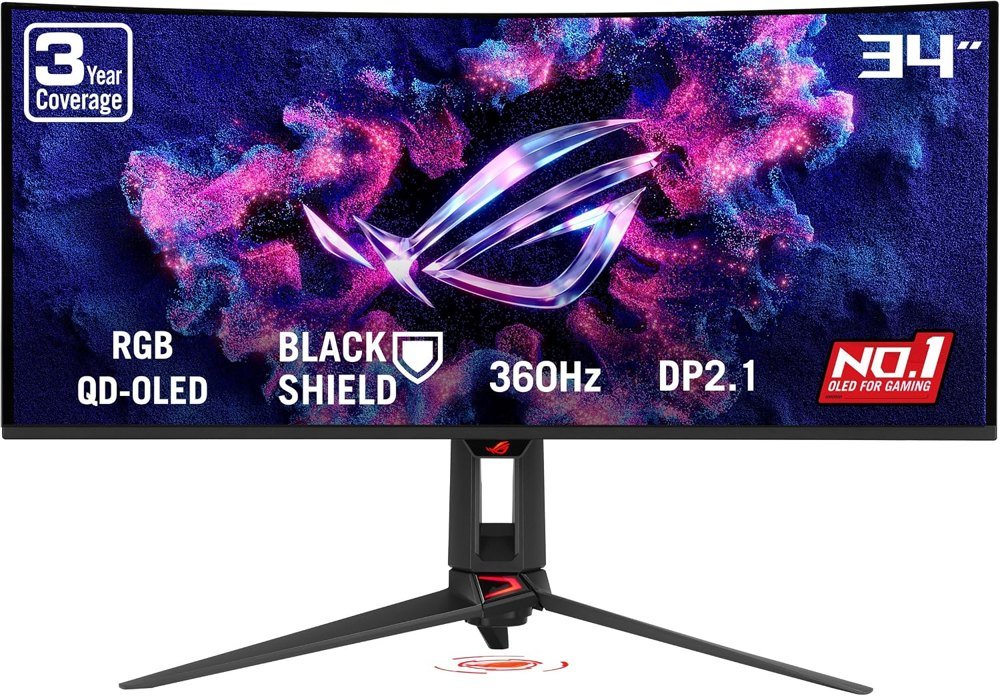
Buy this if: you want the fastest, sharpest 34-inch OLED ultrawide available right now.
Our verdict: The PG34WCDN uses Samsung Display’s newest QD-OLED panel with an RGB-stripe subpixel layout, which ASUS markets as Tandem RGB QD-OLED. The practical result is cleaner text than older QD-OLED ultrawides, so it is far more comfortable for coding, writing and spreadsheets between gaming sessions. At 360Hz it is the quickest ultrawide in this guide, and the BlackShield film keeps blacks looking deep even with some room light. It is also the most complete connectivity package of the 34-inch OLEDs: DisplayPort 2.1a with full 80Gbps bandwidth, two HDMI 2.1 ports and USB-C with 90W charging for a laptop.
Key specs
- 34-inch (21:9) Tandem RGB QD-OLED, 3440 x 1440, 1800R curve, RGB-stripe pixels
- 360Hz refresh rate, 0.03ms GtG response time
- VESA DisplayHDR 500 True Black, up to 1,300 nits HDR peak, 99% DCI-P3
- DisplayPort 2.1a UHBR20 (80Gbps), 2x HDMI 2.1, USB-C with 90W Power Delivery, 3x USB-A
- BlackShield anti-reflection film, OLED Care Pro with Neo Proximity Sensor
Pros
- Sharpest text of any 34-inch OLED we recommend
- 360Hz is ideal for competitive shooters
- USB-C 90W lets one cable run a laptop
- Brightest HDR of the 34-inch picks
Cons
- Expensive compared with 240Hz OLEDs
- You need a powerful GPU to get anywhere near 360fps at 3440 x 1440
- Tripod-style stand takes up desk depth
Who it’s for: Enthusiasts with a high-end graphics card who game competitively and also work on the same screen all day.
3. LG UltraGear 45GX950A-B (45″ 5K2K OLED) – Best 5K2K Ultrawide for Gaming
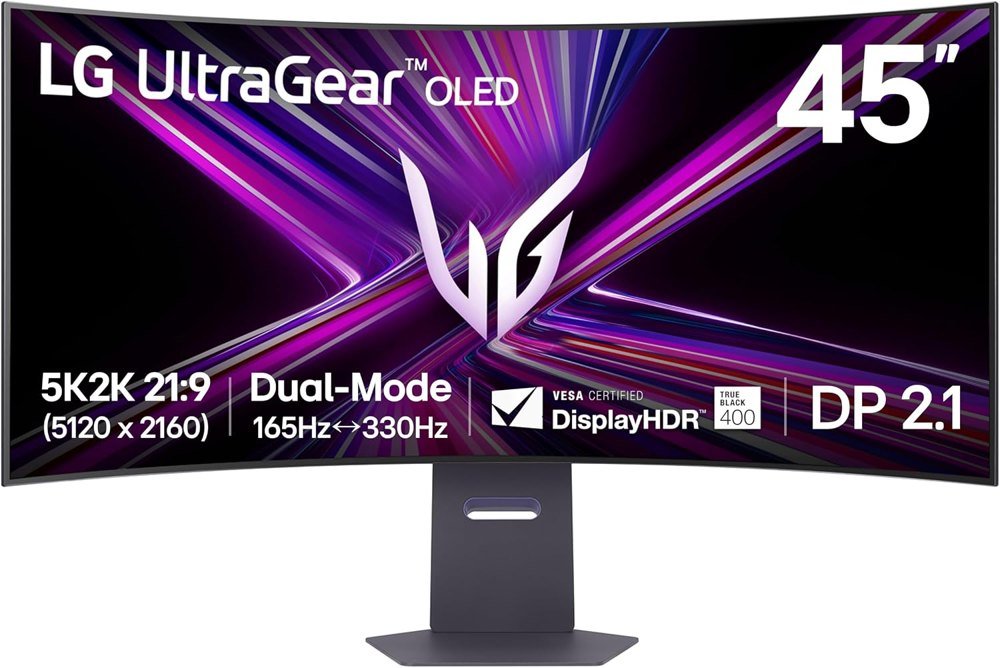
Buy this if: you want a huge, ultra-sharp OLED that feels like a cinema screen on your desk.
Our verdict: Most 45-inch ultrawides use a 3440 x 1440 resolution that looks soft when stretched that big. The 45GX950A-B fixes that with a 5K2K (5120 x 2160) OLED panel, so text and game detail stay crisp across the whole massive screen. Its Dual-Mode feature lets you switch between 5K2K at 165Hz for single-player games and work, and 2560 x 1080 at 330Hz for fast shooters. LG adds DisplayPort 2.1, two HDMI 2.1 ports and USB-C with 90W charging, so it doubles as a big productivity display. You need a strong graphics card to drive 5K2K in modern games, but nothing else on this list is as immersive.
Key specs
- 44.5-inch (21:9) curved WOLED, 5120 x 2160 (5K2K), matte finish
- Dual-Mode: 5K2K at 165Hz or 2560 x 1080 at 330Hz, 0.03ms GtG
- VESA DisplayHDR True Black 400, up to 1,300 nits peak, 98.5% DCI-P3
- DisplayPort 2.1, 2x HDMI 2.1, USB-C with 90W Power Delivery
- NVIDIA G-SYNC Compatible, AMD FreeSync Premium Pro
Pros
- 5K2K resolution keeps a 45-inch screen sharp
- Dual-Mode gives you both detail and 330Hz speed
- Matte finish handles bright rooms well
- USB-C 90W for laptops
Cons
- Needs a high-end GPU for 5K2K gaming
- Very large: measure your desk depth first
- Premium price
Who it’s for: Gamers and creators with a big desk and a powerful PC who want the most immersive 21:9 screen money can buy.
4. Samsung Odyssey OLED G9 (G93SC) (49″ 32:9 QD-OLED) – Best 49-Inch Super Ultrawide
Buy this if: you want the widest screen possible, the equivalent of two 27-inch 1440p monitors with no bezel in the middle.
Our verdict: At 49 inches and a 32:9 aspect ratio, the Odyssey OLED G9 is the ultimate setup for racing sims, flight sims and anyone who runs three or four windows side by side. Its 5120 x 1440 (Dual QHD) QD-OLED panel matches two 27-inch 1440p screens in one piece, with perfect blacks, 240Hz and a 0.03ms response time. The 1800R curve keeps the edges in view, and the height-adjustable stand makes the huge panel easy to position. The G93SC is the simpler, non-smart version of Samsung’s 49-inch OLED, which is exactly why it is often the best value super ultrawide when it’s discounted.
Key specs
- 49-inch (32:9) QD-OLED, 5120 x 1440 (Dual QHD), 1800R curve
- 240Hz refresh rate, 0.03ms GtG response time
- VESA DisplayHDR True Black 400
- HDMI 2.1, DisplayPort, USB hub; height-adjustable stand
- AMD FreeSync Premium Pro, G-SYNC Compatible; Samsung OLED Safeguard burn-in protection
Pros
- Unmatched immersion for sims and racing games
- Replaces a dual-monitor setup with no center bezel
- OLED contrast across a giant canvas
- Often heavily discounted
Cons
- Many games and videos show black bars at 32:9
- Needs a very wide desk (about 47 inches across)
- Lower pixel density than 5K2K screens, so text is less crisp than on the LG 45GX950A-B
Who it’s for: Sim racers, flight-sim fans and multitaskers who want a true two-monitors-in-one experience.
5. MSI MAG 341CQP QD-OLED (34″ QD-OLED, 175Hz) – Best OLED Ultrawide for Work and Play
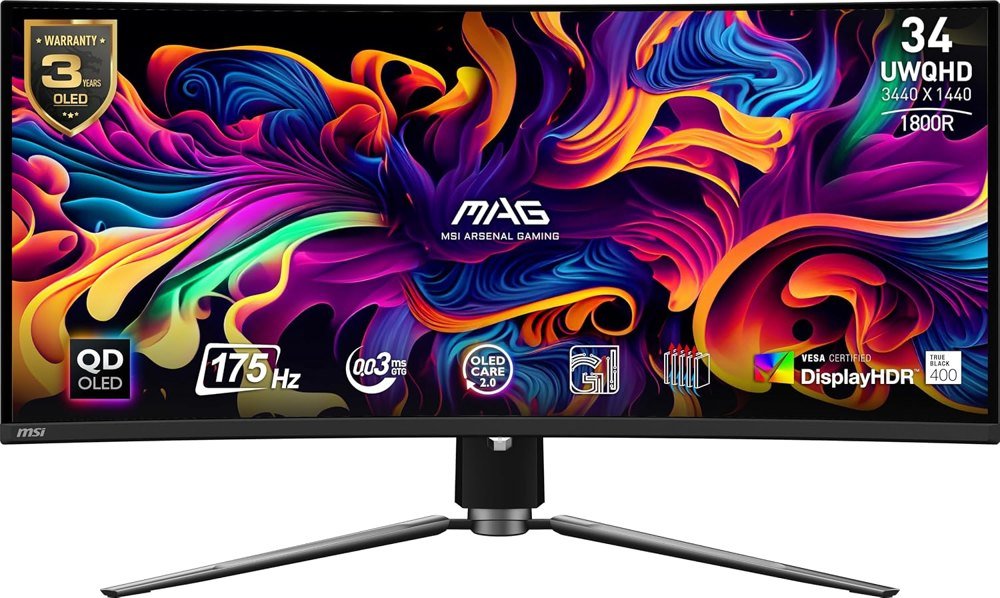
Buy this if: you want an OLED ultrawide that also works as a laptop dock with a built-in KVM switch.
Our verdict: The MSI MAG 341CQP is the 34-inch OLED for people who split their day between a work laptop and a gaming PC. USB-C with DisplayPort Alt Mode carries video from your laptop, the built-in KVM lets one keyboard and mouse control both machines, and two full-bandwidth HDMI 2.1 ports handle 120Hz consoles with VRR. You still get QD-OLED contrast, 175Hz and 99% DCI-P3 color, and MSI backs the panel with a 3-year burn-in warranty. It is slower than our 240Hz pick, but the extra connectivity makes it more flexible on a shared desk.
Key specs
- 34-inch (21:9) QD-OLED, 3440 x 1440, 1800R curve
- 175Hz refresh rate, 0.03ms GtG response time
- VESA DisplayHDR True Black 400, 1,000 nits HDR peak, 99% DCI-P3, Delta E ≤2
- 1x DisplayPort 1.4a, 2x HDMI 2.1 (48Gbps), USB-C (DP Alt Mode, 15W charging)
- Built-in KVM, OLED Care 2.0, 3-year OLED burn-in warranty (MSI)
Pros
- USB-C video and KVM make it a great work-and-play hub
- HDMI 2.1 with VRR and ALLM for consoles
- Burn-in warranty included
- Accurate colors out of the box
Cons
- 175Hz is slower than newer 240Hz OLEDs
- USB-C only charges at 15W, so most laptops still need their charger
- Price varies a lot between sellers
Who it’s for: Hybrid workers and gamers who switch between a laptop and a desktop on the same desk.
6. Alienware AW3425DWM (34″ VA, 180Hz) – Best Value 1440p Ultrawide
Buy this if: you want a fast, reliable 34-inch ultrawide for gaming and work without paying OLED prices.
Our verdict: The AW3425DWM brings Alienware’s build quality to a much lower price. Its 34-inch VA panel gives strong 3,000:1 contrast, which makes darker games look deeper than on IPS screens, and the 180Hz refresh rate is a real step up from 100Hz and 144Hz budget ultrawides. The tighter 1500R curve feels immersive in games, and you get a height-adjustable stand, two HDMI 2.1 ports and 95% DCI-P3 color. VA panels have no burn-in risk, so it is also a safe choice for long days of static office work.
Key specs
- 34-inch (21:9) VA, 3440 x 1440, 1500R curve
- 180Hz refresh rate, 1ms GtG (Extreme mode)
- 400 nits typical, 3,000:1 contrast, 95% DCI-P3, VESA DisplayHDR 400
- 2x HDMI 2.1, 1x DisplayPort 1.4, USB hub
- AMD FreeSync Premium, VESA AdaptiveSync; height and tilt adjustable stand
Pros
- Excellent price for a 180Hz 1440p ultrawide
- Deep VA contrast with zero burn-in risk
- Solid, adjustable Alienware stand
- HDMI 2.1 for consoles
Cons
- HDR is basic compared with OLED
- Some dark smearing in very fast scenes, typical of VA
- No USB-C video input
Who it’s for: Gamers and home-office users who want a great all-round ultrawide for about half the price of OLED.
7. Sceptre C345B-QUT168 (34″ VA, 165Hz) – Best Budget Ultrawide
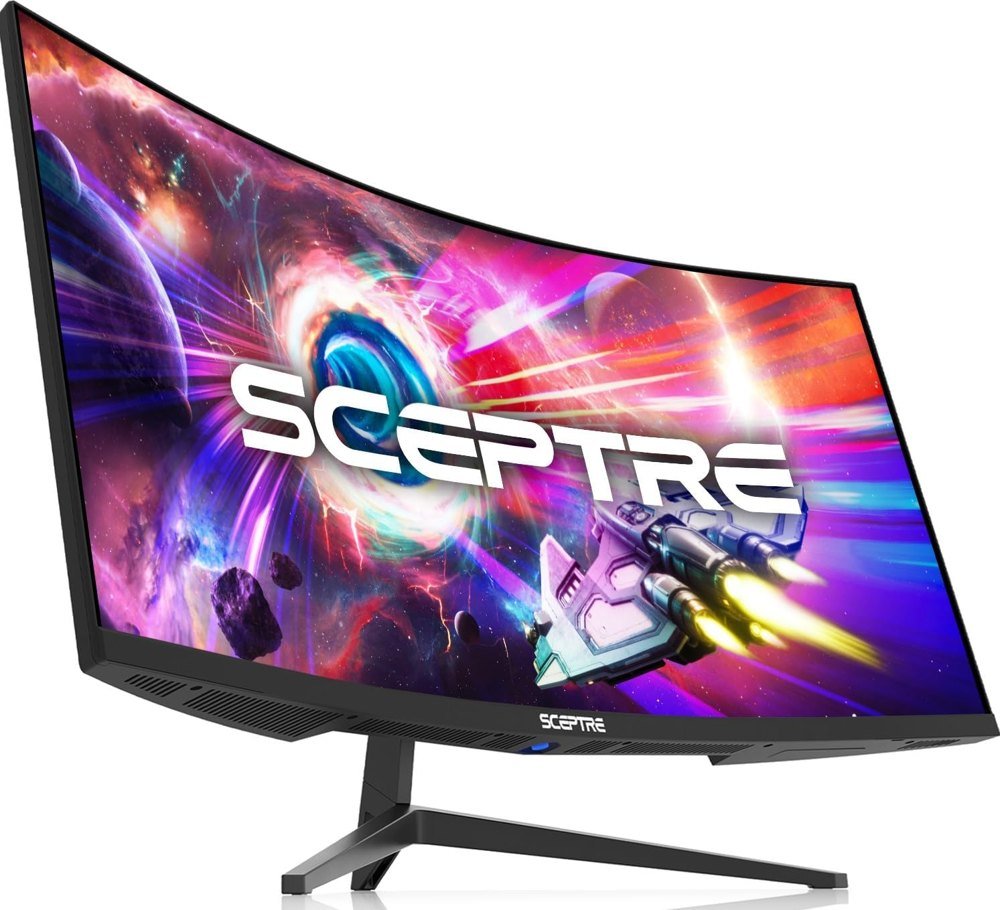
Buy this if: you want a real 3440 x 1440 ultrawide for the lowest possible price.
Our verdict: The Sceptre C345B-QUT168 proves you don’t need to spend much to get a proper ultrawide. It has the same 3440 x 1440 resolution as monitors that cost three times as much, a 34-inch VA panel with 3,000:1 contrast, a 1500R curve and up to 165Hz over DisplayPort. Built-in speakers and Picture-by-Picture mode make it handy for a first ultrawide setup. The trade-offs are where you would expect: a tilt-only stand, HDMI limited to 100Hz and a basic HDR mode. For the money, it is still a huge upgrade over a standard 24-inch or 27-inch screen.
Key specs
- 34-inch (21:9) VA, 3440 x 1440, 1500R curve
- Up to 165Hz over DisplayPort (HDMI up to 100Hz), 1ms MPRT
- 400 nits, 3,000:1 contrast, 99% sRGB (per Sceptre and Amazon listing)
- 2x HDMI 2.0, 2x DisplayPort 1.4, audio out, built-in speakers
- AMD FreeSync Premium, Picture-by-Picture
Pros
- Lowest cost way into a 3440 x 1440 ultrawide
- 165Hz is smooth for gaming
- Built-in speakers and two DisplayPort inputs
- Great for spreadsheets and timelines
Cons
- Tilt-only stand (use a VESA arm for height)
- HDMI tops out at 100Hz
- Customer reports of reliability issues are more common than on premium brands
Who it’s for: Students, budget gamers and anyone upgrading from a single small monitor who wants maximum screen space per dollar.
8. Dell UltraSharp 34 U3426WER (34″ IPS Black, Thunderbolt) – Best Ultrawide for Productivity and Laptops
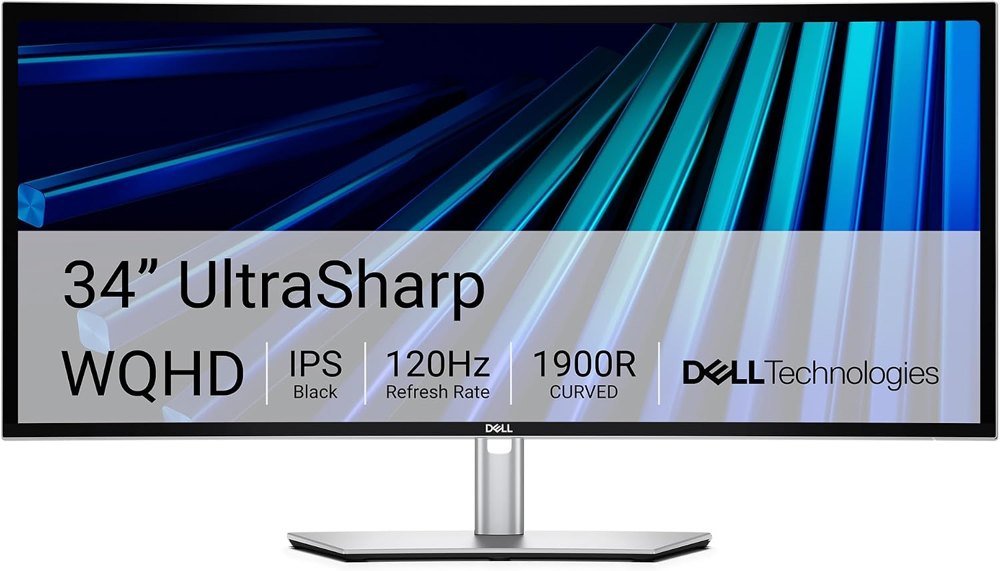
Buy this if: you work on a laptop or Mac and want one cable to handle video, charging, USB and Ethernet.
Our verdict: For office work, coding and creative work, the UltraSharp 34 U3426WER is our pick. Its IPS Black panel delivers 2,000:1 contrast, roughly double a normal IPS screen, with 98% Display P3 coverage and factory calibration to Delta E under 2. The built-in Thunderbolt hub turns it into a docking station: plug in one cable and you get video, power, USB and wired Ethernet, while the built-in KVM lets you switch keyboard and mouse between a personal and a work computer. At 120Hz, scrolling and window dragging feel smooth, and there is no burn-in to worry about with static toolbars.
Key specs
- 34.1-inch (21:9) IPS Black, 3440 x 1440, curved (1900R per Dell’s listing)
- 120Hz refresh rate, 5ms response time
- 2,000:1 contrast, 98% Display P3, Delta E under 2 factory calibration
- Thunderbolt hub, USB-C, HDMI, DisplayPort, RJ45 Ethernet, built-in KVM
- Height, tilt and swivel adjustable stand, built-in speakers
Pros
- One-cable docking for laptops and MacBooks
- Accurate, calibrated color for creative work
- No burn-in risk for all-day static content
- Built-in KVM and Ethernet
Cons
- 120Hz is fine for casual gaming, not for esports
- Expensive for a 1440p LCD
- No local dimming, so HDR is limited
Who it’s for: Professionals, developers and Mac users who want a clean single-cable desk setup.
9. Dell UltraSharp U4025QW (40″ 5K2K IPS Black) – Best 5K2K Ultrawide for Work
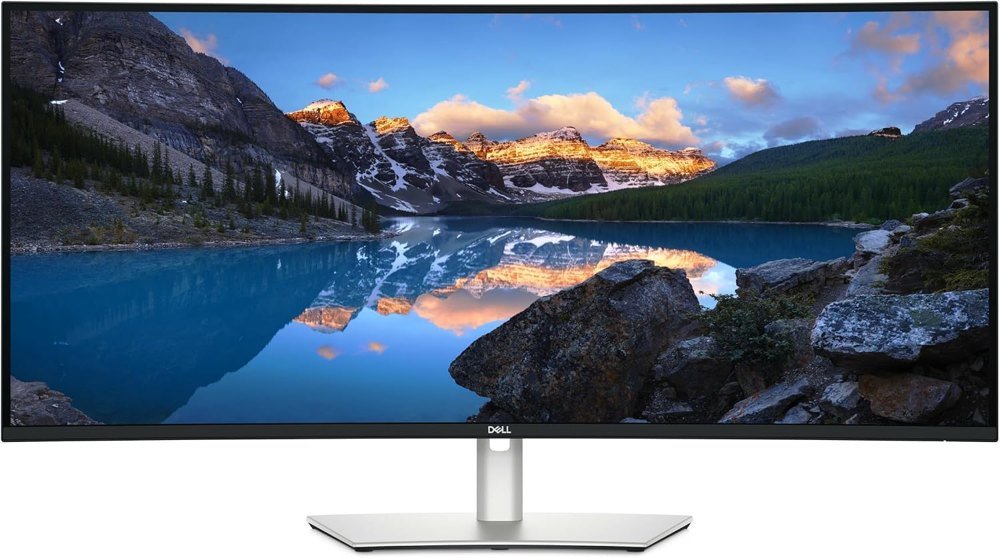
Buy this if: you want the sharpest, roomiest ultrawide for productivity and you rarely play fast games.
Our verdict: The U4025QW is a 40-inch 5K2K (5120 x 2160) ultrawide, which gives you the same vertical resolution as a 4K monitor with far more horizontal space. That means two full-size documents side by side, a long video timeline or a huge code editor without squinting. It uses an IPS Black panel with 2,000:1 contrast and 99% DCI-P3 color, runs at 120Hz, and its Thunderbolt 4 hub delivers up to 140W of power, enough for many high-end laptops. 2.5GbE Ethernet and auto KVM complete one of the best work monitors you can buy.
Key specs
- 39.7-inch (21:9) curved IPS Black, 5120 x 2160 (5K2K)
- 120Hz refresh rate, 5ms response time
- 2,000:1 contrast, 600 nits, 99% DCI-P3
- Thunderbolt 4 with up to 140W power delivery, HDMI, DisplayPort, USB-C, 2.5GbE RJ45
- Auto KVM for two PCs, built-in speakers, height-adjustable stand
Pros
- 5K2K text is razor sharp at 40 inches
- Thunderbolt 4 with up to 140W can power a laptop
- Huge workspace replaces two 27-inch 4K monitors
- No burn-in risk
Cons
- Very expensive
- Not built for fast gaming
- 5K2K needs a recent laptop or GPU to drive at 120Hz
Who it’s for: Video editors, photographers, developers and analysts who want the most usable screen space on one display.
Ultrawide Monitor Buying Guide
21:9 vs 32:9: which ultrawide size is right?
A 34-inch 21:9 ultrawide is the best starting point. It fits on a normal desk, works with nearly every modern PC game, and gives you 3440 horizontal pixels instead of 2560, about 34% more room than a 27-inch 1440p screen. A 40 to 45-inch 21:9 model adds height and immersion, but needs a deeper desk. A 49-inch 32:9 super ultrawide is roughly two 27-inch monitors joined together: unbeatable for racing and flight sims, but many games and almost all videos will show black bars on the sides. See our best 49-inch ultrawide monitors if you want to go all-in.
Resolution and pixel density
At 34 inches, 3440 x 1440 is sharp enough for gaming and everyday work, and modern graphics cards can drive it at high frame rates. If you mostly read text, code or edit photos on a 40-inch or larger screen, 5K2K (5120 x 2160) looks much cleaner. Avoid 2560 x 1080 ultrawides above 29 inches, as pixels become easy to see at desk distance.
OLED vs VA vs IPS for ultrawides
OLED ultrawides (Alienware AW3425DW, ASUS PG34WCDN, LG 45GX950A-B, Samsung G9) offer perfect blacks, near-instant response and the best HDR. VA models (Alienware AW3425DWM, Sceptre) deliver strong contrast at a low price but can smear slightly in fast dark scenes. IPS Black (Dell UltraSharp) gives the most accurate color and zero burn-in risk, which is ideal for all-day office use. Our best OLED monitors guide explains OLED in more depth.
OLED burn-in and static taskbars
Ultrawides often show the same toolbars, taskbar and HUD for hours. Modern QD-OLED and WOLED panels run pixel-refresh routines, and several picks here come with burn-in coverage (Dell for the AW3425DW, MSI for the 341CQP). If your monitor is mainly a work screen with static windows for 8+ hours a day, an IPS Black or VA ultrawide removes the risk entirely.
Refresh rate and your graphics card
3440 x 1440 has about 34% more pixels than standard 1440p, so your GPU works harder. A mid-range card is comfortable at 100 to 165fps in many games; you need a high-end card to make the most of 240Hz or 360Hz, and especially of 5K2K. Variable refresh rate (what is VRR) keeps gameplay smooth when your frame rate dips.
HDR: what actually makes a difference
Basic DisplayHDR 400 on an edge-lit LCD adds little. For HDR you can see, choose OLED with a DisplayHDR True Black rating. Not sure what the badges mean? Read our HDR 400 vs HDR 1000 explainer.
Curve radius and desk space
The lower the number, the tighter the curve: 1000R is very aggressive, 1500R is immersive, 1800R and 1900R are gentle and easy for work. Measure your desk before buying: a 34-inch ultrawide is about 32 inches wide, a 45-inch about 39 inches, and a 49-inch about 47 inches wide. Our best curved monitors list covers more curved options in every size.
Ultrawides with PS5 and Xbox
PS5 and Xbox Series X|S do not output a 21:9 or 32:9 image. On an ultrawide, console games appear in 16:9 with black bars on the sides (or stretched, which looks wrong). An ultrawide still works well as a shared PC and console screen, and HDMI 2.1 models like the AW3425DW and MSI 341CQP accept 120Hz signals with VRR from current consoles. Older consoles have the same limitation, as we explain in does PS4 work with an ultrawide monitor. If you mainly play on console, a 16:9 screen from our best monitor for PS5 guide is the better buy.
Laptops and Macs
For a one-cable setup, look for USB-C with DisplayPort Alt Mode or Thunderbolt and enough power delivery for your laptop. The Dell U3426WER and U4025QW act as full docking stations, while the ASUS PG34WCDN and LG 45GX950A-B offer 90W USB-C. Check that your laptop supports the resolution and refresh rate over USB-C before you buy, especially for 5K2K.
Best Settings for Your Ultrawide Monitor
- Use DisplayPort for gaming PCs. It is the most reliable way to reach the full refresh rate. On budget models HDMI is often limited (the Sceptre tops out at 100Hz over HDMI).
- Windows: Settings > System > Display. Set the native resolution (3440 x 1440, 5120 x 1440 or 5120 x 2160), then open Advanced display and pick the highest refresh rate.
- Turn on VRR. Enable G-SYNC in the NVIDIA Control Panel or FreeSync in AMD Software, and turn on the matching option in the monitor menu.
- HDR: enable “Use HDR” in Windows display settings and run the Windows HDR Calibration app. Leave HDR off for everyday desktop work if text looks dim.
- Scaling: 100% works well at 34 inches; 125% to 150% is more comfortable on 5K2K screens.
- Window management: use Windows Snap layouts or Microsoft PowerToys FancyZones to split the screen into two or three columns.
- OLED care: let the monitor run its pixel refresh when prompted, use dark mode, auto-hide the taskbar and avoid leaving static images at full brightness for hours.
- In games: choose the 21:9 or 32:9 resolution in each game’s settings. If a game does not support ultrawide, set it to 16:9 with black bars instead of stretching.
Want more help choosing a size? See our guide to the best 34-inch monitors.
Which Ultrawide Monitor Should You Buy?
- Want the best all-round ultrawide? Get the Alienware AW3425DW.
- Want the fastest OLED with the sharpest text? The ASUS ROG Swift OLED PG34WCDN is the premium 34-inch pick.
- Want the biggest, sharpest gaming screen? The LG UltraGear 45GX950A-B brings 5K2K to 45 inches.
- Sim racing or multitasking across a huge canvas? The 49-inch Samsung Odyssey OLED G9 G93SC.
- Laptop at work, gaming PC at night? The MSI MAG 341CQP QD-OLED with USB-C and KVM.
- Great ultrawide on a sensible budget? The Alienware AW3425DWM, or the Sceptre C345B-QUT168 if every dollar counts.
- All-day office work or a MacBook? The Dell UltraSharp 34 U3426WER, or the Dell UltraSharp U4025QW for a 40-inch 5K2K workspace.
Ultrawide Monitor FAQ
What is the best ultrawide monitor in 2026?
For most people, the Alienware AW3425DW is the best ultrawide monitor. It combines a 34-inch QD-OLED panel, 240Hz, a fully adjustable stand and a 3-year warranty that Dell says covers burn-in, at a price well below flagship OLEDs.
Is 34 inches or 49 inches better for an ultrawide?
34-inch 21:9 is better for most people: it fits standard desks, most games support it, and it is easier to drive. 49-inch 32:9 is best for sim racing, flight sims and people who want two full screens side by side.
Are ultrawide monitors good for gaming?
Yes, for PC gaming. Most modern PC games support 21:9 and the wider view is more immersive. Competitive esports titles sometimes limit ultrawide support, and consoles only output 16:9.
Are ultrawide monitors good for work?
Very. A 34-inch ultrawide comfortably fits two full documents side by side, and a 5K2K model like the Dell U4025QW gives you even more room. Look for USB-C or Thunderbolt if you use a laptop.
What resolution should an ultrawide monitor have?
3440 x 1440 for 34-inch models, 5120 x 1440 for 49-inch super ultrawides, and 5120 x 2160 (5K2K) for 40 to 45-inch screens if you want sharp text.
Do I need a powerful GPU for an ultrawide?
You need more power than for standard 1440p. A mid-range GPU handles 3440 x 1440 well at medium to high settings; 5K2K and 240Hz+ gaming need a high-end card.
Can I use an ultrawide monitor with a MacBook?
Yes. macOS supports 3440 x 1440 and 5K2K ultrawides. A monitor with USB-C or Thunderbolt and power delivery, like the Dell UltraSharp models, gives you a one-cable setup.
Will an OLED ultrawide get burn-in?
Burn-in is possible with static content over long periods, but modern panels include protection features and some brands cover burn-in under warranty. For heavy static office use, choose IPS Black or VA.
Are curved ultrawides better than flat ones?
For 34 inches and larger, yes. A curve keeps the edges at a similar distance from your eyes, which reduces head movement and distortion. Almost every ultrawide on the market is curved for this reason.
Final Verdict
The best ultrawide monitor for most people is a 34-inch 3440 x 1440 OLED, and the Alienware AW3425DW is our top pick thanks to its 240Hz QD-OLED panel and burn-in coverage. Choose the Samsung Odyssey OLED G9 G93SC if you want a massive 49-inch super ultrawide, the LG 45GX950A-B for 5K2K gaming, or the Alienware AW3425DWM if you want a great ultrawide for far less. Prices change often, so check today’s deal before you buy.

A former esports professional turned tech journalist, Aiden Johnson is on a mission to help gamers optimize their setups. His expertise extends beyond gaming monitors, encompassing the broader tech ecosystem. Known for breaking down complex topics into digestible pieces, Aiden provides a holistic view of how monitors fit into the larger gaming and tech landscape.