
A 240Hz monitor is the sweet spot for fast, smooth gaming in 2026: far smoother than 144Hz, and now available from budget Full HD screens to QD-OLED and 4K models. The quick answer: the best 240Hz monitor for most people is the AOC Q27GAZD, the best budget pick is the Dell SE2726HG, and the best 4K choice is the MSI MAG 272UP QD-OLED.
Every monitor below is a current 240Hz model sold on Amazon US. We cover budget 1080p, 1440p IPS and OLED, 4K 240Hz and an ultrawide, so there is a pick for every budget and GPU.
Top 3 240Hz Monitors at a Glance
🏆 Best Overall
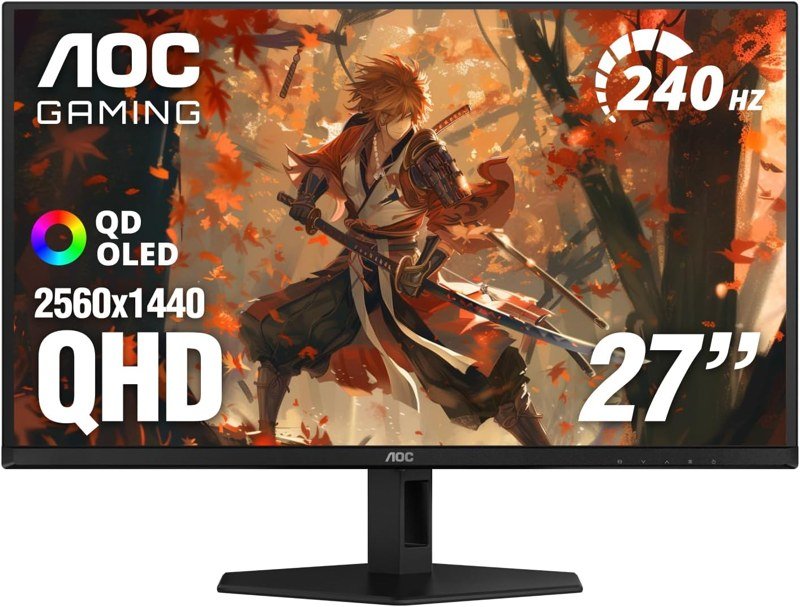
AOC Q27GAZD
27-inch 1440p QD-OLED at 240Hz with 0.03ms response.
Check Price on Amazon✨ Best Premium OLED
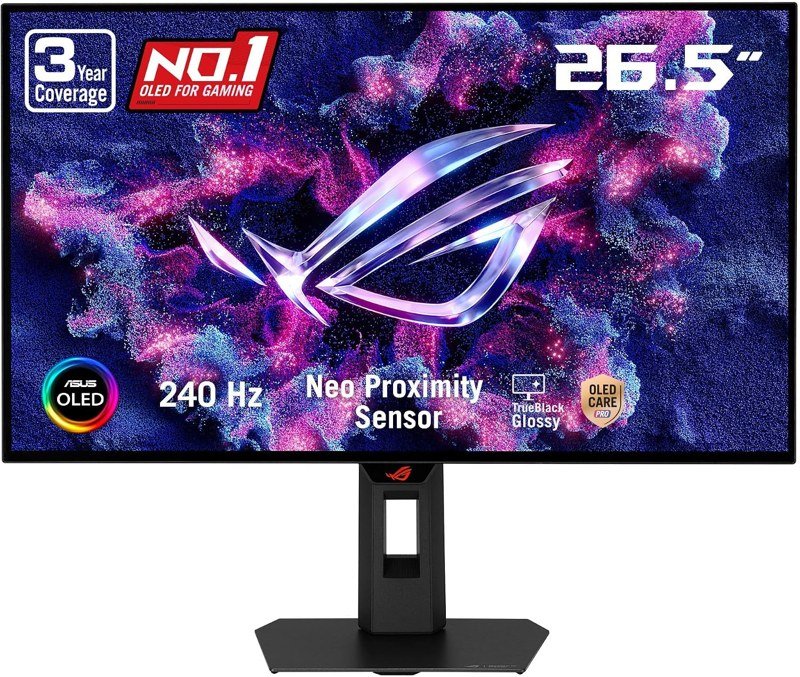
ASUS ROG Strix XG27AQDMGR
26.5-inch 1440p OLED with OLED Care Pro and Neo Proximity Sensor.
Check Price on AmazonDeal tip: 240Hz monitors are discounted often. Check the live Amazon price before you buy.
Quick Comparison: Best 240Hz Monitors in 2026
| Monitor | Panel | Refresh Rate | Highlights | Best for | Deal |
|---|---|---|---|---|---|
| AOC Q27GAZD | 27″ 1440p QD-OLED | 240Hz, 0.03ms | HDR400 True Black | Best overall value | Check Price |
| ASUS ROG Strix XG27AQDMGR | 26.5″ 1440p OLED | 240Hz, 0.03ms | DisplayHDR 400, 99% DCI-P3 | Feature-rich OLED | Check Price |
| LG UltraGear 27GX704A-B | 27″ 1440p OLED | Up to 240Hz, 0.03ms | True Black 400 | LG OLED value | Check Price |
| Dell SE2726HG | 27″ 1080p IPS | 240Hz, 0.5ms | 99% sRGB | Lowest price | Check Price |
| ASUS TUF Gaming VG279QM5A | 27″ 1080p Fast IPS | 240Hz, 0.3ms | G-SYNC Compatible | Fast IPS value | Check Price |
| CUNPU 27″ QHD 240Hz IPS | 27″ 1440p IPS | 240Hz, 1ms MPRT | USB-C 90W | Cheap QHD 240Hz | Check Price |
| MSI MAG 272UP QD-OLED X24 | 26.5″ 4K QD-OLED | 240Hz, 0.03ms | True Black 400 | Sharp 4K 240Hz | Check Price |
| LG UltraGear 27G850A-B | 27″ 4K IPS | 240Hz 4K / 480Hz FHD | DisplayHDR 600 | IPS 4K 240Hz | Check Price |
| LG UltraGear 34G630A-B | 34″ UWQHD IPS (21:9) | 240Hz, 1ms | DisplayHDR 400 | Ultrawide gaming | Check Price |
What Makes a Great 240Hz Monitor
All of these screens run at 240Hz, so these are the details that separate them.
- Resolution. 1080p is easiest to drive, 1440p is the sweet spot, and 4K needs a high-end GPU to hit 240 fps.
- Panel type. OLED has the best contrast and fastest response; IPS is cheaper with no burn-in worries.
- Response time. OLED reaches 0.03ms; Fast IPS reaches 0.3 to 1ms.
- Connections. Use DisplayPort for 240Hz. HDMI 2.1 is needed for 240Hz on consoles and some 4K monitors.
- VRR support. G-SYNC Compatible and FreeSync Premium reduce tearing.
- Your PC. You need a CPU and GPU that can produce around 240 fps in the games you play.
New to high refresh rates? Read 120Hz vs 240Hz to see the difference.
The 9 Best 240Hz Monitors in 2026
1. AOC Q27GAZD (27″ 1440p QD-OLED, 240Hz) – Best 240Hz Monitor Overall
Buy this if: you want a 27-inch QD-OLED at 240Hz for less than most rivals.
Our verdict: The Q27GAZD gets our top spot because it brings QD-OLED to a price most 240Hz buyers can reach. It is a 27-inch 2560 x 1440 panel with 0.03ms GtG response, HDR400 True Black, and the listing quotes 147.6% sRGB and 110.2% DCI-P3 coverage. DisplayPort 1.4 and HDMI 2.0 are included, and it carried an Amazon’s Choice badge when we checked. The finish is glossy, so keep an eye on reflections in bright rooms.
Key specs
- 27-inch QD-OLED, 2560 x 1440, 240Hz, 0.03ms GtG
- HDR400 True Black
- 147.6% sRGB, 110.2% DCI-P3
- DisplayPort 1.4 and HDMI 2.0
- Glossy finish
Pros
- QD-OLED at a value price
- Very wide color
- Near-instant response
- Amazon’s Choice when checked
Cons
- Glossy finish reflects light
- HDMI is 2.0
- OLED care needed
Who it’s for: Gamers who want the best picture per dollar at 240Hz.
2. ASUS ROG Strix XG27AQDMGR (26.5″ 1440p OLED, 240Hz) – Best Premium 240Hz OLED
Buy this if: you want an OLED with ASUS’s extra care and gaming features.
Our verdict: The XG27AQDMGR is a 26.5-inch 1440p TrueBlack Glossy OLED at 240Hz with 0.03ms response and DisplayHDR 400. The listing adds 99% DCI-P3, ELMB Sync, OLED Care Pro and a Neo Proximity Sensor, which dims the screen when you walk away to reduce burn-in risk. It is a premium, feature-packed OLED.
Key specs
- 26.5-inch 1440p glossy OLED, 240Hz, 0.03ms
- DisplayHDR 400, 99% DCI-P3
- ELMB Sync
- OLED Care Pro, Neo Proximity Sensor
Pros
- Burn-in care features
- Wide color
- Great response
- Rich feature set
Cons
- Glossy finish
- Slightly smaller screen
- Ports not listed in detail
Who it’s for: Players who want a polished OLED with protection features.
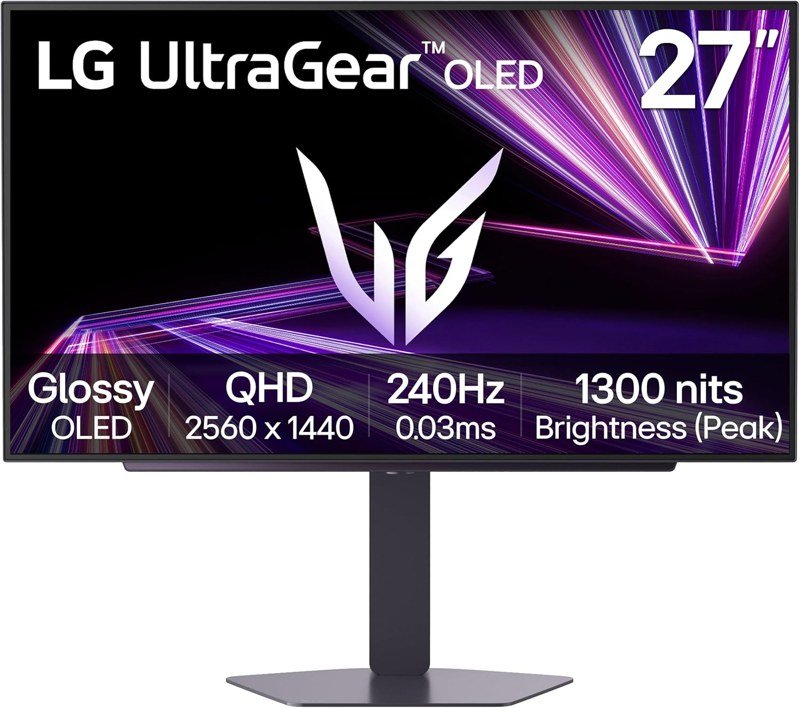
3. LG UltraGear 27GX704A-B (27″ 1440p OLED, 240Hz) – Best OLED with True Black 400
Buy this if: you want an LG OLED with certified HDR and 98.5% DCI-P3.
Our verdict: LG’s 27GX704A-B is a 27-inch QHD OLED with a 240Hz refresh rate (up to), 0.03ms response, DisplayHDR True Black 400 and 98.5% DCI-P3. G-SYNC Compatible and FreeSync Premium Pro are listed. Note that the Amazon title prints the resolution as 2650 x 1440, a typo; the panel is 2560 x 1440 QHD.
Key specs
- 27-inch QHD OLED, up to 240Hz, 0.03ms
- VESA DisplayHDR True Black 400
- 98.5% DCI-P3
- G-SYNC Compatible, FreeSync Premium Pro
- Glossy finish
Pros
- Certified True Black HDR
- Good price for LG OLED
- Wide color
- VRR support
Cons
- Glossy finish
- Listing title has a resolution typo
- OLED care needed
Who it’s for: Players who want OLED from a known display brand.
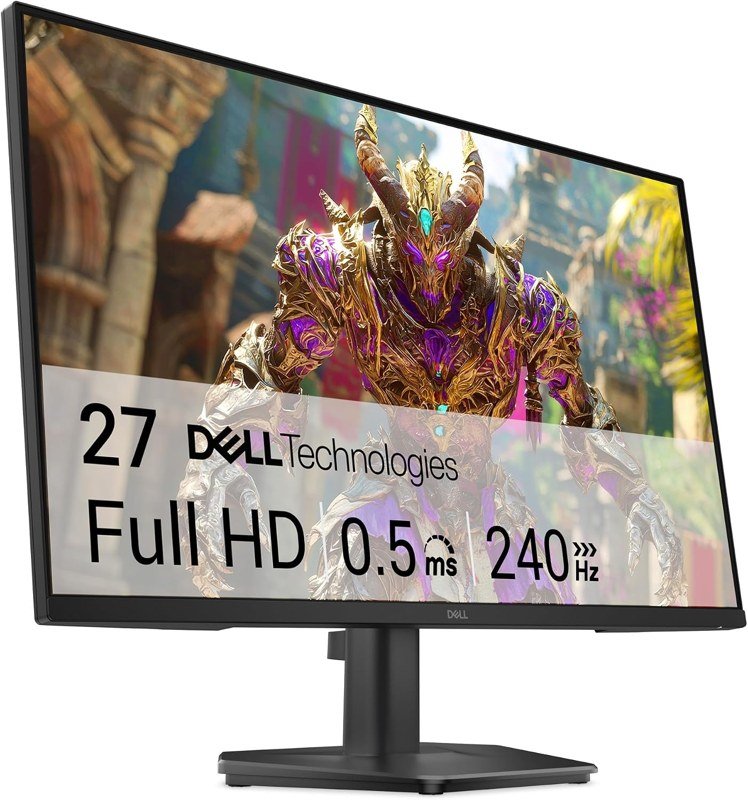
4. Dell SE2726HG (27″ 1080p IPS, 240Hz) – Best Budget 240Hz Monitor
Buy this if: you want the cheapest 240Hz monitor from a major brand.
Our verdict: The SE2726HG is a 27-inch Full HD IPS at 240Hz with 0.5ms response, AMD FreeSync Premium, HDMI VRR and 99% sRGB coverage, with TÜV Rheinland 3-star eye comfort and a matte finish. It is hard to beat on price for esports and casual players. Full HD on a 27-inch screen is less sharp than QHD, but it is much easier on your graphics card.
Key specs
- 27-inch Full HD (1920 x 1080) IPS, matte
- 240Hz, 0.5ms
- AMD FreeSync Premium, HDMI VRR
- 99% sRGB
- TÜV Rheinland 3-star eye comfort
Pros
- Lowest price on the list
- Easy to run at 240 fps
- Matte finish
- Good sRGB
Cons
- 1080p is soft at 27 inches
- Stand features not listed here
- No HDR
Who it’s for: Budget esports players.
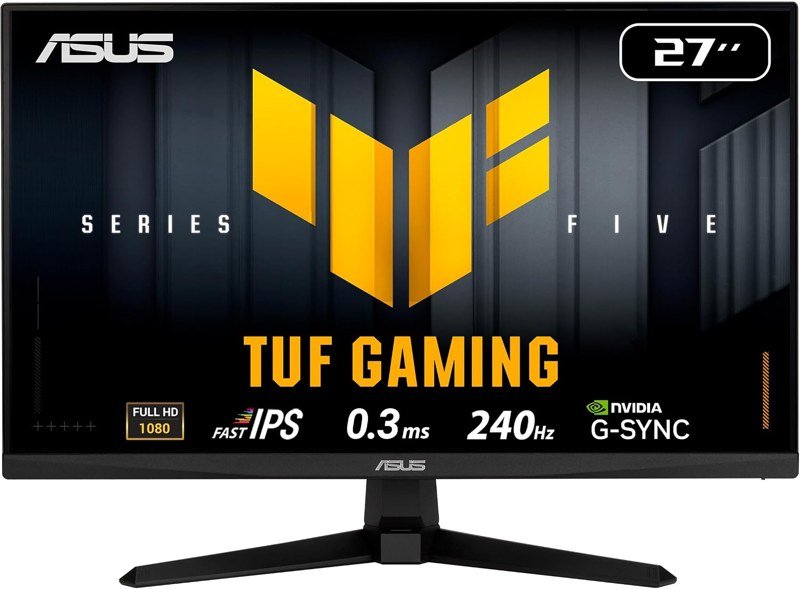
5. ASUS TUF Gaming VG279QM5A (27″ 1080p Fast IPS, 240Hz) – Best Fast IPS 240Hz Monitor
Buy this if: you want a Fast IPS with ELMB Sync and G-SYNC support.
Our verdict: ASUS’s VG279QM5A is a 27-inch 1080p Fast IPS monitor at 240Hz with 0.3ms minimum response time, ELMB Sync (motion blur reduction that works with VRR), and both NVIDIA G-SYNC Compatible and AMD FreeSync Premium support. It sits a notch above the cheapest 240Hz screens thanks to its faster IPS panel and motion tech.
Key specs
- 27-inch Full HD (1920 x 1080) Fast IPS, matte
- 240Hz, 0.3ms minimum response
- ELMB Sync
- NVIDIA G-SYNC Compatible, AMD FreeSync Premium
Pros
- Very fast IPS
- ELMB Sync
- G-SYNC and FreeSync support
- No burn-in worries
Cons
- 1080p at 27 inches
- Costs more than the Dell budget model
- No HDR listed
Who it’s for: Esports players who want a faster IPS panel.
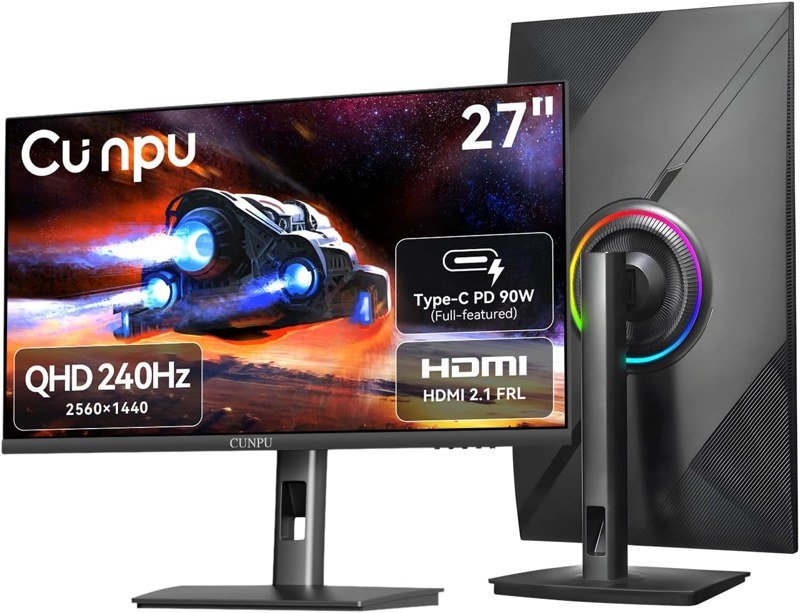
6. CUNPU 27″ QHD 240Hz IPS (27″ 1440p IPS, 240Hz, USB-C 90W) – Best 1440p IPS Budget Pick
Buy this if: you want 1440p at 240Hz on an IPS panel with USB-C charging at a budget price.
Our verdict: The CUNPU is a lesser-known brand, but its spec sheet is hard to ignore: a 27-inch QHD IPS at 240Hz with 1ms MPRT, a USB-C port with 90W power delivery, HDMI 2.1 and DisplayPort 1.4. That is a rare combination at this price tier. Warranty and support will not match a big brand, so buy with that in mind.
Key specs
- 27-inch QHD (2560 x 1440) IPS, matte
- 240Hz, 1ms MPRT
- USB-C with 90W power delivery
- HDMI 2.1 and DisplayPort 1.4
Pros
- Low price for QHD 240Hz
- 90W USB-C
- HDMI 2.1
- IPS panel
Cons
- Lesser-known brand
- Support and warranty unknown
- No HDR listed
Who it’s for: Budget shoppers who want QHD and USB-C.
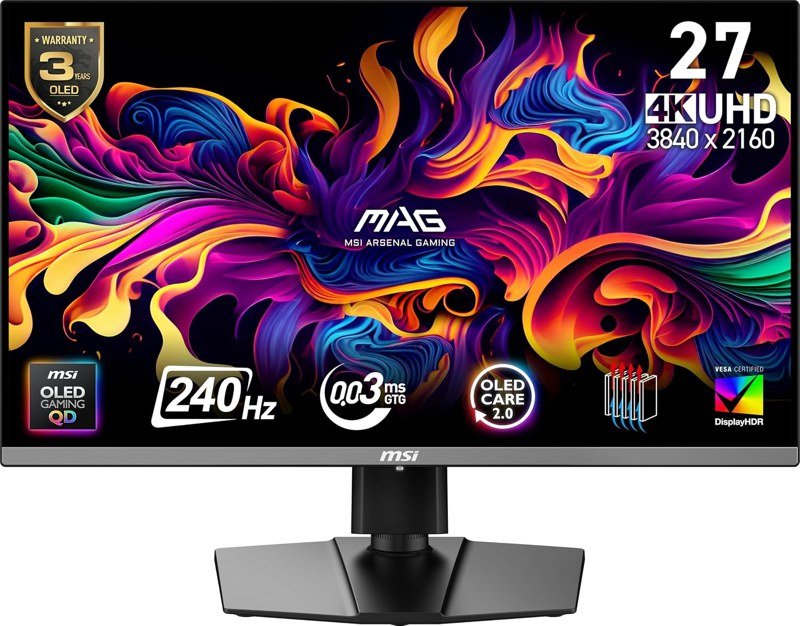
7. MSI MAG 272UP QD-OLED X24 (26.5″ 4K QD-OLED, 240Hz) – Best 4K 240Hz Monitor
Buy this if: you want 4K at 240Hz with HDMI 2.1 and a very sharp picture.
Our verdict: MSI’s MAG 272UP is a 26.5-inch 4K QD-OLED at 240Hz with 0.03ms response, DisplayHDR True Black 400, 10-bit color, DisplayPort 1.4a, HDMI 2.1 (4K at 240Hz) and a USB-C port with 15W power. At 26.5 inches, 4K gives a very sharp picture, but you will need a high-end GPU to reach 240 fps. Only 3 were left in stock when we checked.
Key specs
- 26.5-inch 4K UHD QD-OLED, 240Hz, 0.03ms
- DisplayHDR True Black 400, 10-bit
- DisplayPort 1.4a, HDMI 2.1 (UHD at 240Hz)
- USB-C 15W
Pros
- 4K at 240Hz
- HDMI 2.1 support
- Very sharp at 26.5 inches
- True Black HDR
Cons
- Needs a high-end GPU
- Limited stock
- Glossy finish reflects light
Who it’s for: Players with strong GPUs who want sharpness and speed.
8. LG UltraGear 27G850A-B (27″ 4K IPS, 240Hz / FHD 480Hz) – Best 4K IPS Dual-Mode Monitor
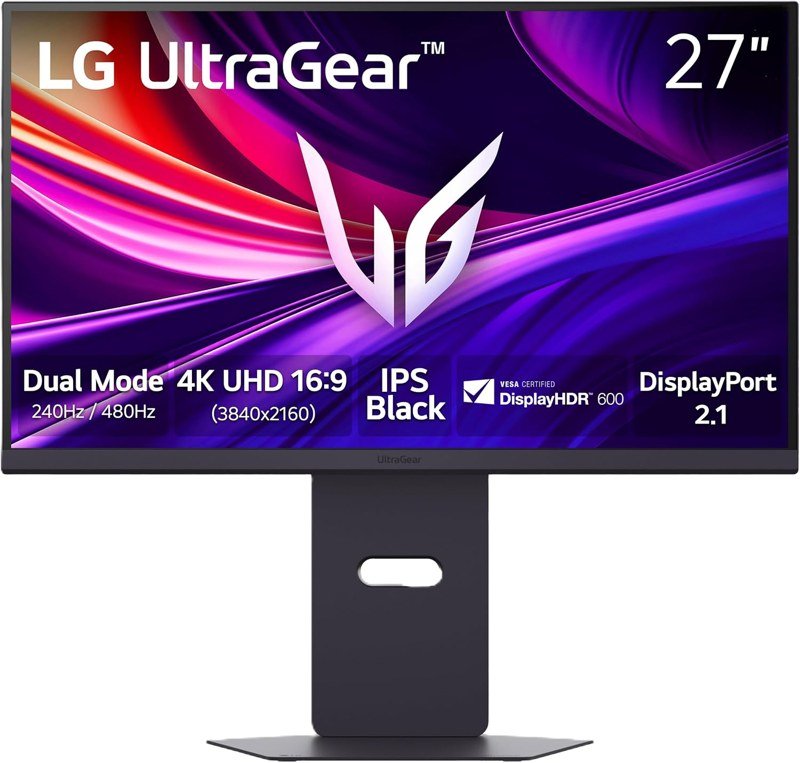
Buy this if: you want 4K 240Hz on an IPS panel with a Full HD 480Hz mode.
Our verdict: The 27G850A-B is a 27-inch 4K IPS with Dual Mode: 4K at 240Hz or Full HD at 480Hz. It has 1ms GtG response, DisplayHDR 600, DisplayPort 2.1 and two HDMI 2.1 ports, and a matte finish. IPS means no burn-in worries, and the dual mode adds flexibility for esports.
Key specs
- 27-inch 4K UHD IPS, matte
- Dual Mode: UHD 240Hz or FHD 480Hz, 1ms GtG
- DisplayHDR 600
- DisplayPort 2.1, 2x HDMI 2.1
Pros
- 4K 240Hz on IPS
- Dual mode
- DisplayPort 2.1
- Matte finish
Cons
- IPS contrast
- Needs a strong GPU for 4K
- Costly
Who it’s for: Gamers who want 4K 240Hz without OLED.
9. LG UltraGear 34G630A-B (34″ UWQHD IPS, 240Hz) – Best Ultrawide 240Hz Monitor
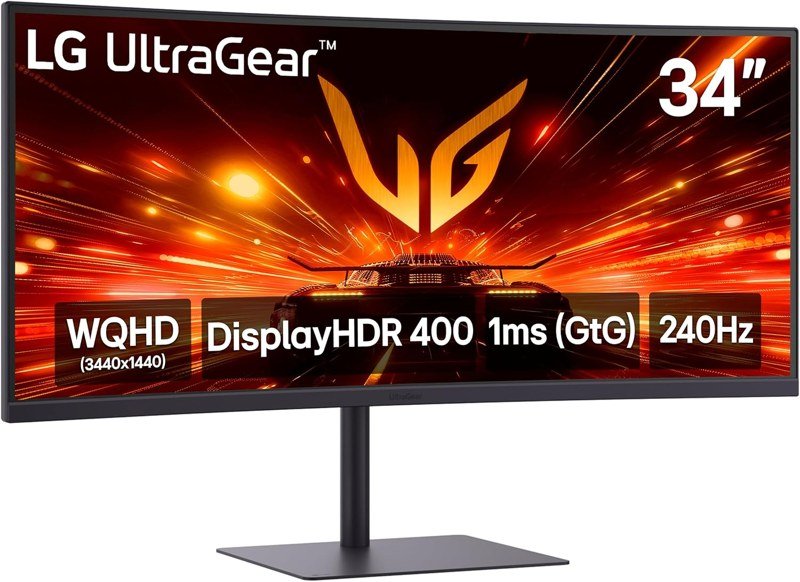
Buy this if: you want an ultrawide that still runs at 240Hz.
Our verdict: The 34G630A-B is a 34-inch 21:9 ultrawide QHD (3440 x 1440) with a 240Hz refresh rate, 1ms GtG response, DisplayHDR 400, 95% DCI-P3 and AMD FreeSync Premium. A USB-C port (15W) plus HDMI and DisplayPort are included, and the matte finish keeps glare down. It carried an Amazon’s Choice badge when we checked.
Key specs
- 34-inch ultrawide QHD (3440 x 1440) IPS, 21:9, matte
- 240Hz, 1ms GtG
- DisplayHDR 400, 95% DCI-P3
- FreeSync Premium
- USB-C 15W, HDMI, DisplayPort
Pros
- 240Hz on an ultrawide
- Wide color
- Reasonable price
- USB-C input
Cons
- IPS contrast
- HDR 400 is entry level
- Needs a decent GPU at 3440 x 1440
Who it’s for: Gamers who want an immersive ultrawide.
240Hz Monitor Buying Guide
Is 240Hz worth it?
240Hz feels noticeably smoother than 144Hz in fast games, as long as your PC can deliver the frames. In slower games the difference is smaller. See 120Hz vs 240Hz and 240Hz vs 360Hz.
What PC do you need?
Esports games run at 240 fps on mid-range PCs, while modern AAA games at 1440p need a strong GPU. Check can an RTX 2060 run 240Hz for older cards.
1080p, 1440p or 4K?
1080p is cheapest and easiest to run. 1440p looks much sharper on a 27-inch screen. 4K 240Hz is gorgeous but needs a flagship GPU.
OLED or IPS?
OLED gives perfect blacks and instant response, but needs burn-in care. IPS is cheaper and safe. See IPS vs OLED.
HDMI or DisplayPort?
DisplayPort is the most reliable for 240Hz. HDMI 2.0 may limit refresh rate at higher resolutions. See does HDMI support 240Hz.
Dual-mode monitors
Models like the LG 27G850A-B switch between 4K 240Hz and Full HD 480Hz for competitive play.
Ultrawide at 240Hz
Ultrawide monitors give a wider field of view in supported games. 3440 x 1440 is demanding, so check your GPU.
Brands and warranty
Big brands offer more reliable support. Lesser-known brands such as CUNPU can be cheaper but carry more risk.
Best Settings for a 240Hz Monitor
- Set 240Hz in Windows. Go to Settings, System, Display, Advanced display.
- Use DisplayPort. It is the safest way to get 240Hz.
- Enable VRR. Turn on G-SYNC or FreeSync in your GPU software and the monitor menu.
- Cap fps slightly below 240. Helps VRR and reduces input lag.
- Medium overdrive. Prevents overshoot on IPS.
- OLED care. Use dark themes and hide the taskbar.
Need help? See how to change the refresh rate on a monitor.
Which 240Hz Monitor Should You Buy?
- Best all-rounder? Get the AOC Q27GAZD.
- Premium OLED? The ASUS ROG Strix XG27AQDMGR or LG 27GX704A-B.
- Tight budget? The Dell SE2726HG or ASUS TUF VG279QM5A.
- Want 1440p IPS with USB-C? The CUNPU 27-inch QHD.
- Want 4K? The MSI MAG 272UP or LG 27G850A-B.
- Want an ultrawide? The LG UltraGear 34G630A-B.
240Hz Monitor FAQ
What is the best 240Hz monitor in 2026?
For most people, the AOC Q27GAZD offers QD-OLED at 240Hz for a value price.
Is 240Hz worth it?
Yes for fast games if your PC can reach 200+ fps. Otherwise 144Hz to 165Hz is enough.
Can HDMI do 240Hz?
It depends on HDMI version and resolution. DisplayPort is safest.
Is 1080p 240Hz still good?
Yes for esports, and it is cheap and easy to run.
What GPU do I need for 1440p 240Hz?
Esports titles can reach 240 fps on mid-range cards; modern games may need a high-end GPU.
OLED or IPS for 240Hz?
OLED has better contrast and response; IPS is cheaper with no burn-in risk.
Is 240Hz good for PS5?
Consoles are limited to 120Hz.
Is the CUNPU monitor reliable?
It has strong specs for the price, but a lesser-known brand may have less support.
Final Verdict
The best 240Hz monitor for most people is the AOC Q27GAZD, with the ASUS ROG Strix XG27AQDMGR as the premium OLED, the Dell SE2726HG for budget buyers and the MSI MAG 272UP for 4K. Prices change often, so check today’s deal before you buy.

As a self-proclaimed resolution connoisseur, Jacob Miller is dedicated to exploring the world of gaming and tech through the lens of monitors. His articles not only cover the technical specifications but also delve into the user experience, offering practical advice for gamers seeking the perfect display. Jacob’s background in graphic design adds an artistic touch to his reviews.