
The best Black Friday monitor deals in 2026 are on current models that were already good buys, not old stock with a big crossed-out price. Our top pick is the Samsung Odyssey OLED G6 (G61SH), a 27-inch 1440p QD-OLED at 240Hz. Black Friday is Friday, November 27, and the sale runs through Cyber Monday, November 30.
For the fastest 1440p IPS screen, watch the LG UltraGear 27G640A-B. On a tight budget, the Dell SE2726HG gives you 240Hz for very little.
To spot a real deal, do three things. Compare the sale price with what the monitor sold for over recent weeks. Check that the model number is the newest version. And make sure the seller is one you trust.
Use the “Check Today’s Deal” buttons to see the live price. Then compare it with the tips in our buying guide before you buy.
Top 3 Black Friday Monitor Deals at a Glance
🏆 Best Overall
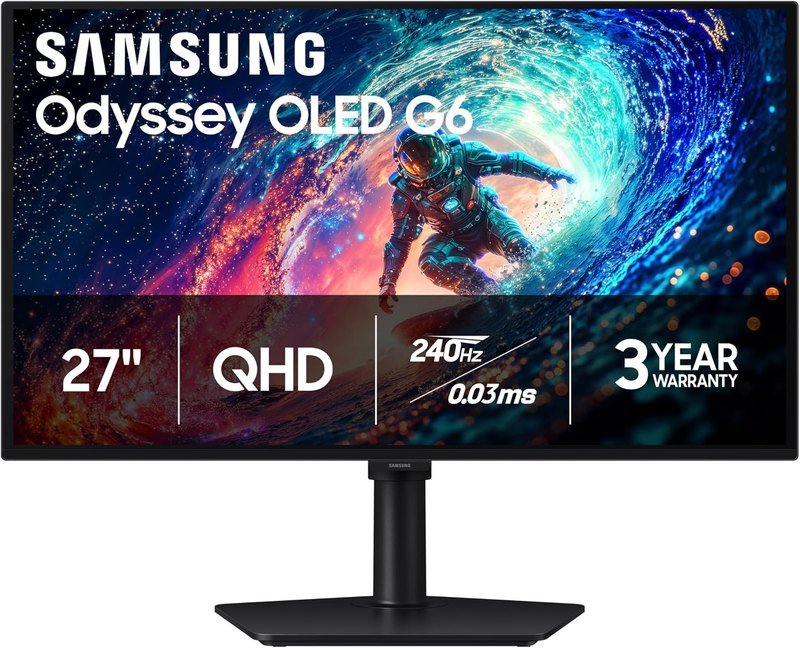
Samsung Odyssey OLED G6 (G61SH)
27-inch 1440p QD-OLED, 240Hz, Glare Free coating.
Check Today’s Deal⚡ Best 1440p Gaming
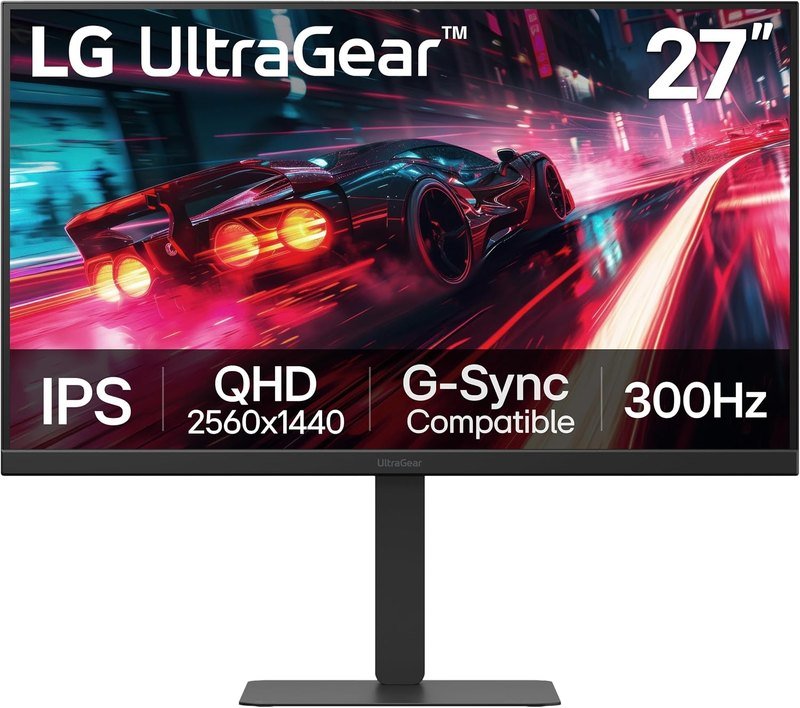
LG UltraGear 27G640A-B
27-inch QHD IPS at 300Hz with HDMI 2.1.
Check Today’s DealDeal tip: Black Friday prices change quickly. Always check the live price and the “Sold by” line on Amazon before you buy.
When Are the Black Friday Monitor Deals in 2026?
Black Friday 2026 falls on Friday, November 27, and Cyber Monday is Monday, November 30. Many retailers start deals earlier in November and keep them running through Cyber Monday. Popular monitors can sell out, so if a model you want reaches a price you are happy with, buying early is usually the safer choice.
Is Black Friday a Good Time to Buy a Monitor?
Yes. Black Friday is one of the best times of the year to buy a monitor, especially OLED, 4K and ultrawide models, where savings are largest. The catch is that some discounts are measured against a high list price. A real deal beats the price the monitor usually sells for, not just its list price.
Quick Comparison: Best Black Friday Monitor Deals
| Monitor | Resolution / Panel | Refresh rate | Best for | Deal |
|---|---|---|---|---|
| Samsung Odyssey OLED G6 (G61SH) | 2560×1440 QD-OLED | 240Hz | Best overall deal | Check Today’s Deal |
| LG UltraGear 27G640A-B | 2560×1440 IPS | 300Hz | Fast 1440p gaming | Check Today’s Deal |
| Dell SE2726HG | 1920×1080 IPS | 240Hz | Budget high refresh | Check Today’s Deal |
| ASUS TUF Gaming VG27UQ1A | 3840×2160 Fast IPS | 160Hz | Affordable 4K gaming | Check Today’s Deal |
| LG UltraGear 32GX870A-B | 3840×2160 OLED | 240Hz (FHD 480Hz) | Premium 4K OLED | Check Today’s Deal |
| Alienware AW3425DW | 3440×1440 QD-OLED | 240Hz | Ultrawide OLED | Check Today’s Deal |
| LG UltraGear 27GS60QC-B | 2560×1440 curved | 180Hz | Cheap curved 1440p | Check Today’s Deal |
| Dell S2725DC | 2560×1440 | 144Hz | Laptop docking | Check Today’s Deal |
| LG UltraFine 27UP850K-W | 3840×2160 IPS | 60Hz | Mac and creative work | Check Today’s Deal |
| LG UltraGear 24G414B-B | 1920×1080 IPS | 144Hz | Lowest-cost upgrade | Check Today’s Deal |
What Makes a Good Black Friday Monitor Deal?
A good Black Friday monitor deal is a current, well-reviewed model sold by a trusted seller at a price below what it normally sells for. It should suit your graphics card or console, offer at least 144Hz if you game, and come with a long return window. Here is what to check.
- Current model, not old stock. Many cheap Black Friday monitors are older models that were replaced months ago. Check the exact model number and compare it with the newest version in the same line.
- A real price drop. Compare the sale price with what the monitor has sold for over recent weeks, not with the list price. Amazon’s own List Price explanation says a list price may not reflect the prevailing market price.
- The right resolution for your graphics card. A big discount on a 4K 240Hz monitor is not a good deal if your GPU can only drive it at 60fps. Match the screen to your PC first.
- At least 144Hz for gaming. In 2026 there is no reason to buy a 60Hz monitor for gaming. Even budget deals now offer 144Hz to 240Hz.
- A trusted seller. During big sales, third-party sellers sometimes win the main buy button. Check the “Ships from” and “Sold by” lines before you check out.
- A good return window. Monitors can arrive with dead pixels or backlight bleed. A long return window gives you time to test it properly.
Want to see our full picks outside of sales? Read our guides to the best 1440p monitors, the best 4K monitors and the best ultrawide monitors.
The 10 Best Black Friday Monitor Deals in 2026
1. Samsung Odyssey OLED G6 (G61SH) (27″ 1440p QD-OLED, 240Hz) – Best Black Friday Monitor Deal Overall
Buy this if: you want the biggest picture-quality jump your Black Friday budget can buy, for gaming and everyday use.
Our verdict: If you only watch one monitor this Black Friday, make it this one. The Odyssey OLED G6 puts a 27-inch QD-OLED panel at 2560 x 1440 together with a 240Hz refresh rate and a 0.03ms response time, so you get the perfect blacks and instant motion of OLED at a resolution that mid-range graphics cards can actually drive. Samsung adds a Glare Free coating to cut reflections, Pantone Validated color, HDR10 and AMD FreeSync Premium. OLED Safeguard uses a thermal modulation system to help prevent burn-in, and the listing images show a 3-year warranty. The stand adjusts for height, tilt, swivel and pivot. A 1440p OLED is the upgrade most people notice every single day, which is why it is our top pick.
Key specs
- 27-inch QD-OLED, 2560 x 1440 QHD
- 240Hz refresh rate, 0.03ms response
- Glare Free coating, Pantone Validated, HDR10
- AMD FreeSync Premium
- OLED Safeguard burn-in protection (thermal modulation)
- Height, tilt, swivel and pivot stand; 3-year warranty shown in listing images
Pros
- OLED contrast and motion clarity at 1440p
- Glare Free coating helps in bright rooms
- Fully adjustable stand
- Burn-in protection and a 3-year warranty listed
Cons
- OLED needs some care with static content
- Only FreeSync Premium, not Premium Pro, on the listing
- Stock moves fast during sales
Who it’s for: Gamers and everyday users who want a true picture upgrade without paying 4K OLED money.
2. LG UltraGear 27G640A-B (27″ 1440p IPS, 300Hz) – Best 1440p Gaming Monitor Deal
Buy this if: you play fast shooters and want a very high refresh rate on a sharp 1440p IPS panel.
Our verdict: The 27G640A-B is the 1440p deal to watch if speed matters more to you than OLED contrast. Its 27-inch QHD IPS panel runs at 300Hz with a 1ms GtG response, which is a big step up from the 144Hz and 165Hz screens many people are still using. LG lists up to 95% DCI-P3 color and VESA DisplayHDR 400, plus NVIDIA G-SYNC Compatible and AMD FreeSync Premium support. You also get HDMI 2.1 and USB Type-C in the listing title, and a stand that adjusts for height, tilt, swivel and pivot. IPS will not burn in, so it is also a safe choice for long desktop sessions with static taskbars and HUDs.
Key specs
- 27-inch IPS, 2560 x 1440 QHD
- 300Hz refresh rate, 1ms GtG
- Up to 95% DCI-P3, VESA DisplayHDR 400
- NVIDIA G-SYNC Compatible, AMD FreeSync Premium
- HDMI 2.1, USB Type-C (per listing title)
- Height, tilt, swivel and pivot stand
Pros
- 300Hz is excellent for competitive games
- No burn-in worries with IPS
- Wide color gamut
- Fully adjustable stand
Cons
- IPS blacks look grey next to OLED
- DisplayHDR 400 is entry-level HDR
- You need a strong GPU to hit 300fps at 1440p
Who it’s for: Competitive PC gamers who want 1440p sharpness and very high frame rates.
3. Dell SE2726HG (27″ 1080p IPS, 240Hz) – Best Budget Gaming Monitor Deal
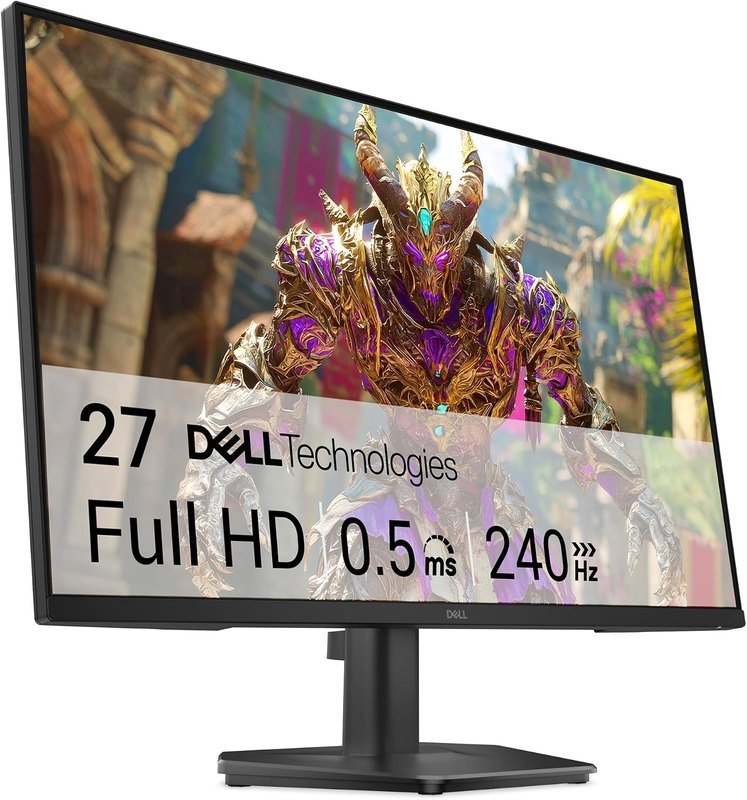
Buy this if: you want a cheap, fast gaming monitor and do not need more than 1080p.
Our verdict: Black Friday is when budget high-refresh monitors get really interesting, and the Dell SE2726HG is a good example of what to look for. It is a 27-inch Full HD Fast IPS screen with a 240Hz refresh rate and a 0.5ms response time, so motion looks smooth and crisp. FreeSync Premium and HDMI VRR keep tearing away on PC and console, and 99% sRGB coverage gives accurate everyday color. It has two HDMI ports plus DisplayPort 1.4 and TÜV Rheinland 3-star eye comfort certification. The stand only tilts, and 1080p on a 27-inch screen is not as sharp as 1440p, but for fast games on a tight budget this is a smart buy.
Key specs
- 27-inch Fast IPS, 1920 x 1080
- 240Hz refresh rate, 0.5ms response
- 99% sRGB
- AMD FreeSync Premium, HDMI VRR
- 2x HDMI, DisplayPort 1.4
- TÜV Rheinland 3-star eye comfort; tilt stand
Pros
- 240Hz at a budget price point
- Fast 0.5ms IPS panel
- HDMI VRR for consoles
- Good sRGB color
Cons
- 1080p looks soft at 27 inches
- Tilt-only stand
- No USB hub
Who it’s for: Students and budget gamers who care most about smooth, fast gameplay.
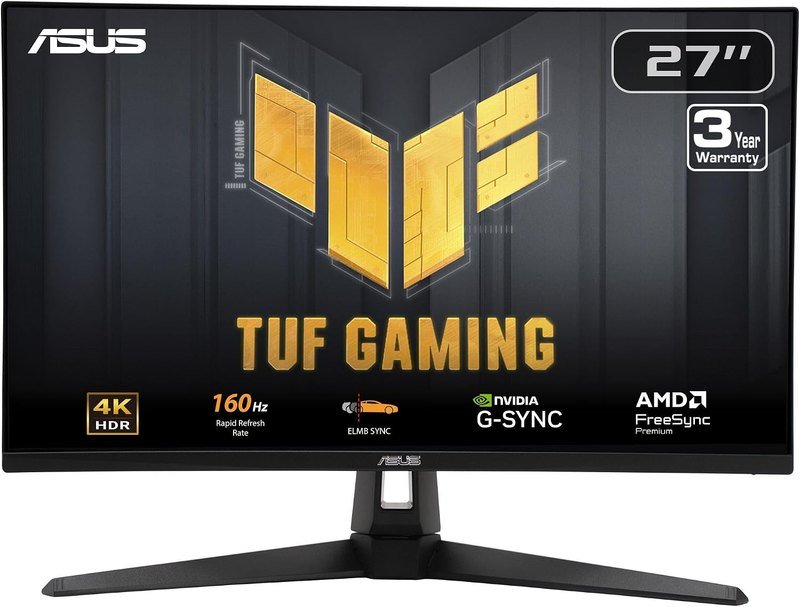
4. ASUS TUF Gaming VG27UQ1A (27″ 4K Fast IPS, 160Hz) – Best 4K Gaming Monitor Deal
Buy this if: you want 4K sharpness for PC and console gaming without paying OLED prices.
Our verdict: The VG27UQ1A is the most sensible 4K gaming deal for most people. It runs a 27-inch 4K Fast IPS panel at up to 160Hz with a 1ms response time, so you get very sharp text and smooth motion in the same screen. ASUS confirms that the HDMI 2.1 port supports 4K at 120Hz without chroma subsampling, which makes it a strong match for a PS5 or Xbox Series X. ELMB Sync, NVIDIA G-SYNC Compatible, AMD FreeSync Premium and variable overdrive keep motion clean, and 95% DCI-P3 color looks rich. HDR is supported but basic, so treat this as a sharp, fast SDR monitor first.
Key specs
- 27-inch Fast IPS, 3840 x 2160
- 160Hz refresh rate, 1ms response
- HDR support, 95% DCI-P3
- HDMI 2.1 (4K 120Hz without chroma subsampling), DisplayPort
- ELMB Sync, G-SYNC Compatible, FreeSync Premium, variable overdrive
- DisplayPort cable included
Pros
- Sharp 4K at a high refresh rate
- Great for PS5 and Xbox at 4K 120Hz
- Wide color gamut
- Proven TUF line
Cons
- Basic HDR
- IPS contrast is average
- Stand adjustments are not detailed on the listing
Who it’s for: PC and console players who want 4K clarity on a mid-range budget.
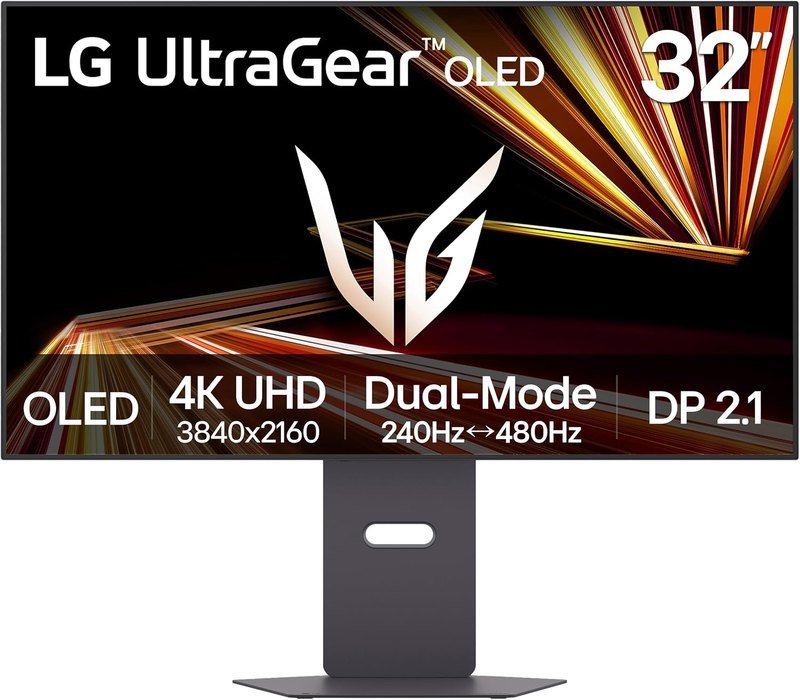
5. LG UltraGear 32GX870A-B (32″ 4K OLED, Dual Mode 240/480Hz) – Best OLED Monitor Deal
Buy this if: you want a flagship 4K OLED and have been waiting for a sale to pull the trigger.
Our verdict: High-end OLED monitors are where a Black Friday deal saves the most real money, and the 32GX870A-B is one of the most complete flagships you can buy. Its 32-inch 4K OLED panel runs at 240Hz, and VESA-certified Dual Mode switches it to Full HD at 480Hz for fast shooters with one hotkey. Response time is 0.03ms GtG. LG uses Micro Lens Array+ for 275 nits typical and up to 1,300 nits peak brightness, and the panel is rated DisplayHDR True Black 400 with a 1.5M:1 contrast ratio and an anti-glare, low-reflection finish. DisplayPort 2.1 and USB Type-C round out the connections, built-in speakers support DTS Headphone:X, and the stand adjusts for height, tilt, swivel and pivot. LG lists a 2-year limited warranty with panel care tools.
Key specs
- 32-inch OLED, 3840 x 2160, Micro Lens Array+
- Dual Mode: 4K 240Hz or FHD 480Hz; 0.03ms GtG
- DisplayHDR True Black 400, 1.5M:1; 275 nits typical, 1,300 nits peak
- DisplayPort 2.1, USB Type-C
- G-SYNC Compatible, FreeSync Premium Pro
- Anti-glare low-reflection finish; height, tilt, swivel, pivot stand
Pros
- 4K OLED plus a 480Hz esports mode
- Bright highlights for an OLED
- DisplayPort 2.1 and USB-C
- Anti-glare finish
Cons
- Premium price even on sale
- Needs a high-end GPU for 4K 240Hz
- OLED burn-in care needed
Who it’s for: Enthusiasts who want one top-tier screen for games, movies and work.
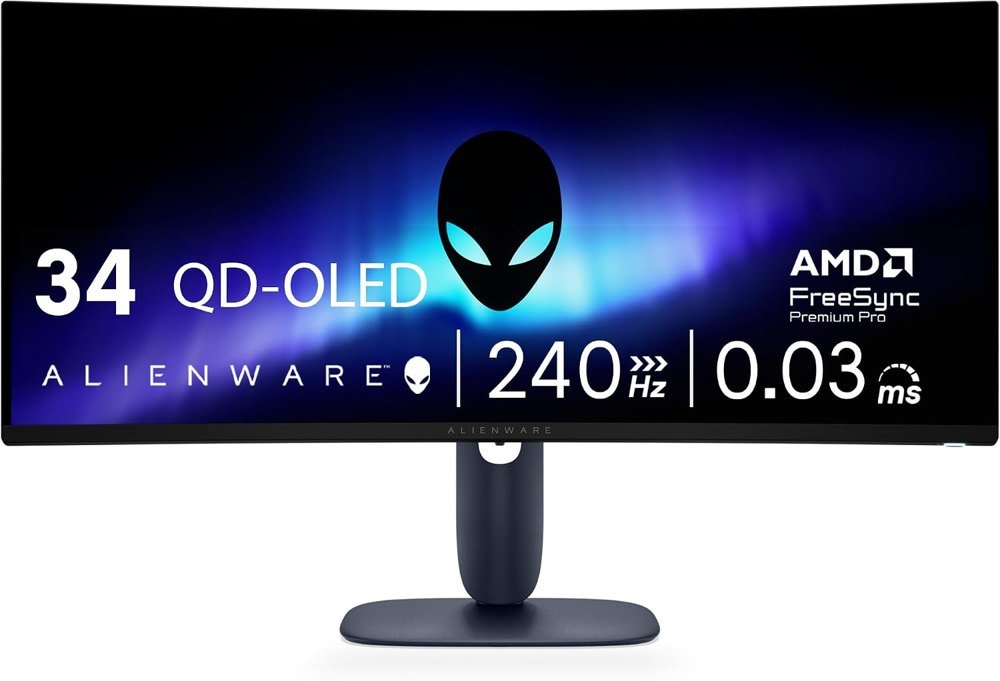
6. Alienware AW3425DW (34″ ultrawide QD-OLED, 240Hz) – Best Ultrawide Monitor Deal
Buy this if: you want a wide, immersive OLED for racing, flight sims, story games and multitasking.
Our verdict: Ultrawide OLEDs are popular Black Friday buys, and the AW3425DW is the one we would target. It uses a 34.2-inch QD-OLED panel at 3440 x 1440 with an 1800R curve, a 240Hz refresh rate and 0.03ms response. Dell lists 99.3% DCI-P3 coverage, VESA DisplayHDR True Black 400 and up to 1,000 nits HDR peak brightness on a small window. NVIDIA G-SYNC Compatible, AMD FreeSync Premium Pro and VESA AdaptiveSync are all supported, and two HDMI 2.1 ports let a console share the desk with your PC. Dell backs it with a 3-year warranty that, according to Dell, covers burn-in. When we checked, the main buy button went to a third-party seller, while Amazon.com also listed its own offer. Read the “Sold by” line before you buy if you want Amazon’s return terms.
Key specs
- 34.2-inch QD-OLED, 3440 x 1440, 1800R curve
- 240Hz refresh rate, 0.03ms response
- 99.3% DCI-P3; DisplayHDR True Black 400, up to 1,000 nits HDR peak (3% window)
- G-SYNC Compatible, FreeSync Premium Pro, VESA AdaptiveSync
- 2x HDMI 2.1, DisplayPort 1.4 (DSC), USB-C downstream (15W)
- Height, tilt, swivel and slant stand; 3-year warranty (Dell says it covers burn-in)
Pros
- Huge immersion for games and movies
- Fast 240Hz OLED motion
- Wide color gamut
- Burn-in covered by warranty, per Dell
Cons
- Wide 34-inch footprint
- Not every game supports 21:9
- Check who the seller is before you buy
Who it’s for: Sim racers, flight simmers and anyone who wants a wide cinematic screen.
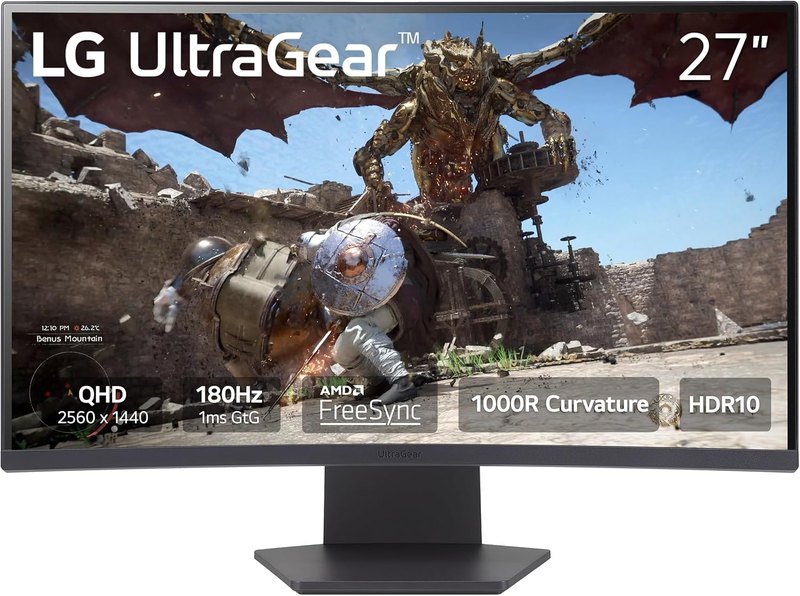
7. LG UltraGear 27GS60QC-B (27″ curved 1440p, 180Hz) – Best Budget Curved Monitor Deal
Buy this if: you want an affordable curved 1440p gaming screen for a first upgrade.
Our verdict: The 27GS60QC-B shows that a good curved 1440p monitor does not need a big budget. Its 27-inch QHD screen has a steep 1000R curve that wraps the image around your view, with a 180Hz refresh rate and 1ms GtG response for smooth play. LG lists HDR10 and up to 99% sRGB, and AMD FreeSync keeps tearing down. Gaming extras include Black Stabilizer, Dynamic Action Sync, a crosshair and an FPS counter. You get two HDMI ports and DisplayPort on a tilt-only stand with a three-side borderless design. It is a simple, sensible upgrade from an old 1080p 60Hz screen.
Key specs
- 27-inch curved, 2560 x 1440 QHD, 1000R
- 180Hz refresh rate, 1ms GtG
- HDR10, up to 99% sRGB
- AMD FreeSync
- 2x HDMI, DisplayPort
- Black Stabilizer, Dynamic Action Sync, crosshair, FPS counter; tilt stand
Pros
- 1440p and 180Hz on a budget
- Immersive 1000R curve
- Useful gaming features
- Clean borderless look
Cons
- Tilt-only stand
- HDR10 is basic
- Steep curve is not for everyone at work
Who it’s for: Budget gamers moving up from 1080p who like a curved screen.
8. Dell S2725DC (27″ 1440p, 144Hz, USB-C 65W) – Best Work and Laptop Monitor Deal
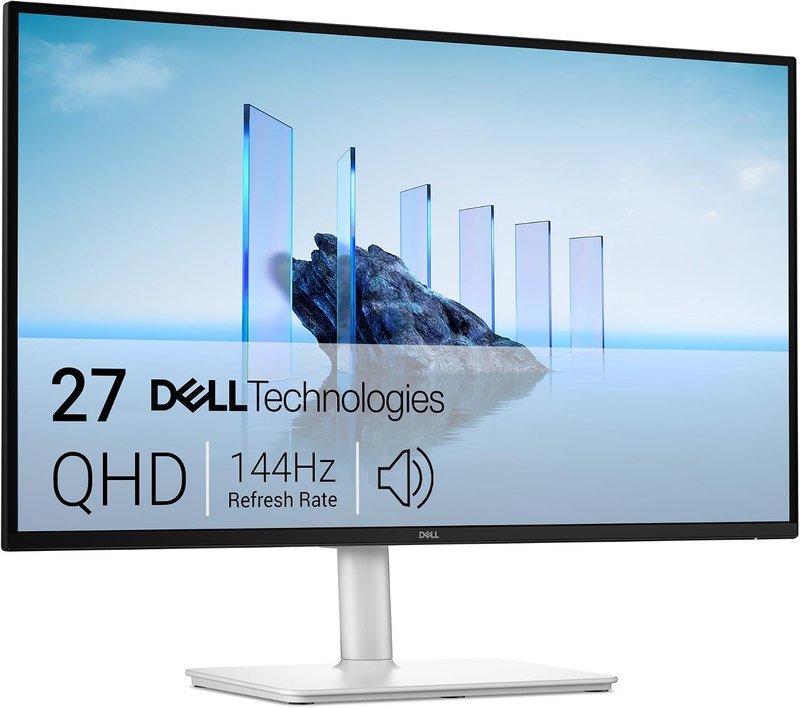
Buy this if: you work from a laptop and want one cable for video and charging.
Our verdict: For work and home office setups, the best Black Friday deal is often a monitor that removes cables from your desk. The Dell S2725DC is a 27-inch QHD monitor with a single USB-C connection that delivers up to 65W of power delivery, so many laptops can charge and show video on one cable. A pop-out quick access port adds a 15W USB-C and a USB-A connection at the front. The 144Hz refresh rate and 1ms MPRT make scrolling smooth, dual 3W speakers handle calls, and the panel is TÜV 4-star eye comfort certified. The stand adjusts for height, tilt, pivot and swivel, and the ash white finish suits a clean desk.
Key specs
- 27-inch, 2560 x 1440 QHD, 1500:1 contrast
- 144Hz refresh rate, 1ms MPRT, AMD FreeSync
- USB-C with up to 65W power delivery
- Pop-out port: USB-C (15W) and USB-A; HDMI, DisplayPort 1.4
- Dual 3W speakers; TÜV 4-star eye comfort
- Height, tilt, pivot and swivel stand
Pros
- One-cable laptop setup
- Smooth 144Hz for work and light gaming
- Handy front USB ports
- Fully adjustable stand
Cons
- 65W may not fully charge high-power laptops
- Not built for competitive gaming
- White finish not for everyone
Who it’s for: Remote workers and students who dock a laptop every day.
9. LG UltraFine 27UP850K-W (27″ 4K IPS, USB-C 90W) – Best 4K Monitor Deal for Mac and Creators
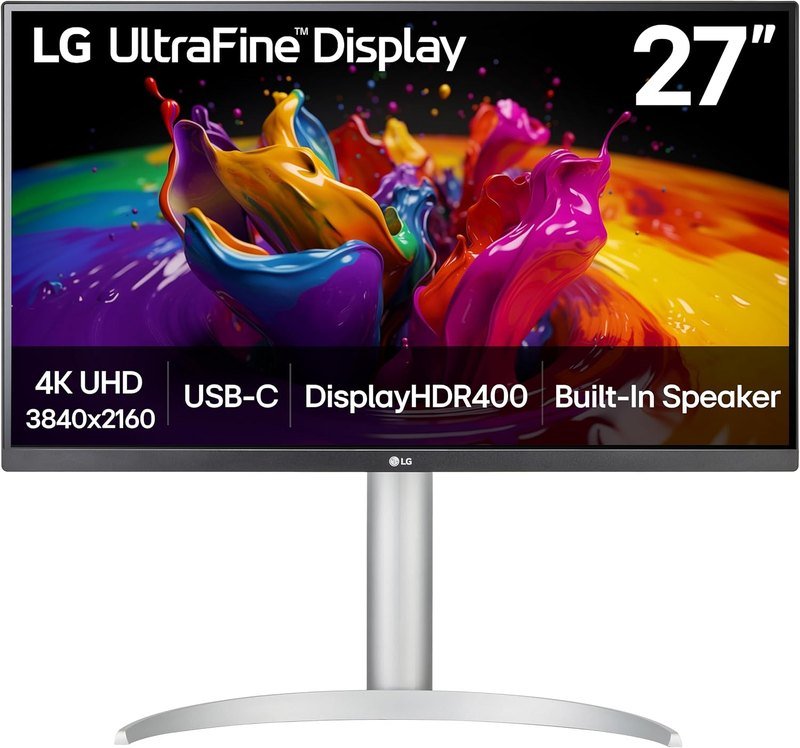
Buy this if: you edit photos or use a MacBook and want sharp 4K text with strong USB-C charging.
Our verdict: The 27UP850K-W is a productivity deal rather than a gaming one. Its 27-inch 4K IPS panel gives very sharp text and covers up to 95% DCI-P3 with VESA DisplayHDR 400 support, which is great for photo editing and design work. USB Type-C delivers data and up to 90W of power, so it can charge many laptops from one cable, and you also get DisplayPort, two HDMI ports, two USB 3.0 ports and a headphone jack. Built-in speakers with Waves MaxxAudio and a stand with height, tilt and pivot round it out. It runs at 60Hz, so gamers should look at the 4K gaming pick above instead.
Key specs
- 27-inch IPS, 3840 x 2160
- 60Hz refresh rate
- Up to 95% DCI-P3, VESA DisplayHDR 400
- USB Type-C with up to 90W PD, DisplayPort, 2x HDMI, 2x USB 3.0
- Built-in speakers with Waves MaxxAudio
- Height, tilt and pivot stand
Pros
- Very sharp 4K text
- 90W USB-C charging
- Wide color for creators
- Plenty of ports
Cons
- 60Hz only
- DisplayHDR 400 is entry-level
- Speakers are basic
Who it’s for: MacBook users, photographers and office workers who value sharpness over speed.
10. LG UltraGear 24G414B-B (24″ 1080p IPS, 144Hz) – Best Cheap Monitor Deal
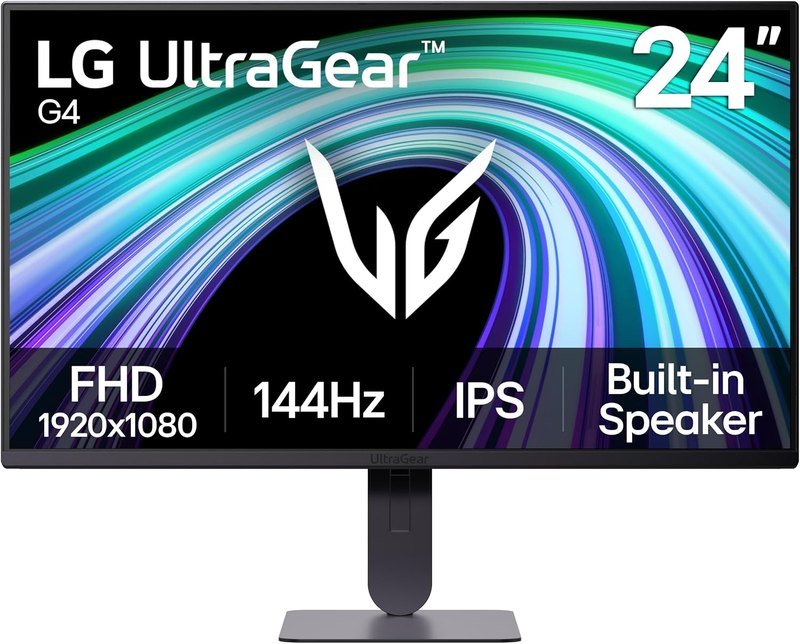
Buy this if: you need a cheap second screen or a first gaming monitor for a small desk.
Our verdict: If your budget is tight, skip the old 60Hz office screens that show up in Black Friday ads and look for something like the 24G414B-B. This 24-inch Full HD IPS monitor runs at 144Hz with 1ms Motion Blur Reduction, and supports NVIDIA G-SYNC Compatible and AMD FreeSync for tear-free play. LG lists HDR10 and up to 99% sRGB color, plus Dynamic Action Sync, Black Stabilizer, a built-in speaker, Reader Mode, HDMI and DisplayPort. Unusually for a cheap monitor, the stand adjusts for both height and tilt. At 24 inches, 1080p still looks reasonably sharp, which makes this a solid entry-level or second-screen buy.
Key specs
- 24-inch IPS, 1920 x 1080
- 144Hz refresh rate, 1ms MBR
- HDR10, up to 99% sRGB
- NVIDIA G-SYNC Compatible, AMD FreeSync
- HDMI and DisplayPort; built-in speaker
- Height and tilt stand; Reader Mode, Black Stabilizer
Pros
- 144Hz at an entry-level price
- Height-adjustable stand
- Good color for the class
- Built-in speaker
Cons
- Small 24-inch size
- 1ms figure is MBR, not GtG
- HDR10 is basic
Who it’s for: Students, first-time PC gamers and anyone who needs a cheap second screen.
How Do You Spot a Real Black Friday Monitor Deal?
To spot a real Black Friday monitor deal, compare the sale price with the recent selling price, not the list price. Then confirm the exact model number is current, check that the seller is reputable, and make sure the return window gives you time to test the screen. The sections below explain each check.
Real deals vs inflated discounts
The most common trick is a high “was” price. A monitor that is listed high but almost always sells for less can show a huge discount that is not real. Look at what it has sold for over the last month or two, and treat that as the normal price. A deal that only matches the usual street price is not a Black Friday deal. Also watch for color or size variants, which can be priced very differently. Make sure the exact model in your cart is the one on sale.
What specs to expect at each budget
Entry level: a 24-inch or 27-inch 1080p IPS screen at 144Hz to 240Hz, like the LG 24G414B-B or Dell SE2726HG. Mid range: a 27-inch 1440p screen at 180Hz to 300Hz, or an affordable 4K IPS at 144Hz to 160Hz. Upper mid: a 27-inch 1440p OLED such as the Samsung Odyssey OLED G6, which is the best value upgrade. Premium: 32-inch 4K OLED and 34-inch ultrawide OLED monitors, where a sale often saves the most money.
Avoid old 60Hz monitors
Doorbuster ads love cheap 60Hz monitors. They are fine for spreadsheets, but they are a poor buy for gaming and are often older stock. For a small extra cost, a 144Hz or faster monitor makes everything from games to mouse movement feel smoother. The only exception is a 4K productivity monitor like the LG 27UP850K-W, where sharp text and USB-C matter more than refresh rate.
Match the monitor to your PC or console
For a PS5 or Xbox Series X, look for HDMI 2.1 if you want 4K at 120Hz. For PC gaming, a mid-range graphics card is best matched with 1440p, while 4K at high refresh rates needs a high-end card. If you use a laptop, USB-C with power delivery lets one cable handle video and charging. Check your laptop’s charging wattage against the monitor’s power delivery rating.
Return windows and seller checks
Amazon’s listings for the monitors in this guide show its 2026 holiday return policy: eligible items bought between November 1 and December 31, 2026 can be returned until January 31, 2027 (see Amazon’s return policy). Third-party sellers can have different terms, so check the “Sold by” line and the return details on the product page. When the monitor arrives, test it right away for dead pixels, backlight bleed, flicker and stand wobble.
OLED burn-in and warranty
OLED monitors give the best picture, but static content can cause burn-in over time. Look for built-in protection features and a clear warranty. The Samsung Odyssey OLED G6 lists OLED Safeguard, and Dell says the 3-year warranty on the Alienware AW3425DW covers burn-in. If you work with static windows all day, an IPS monitor may be the safer choice. Learn more in our guide to the best OLED monitors.
What Should You Do After Buying a Monitor on Black Friday?
After buying a monitor on Black Friday, set it to its highest refresh rate, use a DisplayPort or HDMI 2.1 cable, and turn on adaptive sync. Then test for dead pixels and other faults within the first few days, so you can still return it inside the window if something is wrong.
- Set the refresh rate. In Windows, go to Settings > System > Display > Advanced display and choose the highest refresh rate. Many monitors start at 60Hz out of the box.
- Use the right cable. Use DisplayPort or HDMI 2.1 for high refresh rates. Older HDMI cables and ports can limit you to a lower refresh rate.
- Turn on adaptive sync. Enable FreeSync in the monitor menu, then turn on G-SYNC Compatible or FreeSync in your graphics driver to stop tearing.
- Check dead pixels early. Show full-screen white, black, red, green and blue images in the first few days, so you can return a faulty unit within the window.
- Use OLED care features. On OLED monitors, leave pixel refresh enabled, use a dark theme, hide the taskbar and let the monitor run its care cycle when it asks.
- Set HDR only when it helps. Turn HDR on for HDR games and video, and leave it off on the desktop if colors look washed out.
Bought a curved screen? See our picks for the best curved monitors, or compare sizes in our best 27-inch monitors guide.
Which Black Friday Monitor Deal Should You Buy?
Pick by how you use your PC. Most people should buy the Samsung Odyssey OLED G6. Competitive gamers should choose the LG 27G640A-B, budget buyers the Dell SE2726HG, console players the ASUS VG27UQ1A, laptop users the Dell S2725DC, and Mac users or photo editors the LG 27UP850K-W for sharp 4K text.
- Want the best overall upgrade? Get the Samsung Odyssey OLED G6 (G61SH) for 1440p OLED at 240Hz.
- Play fast competitive shooters? Pick the LG UltraGear 27G640A-B for 300Hz at 1440p.
- On a tight budget? The Dell SE2726HG gives you 240Hz, and the LG 24G414B-B is a cheap 144Hz option.
- Want 4K gaming for PC and PS5? The ASUS TUF Gaming VG27UQ1A does 4K 160Hz on PC and 4K 120Hz over HDMI 2.1.
- Want the best picture money can buy? Go for the LG UltraGear 32GX870A-B 4K OLED.
- Want an immersive ultrawide? The Alienware AW3425DW is a 34-inch 240Hz QD-OLED.
- Want a cheap curved screen? The LG UltraGear 27GS60QC-B is 1440p, 180Hz and 1000R.
- Work from a laptop? The Dell S2725DC (65W USB-C) or the LG 27UP850K-W (4K, 90W USB-C) are the ones to watch.
Black Friday Monitor Deals: Frequently Asked Questions
What is the best Black Friday monitor deal in 2026?
Our pick is the Samsung Odyssey OLED G6 (G61SH). It combines a 27-inch 1440p QD-OLED panel, a 240Hz refresh rate, 0.03ms response, a Glare Free coating and a height-adjustable stand. For tighter budgets, the Dell SE2726HG offers 240Hz at 1080p.
Should I wait for Cyber Monday instead?
Prices on many monitors stay similar from Black Friday through Cyber Monday, and popular models can sell out. If a monitor you want hits a price you are happy with, it is usually safer to buy it than to wait.
Is an OLED monitor worth it on Black Friday?
For many people, yes. OLED gives perfect blacks and very fast motion, and sales make it much more affordable. If you leave static windows on screen for many hours a day, choose a model with burn-in protection or consider an IPS monitor.
What is the return window for Black Friday monitor purchases on Amazon?
Amazon’s product listings for these monitors show that eligible items bought between November 1 and December 31, 2026 can be returned until January 31, 2027. Third-party sellers can have different terms, so check the product page.
Which monitor size should I buy?
For most desks, 27 inches is the sweet spot at 1440p or 4K. A 24-inch screen works well at 1080p, and a 32-inch or 34-inch ultrawide needs a deeper desk.
Final Verdict: Best Black Friday Monitor Deals
The best Black Friday monitor deals are on good, current monitors at a real discount. Our top pick is the Samsung Odyssey OLED G6 (G61SH) for its 1440p QD-OLED panel and 240Hz speed. For fast 1440p gaming, choose the LG UltraGear 27G640A-B, and on a budget go with the Dell SE2726HG. For 4K, the ASUS TUF VG27UQ1A is the value choice and the LG 32GX870A-B is the premium OLED. Check the live price, the seller and the return window before you buy, and test your new monitor as soon as it arrives.

Wyatt Foster is a seasoned gaming and tech writer known for his engaging writing style and in-depth analysis of the latest monitors. With a keen eye for design and a love for all things pixelated, he guides readers through the ever-evolving landscape of gaming displays, making complex concepts accessible to both tech enthusiasts and casual gamers.