

The best 1ms monitors in 2026 are fast, but the number needs context. The short answer: the ASUS ROG Strix XG27AQNGV is our best overall, the LG UltraGear 27G850A-B is the best 4K choice, and the AOC 24G4 is a great budget pick.
Every monitor below states a 1ms response time on its Amazon US listing, and we say whether that is GtG or MPRT wherever the listing does.
Top 3 at a Glance
🏆 Best Overall
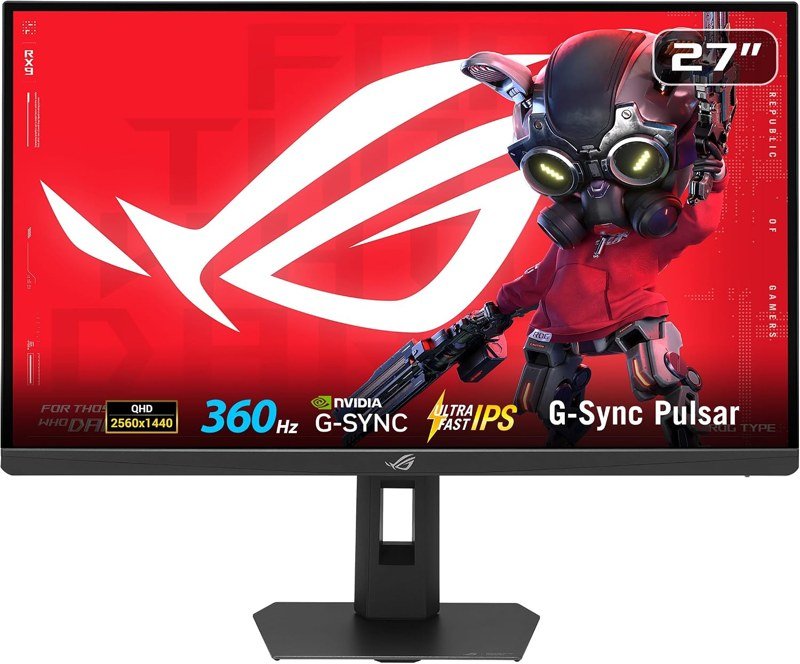
ASUS ROG Strix XG27AQNGV
27-inch 1440p IPS, up to 360Hz, G-SYNC Pulsar.
Check Price on AmazonDeal tip: monitor prices change often. Check the live Amazon price before you buy.
Quick Comparison: Best 1ms Monitors in 2026
| Monitor | Size and Panel | Refresh / Response | Key Feature | Best for | Deal |
|---|---|---|---|---|---|
| ASUS ROG Strix XG27AQNGV | 27″ 1440p Ultrafast IPS | Up to 360Hz, 1ms | G-SYNC Pulsar | Top-tier competitive 1440p | Check Price |
| LG UltraGear 27GR83Q-B | 27″ 1440p IPS | 240Hz, 1ms GtG | HDMI 2.1, DP 1.4 | The sweet spot at 1440p | Check Price |
| LG UltraGear 27G850A-B | 27″ 4K Nano IPS Black | 240Hz, 1ms GtG | DisplayPort 2.1 | 4K that can drop to 1080p at 480Hz | Check Price |
| Samsung Odyssey Neo G8 (G85NB) | 32″ 4K Quantum Mini LED, 1000R | 240Hz, 1ms GtG | Quantum HDR2000 | Premium HDR on a big curve | Check Price |
| LG UltraGear 34G630A-B | 34″ 3440×1440, 1500R | 240Hz, 1ms GtG | USB-C 15W | Ultrawide speed with a curve | Check Price |
| Samsung Odyssey G9 49″ (LS49CG954) | 49″ 5120×1440, 1000R | 240Hz, 1ms GtG | DisplayHDR 1000 | Two monitors in one | Check Price |
| Dell 27 Plus S2725DSM | 27″ 1440p | 144Hz, 1ms MPRT | FreeSync | 1440p for work and play | Check Price |
| AOC 24G4 | 24″ 1080p Fast IPS | 180Hz, 1ms MPRT | Adaptive-Sync | Entry-level esports | Check Price |
| Sceptre C255B-FWT240 | 24.5″ 1080p, R1500 | Up to 240Hz, 1ms | FreeSync Premium | A cheap, fast curve | Check Price |
What to Look For in a 1ms Monitor
Focus on these points:
- The response-time wording. Prefer GtG over MPRT when you compare monitors.
- Refresh rate. 144Hz is the minimum, 240Hz or more for competitive play.
- Adaptive sync. G-SYNC Compatible or FreeSync Premium reduces tearing.
- Resolution. Match the resolution to your graphics card.
- Connections. HDMI 2.1 matters for consoles, DisplayPort for the highest PC refresh rates.
- Warranty. Some brands include advance replacement.
Want even faster screens? See best 240Hz monitors.
The 9 Best 1ms Monitors in 2026
1. ASUS ROG Strix XG27AQNGV (27″ QHD Fast IPS, 360Hz) – Best Overall 1ms Monitor
Buy this if: you want top-tier competitive 1440p.
Our verdict: The XG27AQNGV is the fastest 1ms monitor we verified. It combines a 360Hz 1440p IPS panel with G-SYNC Pulsar, which targets motion clarity, and an Esports Dual Mode for players who prefer a smaller image. Everything below comes from the Amazon listing: 27-inch 2560 x 1440 Ultrafast IPS panel; Up to 360Hz refresh rate; 1ms response time; NVIDIA G-SYNC Pulsar, ELMB SYNC and variable refresh rate.
Key specs
- 27-inch 2560 x 1440 Ultrafast IPS panel
- Up to 360Hz refresh rate
- 1ms response time
- NVIDIA G-SYNC Pulsar, ELMB SYNC and variable refresh rate
- DisplayPort 1.4 and 2x HDMI 2.1
- Esports Dual Mode that resizes the image to 25-inch 1080p or 2368 x 1332
- Ambient Adaptive light sensor and Aura Sync lighting
- Compact ergonomic stand, 3-year warranty with advanced replacement
Pros
- 360Hz plus 1ms
- G-SYNC Pulsar for clearer motion
- HDMI 2.1 for consoles
Cons
- The 1ms wording does not say GtG or MPRT
- VESA and speaker details are not stated
Who it’s for: Competitive PC players who want maximum speed at 1440p.
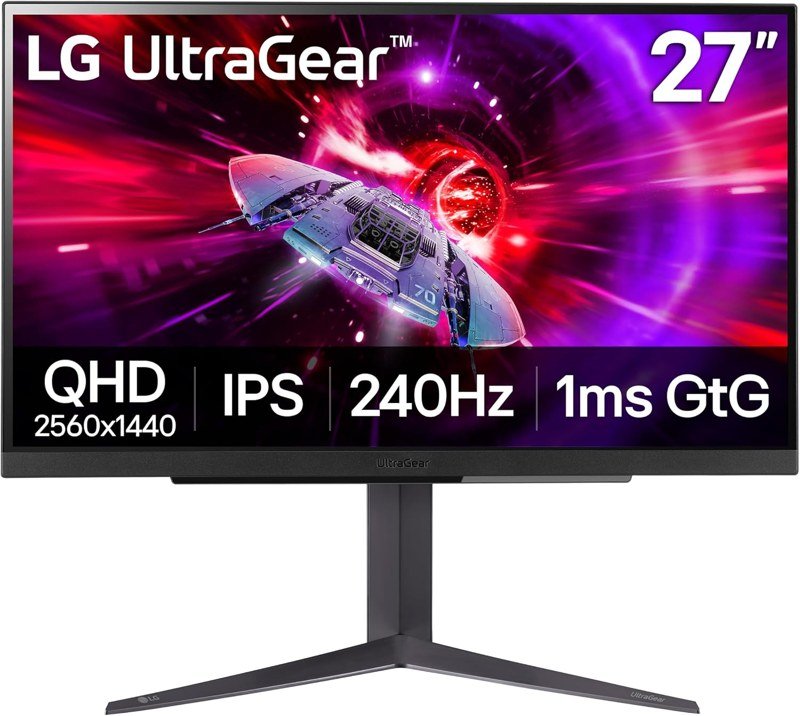
2. LG UltraGear 27GR83Q-B (27″ QHD IPS, 240Hz) – Best 1440p Value 1ms Monitor
Buy this if: you want the sweet spot at 1440p.
Our verdict: The 27GR83Q is the easy recommendation for most players. A 240Hz 1440p IPS panel with a clearly stated 1ms (GtG) response time and both adaptive sync standards covers PC and console use. Everything below comes from the Amazon listing: 27-inch QHD 2560 x 1440 IPS panel; 240Hz over DisplayPort or HDMI; 1ms (GtG) response time; NVIDIA G-SYNC Compatible and AMD FreeSync Premium.
Key specs
- 27-inch QHD 2560 x 1440 IPS panel
- 240Hz over DisplayPort or HDMI
- 1ms (GtG) response time
- NVIDIA G-SYNC Compatible and AMD FreeSync Premium
- VESA DisplayHDR 400, 95% DCI-P3 (typical)
- HDMI 2.1 and DisplayPort 1.4
- Tilt, height and pivot stand
- 4-pole headphone out with DTS Headphone:X
Pros
- 1ms GtG on IPS
- 240Hz on HDMI too
- Adjustable stand
Cons
- DisplayHDR 400 is basic HDR
- Speakers and VESA mount are not stated
Who it’s for: PC and console players who want a fast 1440p IPS screen.
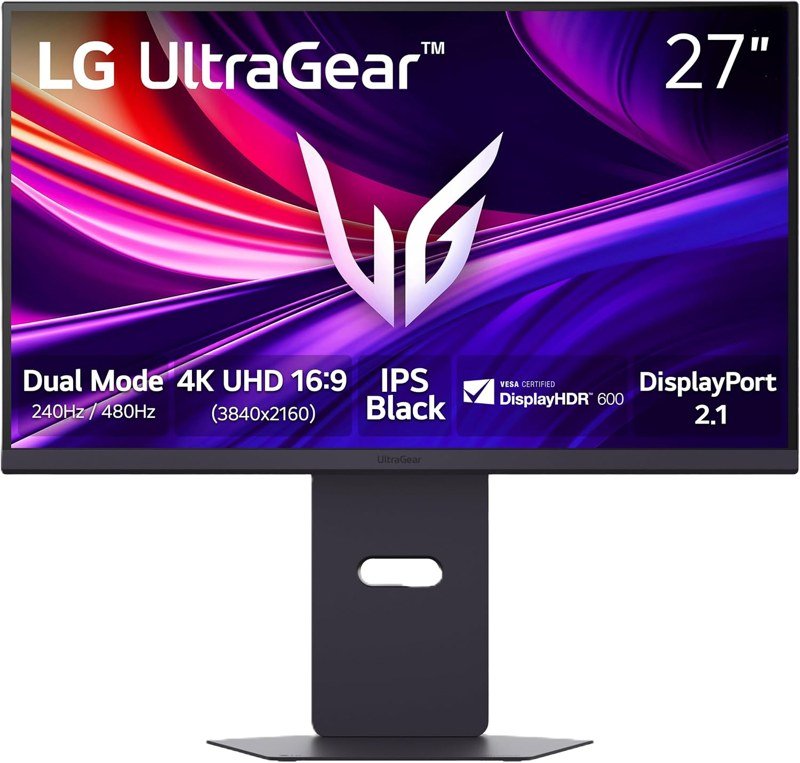
3. LG UltraGear 27G850A-B (27″ 4K Nano IPS Black, 240Hz) – Best 4K 1ms Monitor
Buy this if: you want 4K that can drop to 1080p at 480Hz.
Our verdict: The 27G850A-B is the best 1ms choice if you want 4K. Its Dual Mode lets you run sharp 4K at 240Hz for single-player games, and a Full HD 480Hz mode for fast shooters. Everything below comes from the Amazon listing: 27-inch 4K UHD 3840 x 2160 Nano IPS Black panel; Dual Mode: 4K at 240Hz or Full HD at 480Hz; 1ms (GtG) response time; NVIDIA G-SYNC Compatible and AMD FreeSync Premium Pro.
Key specs
- 27-inch 4K UHD 3840 x 2160 Nano IPS Black panel
- Dual Mode: 4K at 240Hz or Full HD at 480Hz
- 1ms (GtG) response time
- NVIDIA G-SYNC Compatible and AMD FreeSync Premium Pro
- VESA DisplayHDR 600, up to 99% DCI-P3
- DisplayPort 2.1 and 2x HDMI 2.1
- USB 3.2 Gen 1 hub (1 up, 2 down)
- Height, tilt, pivot and swivel stand
Pros
- 4K at 240Hz
- Dual Mode for esports
- DisplayPort 2.1 and HDMI 2.1
Cons
- Needs a very strong graphics card for 4K at 240Hz
- VESA and speaker details are not stated
Who it’s for: Players who want sharp 4K and an esports mode in one monitor.
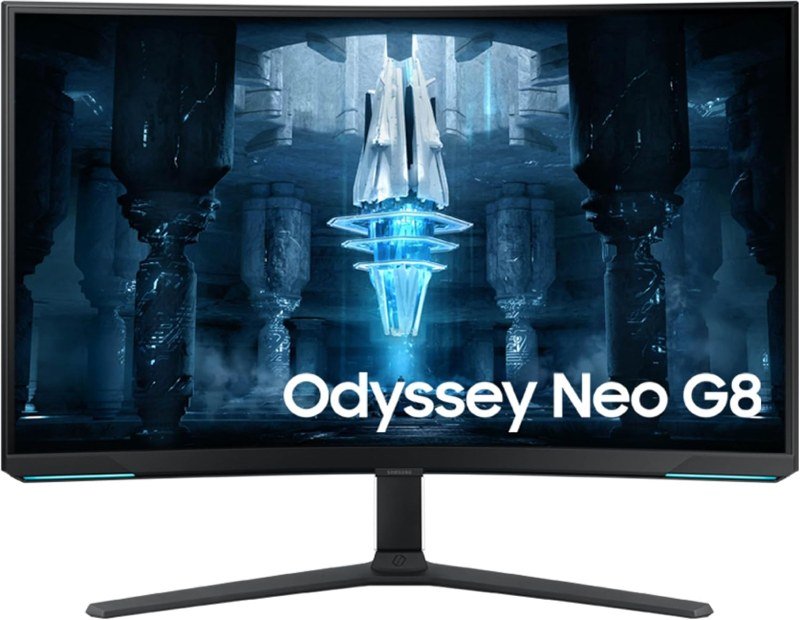
4. Samsung Odyssey Neo G8 (G85NB) (32″ 4K Mini LED, 240Hz, 1000R) – Best Premium HDR 1ms Monitor
Buy this if: you want premium HDR on a big curve.
Our verdict: The Neo G8 is the showpiece. A 32-inch curved 4K Mini LED display with 2,000-nit HDR and 240Hz is aimed at players who want a dramatic picture and have the PC to match. Everything below comes from the Amazon listing: 32-inch 4K UHD curved screen, 1000R; 240Hz refresh rate; 1ms (GtG) response time; Quantum HDR2000 with 2,000-nit peak brightness and 1,000,000:1 contrast.
Key specs
- 32-inch 4K UHD curved screen, 1000R
- 240Hz refresh rate
- 1ms (GtG) response time
- Quantum HDR2000 with 2,000-nit peak brightness and 1,000,000:1 contrast
- Quantum Matrix (Mini LED) backlight
- AMD FreeSync Premium Pro and G-Sync listed in the title
- Matte display
- DisplayPort input
Pros
- Extremely bright HDR
- Curved 4K at 240Hz
- Matte screen
Cons
- The listing does not state stand or VESA details
- Premium hardware needs a premium graphics card
Who it’s for: Enthusiasts who want the brightest HDR and a big 4K curve.
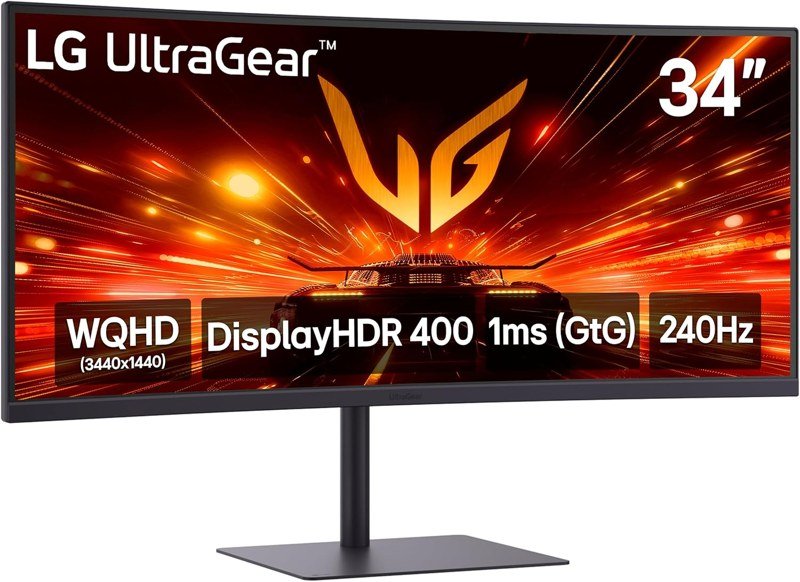
5. LG UltraGear 34G630A-B (34″ WQHD curved, 240Hz) – Best Curved Ultrawide 1ms Monitor
Buy this if: you want ultrawide speed with a curve.
Our verdict: This LG gives you ultrawide immersion without giving up speed. A 240Hz curved WQHD panel with 1ms (GtG) response suits both racing games and wide spreadsheets. Everything below comes from the Amazon listing: 34-inch WQHD 3440 x 1440 ultrawide, 21:9, 1500R curve; 240Hz refresh rate; 1ms (GtG) response time; AMD FreeSync Premium.
Key specs
- 34-inch WQHD 3440 x 1440 ultrawide, 21:9, 1500R curve
- 240Hz refresh rate
- 1ms (GtG) response time
- AMD FreeSync Premium
- VESA DisplayHDR 400 and HDR10, up to 95% DCI-P3
- HDMI 2.1, DisplayPort and USB-C with 15W power delivery, plus 2 USB-A ports
- PBP and PIP modes, built-in speaker
- Matte, virtually borderless design
Pros
- 240Hz on an ultrawide
- USB-C and speaker included
- Matte finish
Cons
- USB-C charges at only 15W
- G-SYNC support is not stated
Who it’s for: Gamers who want an ultrawide that still feels fast.
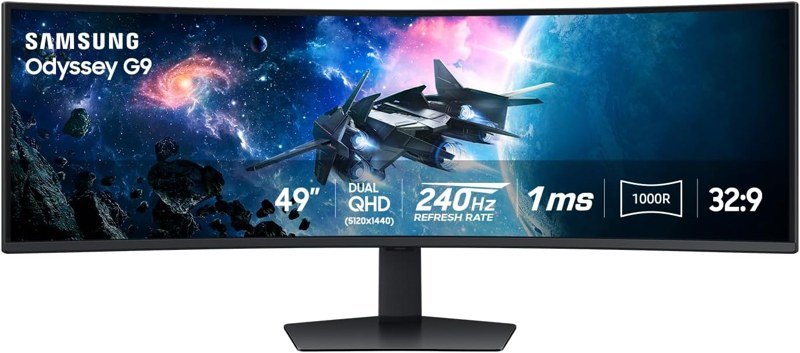
6. Samsung Odyssey G9 49″ (LS49CG954) (49″ DQHD VA, 240Hz, 1000R) – Best Super-Ultrawide 1ms Monitor
Buy this if: you want two monitors in one.
Our verdict: The Odyssey G9 is for people who want to replace two monitors with one. It combines a 49-inch 32:9 screen, 240Hz and DisplayHDR 1000, which makes games feel enormous. Everything below comes from the Amazon listing: 49-inch DQHD (Dual QHD) 5120 x 1440, 32:9; 1000R curve; 240Hz refresh rate; 1ms (GtG) response time, which Samsung describes as an average range.
Key specs
- 49-inch DQHD (Dual QHD) 5120 x 1440, 32:9
- 1000R curve
- 240Hz refresh rate
- 1ms (GtG) response time, which Samsung describes as an average range
- VESA DisplayHDR 1000, 1,000,000:1 contrast
- AMD FreeSync Premium Pro
- Swivel, tilt and height adjustable Hexa stand
- PBP, PIP and Auto Source Switch+
Pros
- Huge 32:9 screen
- DisplayHDR 1000
- Highly adjustable stand
Cons
- Needs a strong GPU
- Takes up a lot of desk space
Who it’s for: Simulator, racing and productivity users with a deep desk.
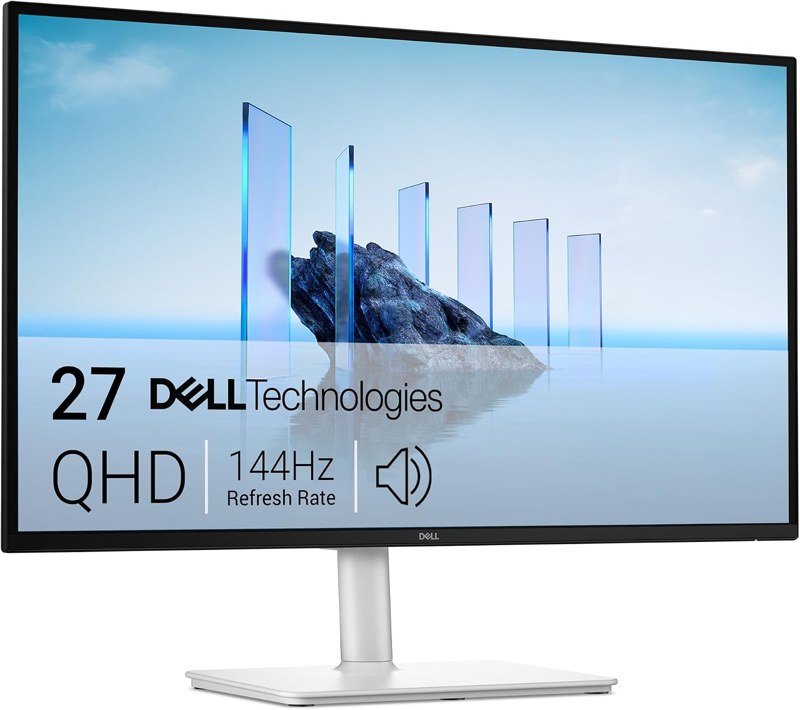
7. Dell 27 Plus S2725DSM (27″ QHD, 144Hz) – Best Budget 1440p 1ms Monitor
Buy this if: you want 1440p for work and play.
Our verdict: The S2725DSM is a good work-and-play monitor. A 27-inch 1440p screen at 144Hz with a fully adjustable stand and speakers makes it a practical pick, but remember that the 1ms figure is MPRT. Everything below comes from the Amazon listing: 27-inch QHD 2560 x 1440 screen, matte; 144Hz refresh rate; 1ms MPRT response time; AMD FreeSync.
Key specs
- 27-inch QHD 2560 x 1440 screen, matte
- 144Hz refresh rate
- 1ms MPRT response time
- AMD FreeSync
- HDMI and DisplayPort 1.4
- 2 x 3W speakers
- Height, tilt, pivot and swivel adjustable
- 1500:1 contrast, TÜV 4-star certified
Pros
- Fully adjustable stand
- Speakers included
- Good value for QHD
Cons
- The 1ms is MPRT, not GtG
- Panel type is not stated on the listing
Who it’s for: Students and home-office users who also game.
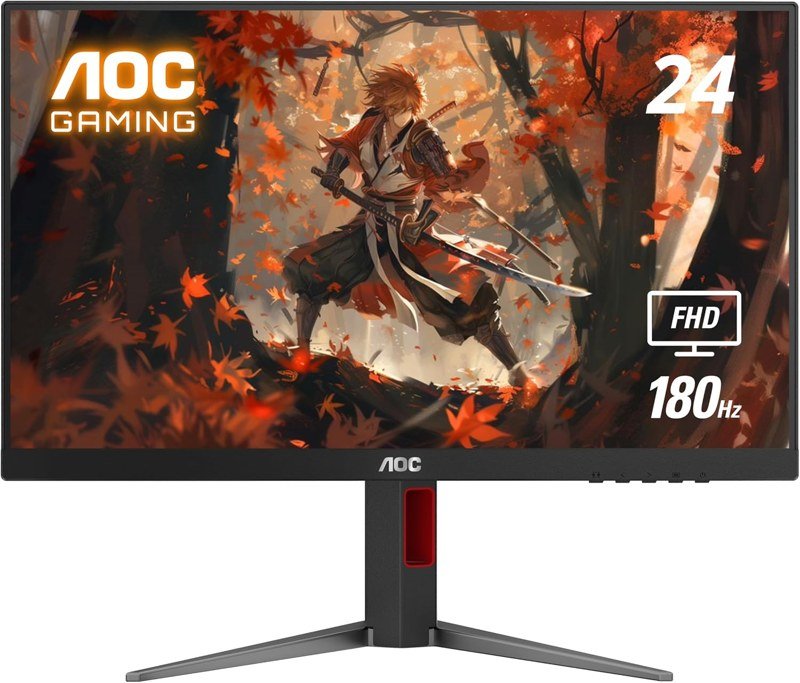
8. AOC 24G4 (24″ FHD Fast IPS, 180Hz) – Best Budget 1080p 1ms Monitor
Buy this if: you want entry-level esports.
Our verdict: The 24G4 is the cheap esports option. It is a 1080p Fast IPS monitor with 180Hz, a 1ms MPRT response time and a long 3-year warranty with advance replacement. Everything below comes from the Amazon listing: 24-inch Full HD 1920 x 1080 Fast IPS panel; 180Hz refresh rate; 1ms MPRT response time; Adaptive-Sync.
Key specs
- 24-inch Full HD 1920 x 1080 Fast IPS panel
- 180Hz refresh rate
- 1ms MPRT response time
- Adaptive-Sync
- DisplayPort 1.4 and HDMI 2.0
- Console support up to 120Hz
- HDR is mentioned, level not stated
- Headphone out, VESA mount, 3-year warranty with advance replacement
Pros
- Cheap and fast
- IPS color
- Strong warranty
Cons
- The 1ms is MPRT
- Speakers and stand adjustments are not stated
Who it’s for: Esports players and budget builders.
9. Sceptre C255B-FWT240 (24.5″ FHD curved, 240Hz) – Best Cheap Curved 1ms Monitor
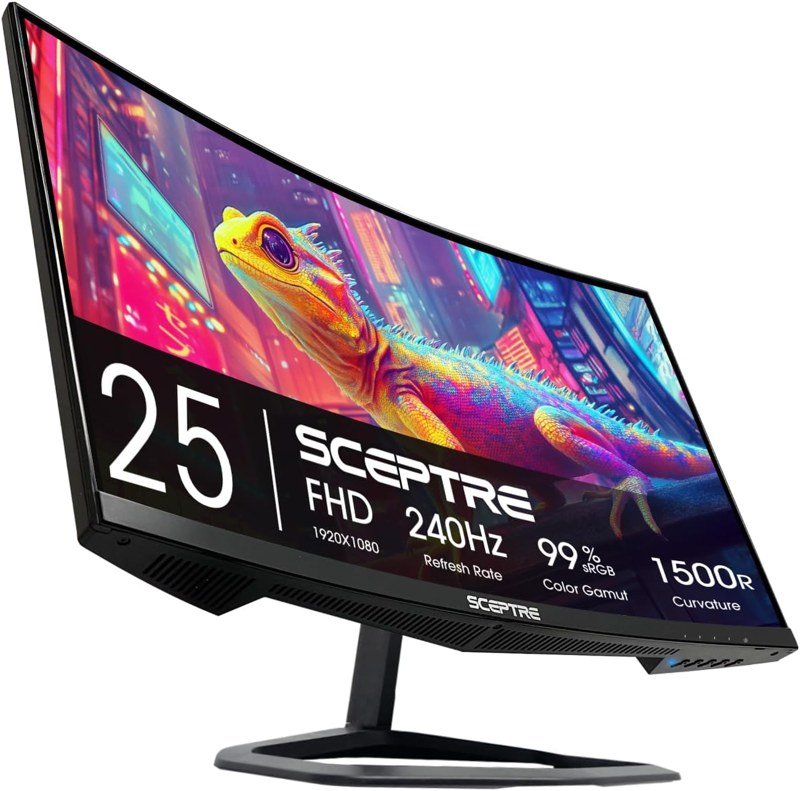
Buy this if: you want a cheap, fast curve.
Our verdict: The Sceptre packs 240Hz, FreeSync Premium and four video inputs into a small curved screen at a low price. It is an easy way to try high refresh rates. Everything below comes from the Amazon listing: 24.5-inch Full HD 1080p curved screen, R1500; Up to 240Hz refresh rate; 1ms response time (the product description says 1ms MPRT); AMD FreeSync Premium.
Key specs
- 24.5-inch Full HD 1080p curved screen, R1500
- Up to 240Hz refresh rate
- 1ms response time (the product description says 1ms MPRT)
- AMD FreeSync Premium
- 2x DisplayPort and 2x HDMI
- Built-in speakers, matte surface
- Blue Light Shift mode
Pros
- 240Hz at a low price
- Four video inputs
- Built-in speakers
Cons
- The 1ms figure is MPRT
- Panel type and stand details are not stated
Who it’s for: Budget players who want 240Hz.
Buying Guide: How to Choose a 1ms Monitor
What 1ms really means
A 1ms response time sounds like the best you can get, but it depends on how the maker measures it. GtG (gray to gray) measures how fast a pixel changes between two shades. MPRT (moving picture response time) is a different measure that describes perceived blur, and it often uses backlight strobing or tuning. A 1ms MPRT screen is not the same as a 1ms GtG screen, so we state the wording in each pick.
1ms GtG vs 1ms MPRT
If a listing says “1ms (GtG)”, the pixels change quickly in that measurement. If it says “1ms MPRT”, it is quoting perceived motion blur. Both are useful, but they are not interchangeable. See 1ms vs 2ms and 1ms vs 4ms response time for the real-world difference.
Why there are no OLED picks here
OLED monitors list response times far below 1ms, such as 0.03ms, so they do not state 1ms on their listings. If you want the fastest screens of all, see best OLED monitors.
Match refresh rate to response time
A fast response time works best with a high refresh rate. If your graphics card can only push 100 frames a second, a 360Hz monitor will not look faster than a 144Hz one. See best 240Hz monitors and how refresh rate affects gaming.
IPS, VA and Mini LED
Fast IPS panels give strong color and good speed. VA panels, such as the 49-inch Samsung, have higher contrast. Mini LED backlights, like the Neo G8, add much brighter HDR. See the best panel type for gaming.
Resolution and graphics power
1080p is easiest to drive. 1440p is the sweet spot. 4K at 240Hz needs a flagship graphics card, so check best 4K monitors if you want sharper images.
Flat, curved or ultrawide
Flat screens suit most players. Curves add immersion on large screens. Super-ultrawides suit racing and flight games. See best ultrawide monitors.
What the listing does not say
Many listings leave out stand adjustments, VESA support and speakers. We mark these as not stated rather than guess. Confirm the details on the Amazon page for your chosen variant.
Best Settings for a 1ms Monitor
- Set your refresh rate. Choose the highest refresh rate in Windows. See how to set your monitor to 144Hz.
- Use medium overdrive. Fast modes can create bright trails. Pick the setting that looks clean in a moving test.
- Turn on adaptive sync. Enable G-SYNC or FreeSync in your graphics control panel.
- Use DisplayPort. It handles the highest refresh rates reliably.
- Use game modes carefully. Extra image processing can add input lag.
Need more help? Read 1ms vs 4ms response time.
Which 1ms Monitor Should You Buy?
- Best overall? The ASUS ROG Strix XG27AQNGV.
- Best value 1440p? The LG 27GR83Q-B.
- Best 4K? The LG 27G850A-B.
- Best HDR? The Samsung Odyssey Neo G8.
- Best ultrawide? The LG 34G630A-B or the Samsung Odyssey G9.
- Best budget? The AOC 24G4, Dell S2725DSM or Sceptre C255B.
1ms Monitor FAQ
What is the best 1ms monitor in 2026?
The ASUS ROG Strix XG27AQNGV for competitive play, and the LG 27GR83Q-B for most people on a budget.
Is 1ms better than 2ms?
On paper yes, but the difference is tiny in real use. See 1ms vs 2ms.
Is 1ms MPRT the same as 1ms GtG?
No. GtG measures pixel transitions, while MPRT describes perceived blur.
Do I need 1ms for gaming?
Not always. Many fast monitors use 2ms to 4ms and still feel smooth. See best 2ms monitors.
Is IPS or VA better for 1ms?
IPS is usually better for color. VA has better contrast.
Is a 1ms monitor good for PS5?
Yes, if it has HDMI 2.1 and the resolution you want, like the LG and ASUS picks.
Why are there no OLED monitors in this list?
OLED listings state much lower response times, like 0.03ms.
Is 4K at 1ms realistic?
Yes, the LG 27G850A-B states 1ms (GtG) at 4K and 240Hz, but you need a powerful graphics card.
Final Verdict
The best 1ms monitor for most people is the ASUS ROG Strix XG27AQNGV if you want the fastest, or the LG 27GR83Q-B for value. For sharp 4K choose the LG 27G850A-B. Prices change often, so check today’s deal before you buy.

Brendon Martinez is a hardcore gamer with a background in electrical engineering and a passion for gaming, Brendon Martinez brings a unique blend of technical expertise and gaming enthusiasm to his writing. Having worked with leading tech companies, he dives deep into the intricacies of gaming technology and monitors, providing readers with detailed insights and reviews.