

A 4K monitor gives you four times the pixels of 1080p, so text is razor sharp, photos show more detail and games look stunning. The quick answer: the best 4K monitor for most gamers is a 32-inch 4K OLED at 240Hz, while 27-inch 4K IPS screens are the best value for work. Our top pick is the ASUS ROG Swift OLED PG32UCDMR, the best value 4K gaming monitor is the ASUS TUF Gaming VG27UQ1A, and the best budget choice is the Dell S2725QS.
Every monitor below is a current model sold on Amazon US. We cover 4K OLED for gaming, Mini-LED for bright HDR, 4K monitors for PS5 and Xbox, a big 37-inch screen, a USB-C 4K monitor for Mac and creators, and an affordable 4K screen for the home office.
Top 3 4K Monitors at a Glance
🏆 Best Overall
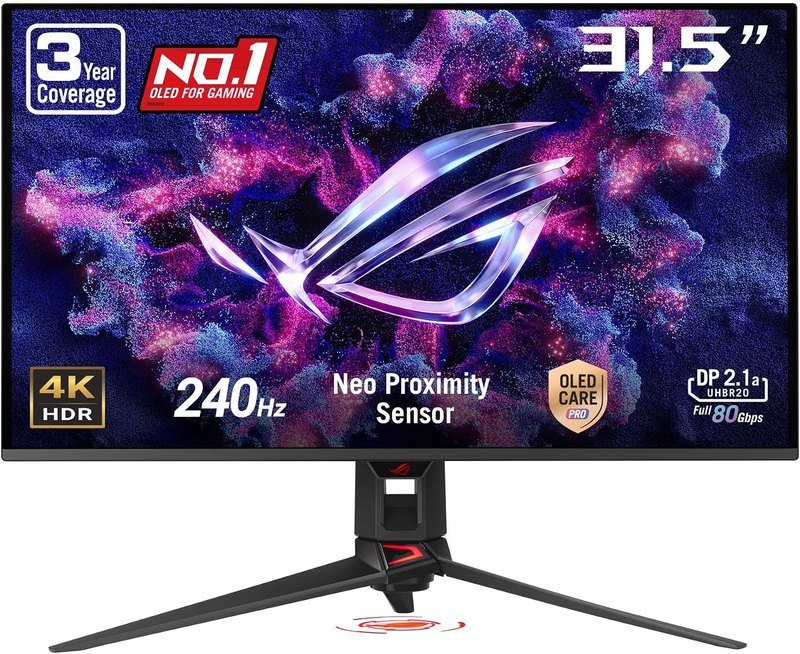
ASUS ROG Swift OLED PG32UCDMR
32-inch 4K QD-OLED at 240Hz with DisplayPort 2.1 and 90W USB-C.
Check Price on Amazon🎮 Best Value Gaming
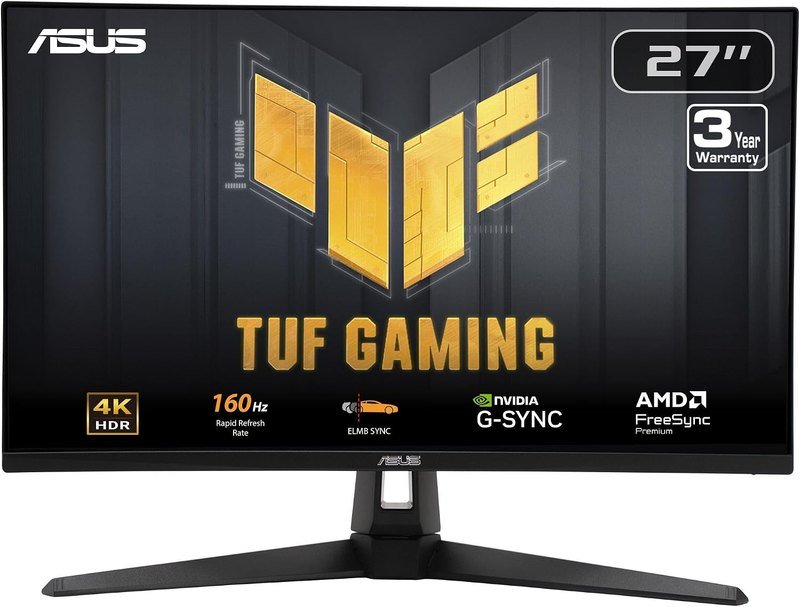
ASUS TUF Gaming VG27UQ1A
27-inch 4K at 160Hz with HDMI 2.1 for consoles.
Check Price on Amazon💰 Best Budget
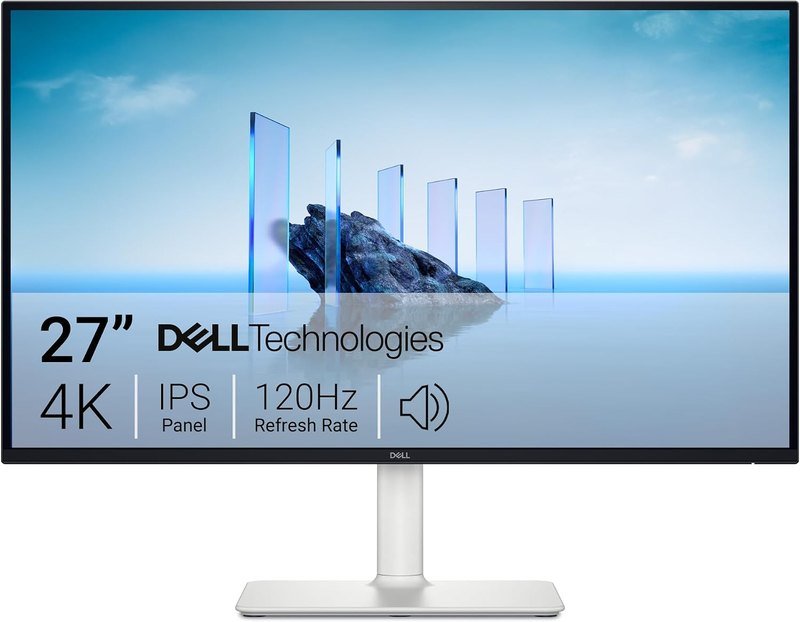
Dell 27 Monitor S2725QS
27-inch 4K IPS at 120Hz with a fully adjustable stand.
Check Price on AmazonDeal tip: 4K monitor prices drop often, especially OLED models. Check the live Amazon price before you buy.
Quick Comparison: Best 4K Monitors in 2026
| Monitor | Size | Panel | Refresh | Best for | Deal |
|---|---|---|---|---|---|
| ASUS ROG Swift OLED PG32UCDMR | 31.5″ | QD-OLED | 240Hz | Best overall | Check Price |
| ASUS ROG Swift OLED PG27UCDM | 26.5″ | QD-OLED | 240Hz | Sharpest 4K OLED | Check Price |
| LG UltraGear 32GX870A-B | 32″ | OLED (WOLED) | 240Hz / 480Hz FHD | 4K + esports in one | Check Price |
| ASUS TUF Gaming VG27UQ1A | 27″ | Fast IPS | 160Hz | Best value 4K gaming | Check Price |
| Acer Predator X32 X | 31.5″ | QD-OLED (1700R) | 240Hz | Consoles + PC | Check Price |
| Samsung Odyssey Neo G8 (G85NB) | 32″ | Mini-LED (1000R) | 240Hz | Bright HDR, no burn-in | Check Price |
| Samsung Odyssey G7 (G75F) 37″ | 37″ | Not listed (1000R curve) | 165Hz | Big-screen 4K | Check Price |
| LG UltraFine 27UP850K-W | 27″ | IPS | 60Hz | MacBooks, photo editing | Check Price |
| Dell 27 Monitor S2725QS | 27″ | IPS | 120Hz | Budget 4K for work | Check Price |
What Makes a Great 4K Monitor
Resolution is only the starting point. These features decide whether a 4K monitor is great or just sharp.
- Size matches 4K. 27 inches gives very sharp text (about 163 pixels per inch); 32 inches is the sweet spot for 4K gaming and media; 37 inches and up feels TV-like.
- Refresh rate for your use. 60Hz is fine for office work, 120Hz to 160Hz feels smooth for mixed use, and 240Hz is the new high end for 4K gaming.
- Panel type. OLED offers perfect blacks and instant response, Mini-LED offers the brightest HDR, and IPS offers good color at a lower price.
- Real HDR. Look for DisplayHDR True Black 400 or higher on OLED, or DisplayHDR 600 to 2000-class brightness on LCD.
- Bandwidth. DisplayPort 2.1 and HDMI 2.1 are needed to run 4K at high refresh rates without heavy compression; HDMI 2.1 is a must for 4K 120Hz on PS5 and Xbox.
- USB-C for laptops. USB-C with 65W to 90W power delivery turns a 4K monitor into a one-cable laptop dock.
New to 4K? Our explainer on what a 4K monitor is covers the basics, and 1080p vs 4K shows the difference in sharpness.
The 9 Best 4K Monitors in 2026
1. ASUS ROG Swift OLED PG32UCDMR (32″ 4K QD-OLED, 240Hz) – Best 4K Monitor Overall
Buy this if: you want the best 4K monitor for gaming that also does everything else well.
Our verdict: The PG32UCDMR is the 4K monitor that does it all. Its 31.5-inch QD-OLED panel delivers 4K at 240Hz with 0.03ms response, so you get razor-sharp detail and buttery motion at the same time, plus perfect OLED blacks. It is rated VESA DisplayHDR True Black 400 with HDR10 and Dolby Vision support, covers 99% DCI-P3 with true 10-bit color and Delta E under 2, so it doubles as a capable creative screen. Connectivity is future-proof: DisplayPort 2.1 with full 80Gbps bandwidth for the latest graphics cards, HDMI 2.1 for consoles and USB-C with 90W power delivery for a laptop. ASUS OLED Care Pro and a Neo Proximity Sensor help protect the panel from burn-in.
Key specs
- 31.5-inch QD-OLED, 3840 x 2160
- 240Hz refresh rate, 0.03ms GtG
- VESA DisplayHDR True Black 400, HDR10, Dolby Vision
- 99% DCI-P3, true 10-bit, Delta E under 2
- DisplayPort 2.1 (80Gbps), HDMI 2.1, USB-C with 90W PD, USB 3.2 hub
- G-SYNC Compatible, FreeSync Premium Pro; tilt, swivel and height stand; OLED Care Pro
Pros
- 4K 240Hz OLED is the best of both worlds
- Full-bandwidth DisplayPort 2.1
- 90W USB-C for laptops
- Accurate enough for creative work
Cons
- Premium price
- Needs a high-end GPU for 4K at high frame rates
- OLED needs some burn-in care
Who it’s for: Enthusiast gamers and creators with a powerful PC who want one no-compromise 4K screen.
2. ASUS ROG Swift OLED PG27UCDM (26.5″ 4K QD-OLED, 240Hz) – Best 27-Inch 4K OLED
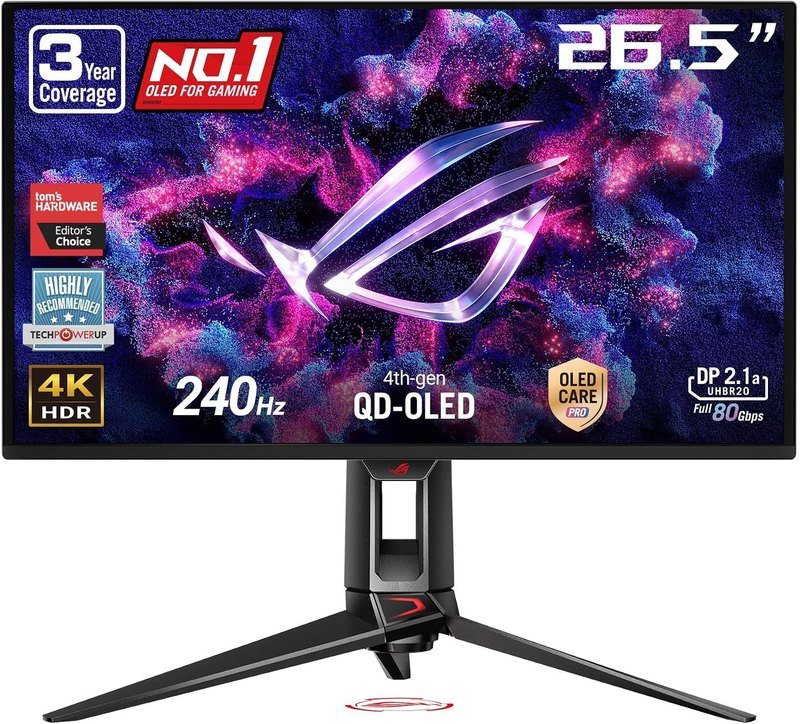
Buy this if: you want 4K OLED in a 27-inch size for the sharpest possible image.
Our verdict: Putting 4K on a 26.5-inch screen gives the PG27UCDM very high pixel density, so text and fine game detail look incredibly crisp. It uses a fourth-generation QD-OLED panel at 240Hz with 0.03ms response, OLED Anti-Flicker 2.0, and a true 10-bit image. Like its bigger brother it has DisplayPort 2.1a (UHBR20, 80Gbps), HDMI 2.1 and USB-C with 90W power delivery. ASUS backs it with a 3-year warranty that, according to the listing, includes burn-in coverage, which removes much of the worry about OLED for desktop use.
Key specs
- 26.5-inch QD-OLED, 3840 x 2160, matte
- 240Hz refresh rate, 0.03ms response
- True 10-bit color, OLED Anti-Flicker 2.0
- DisplayPort 2.1a UHBR20 (80Gbps), HDMI 2.1, USB-C with 90W PD
- G-SYNC Compatible; OLED Care Pro with Neo Proximity Sensor
- 3-year warranty with burn-in coverage (per listing)
Pros
- Extremely sharp 4K at 27 inches
- Fast 240Hz OLED motion
- Burn-in coverage listed
- Excellent connectivity
Cons
- Text may need 150% scaling
- Premium price
- Smaller than 32-inch for immersion
Who it’s for: Gamers and creators with a standard desk who want 4K OLED sharpness without a 32-inch screen.
3. LG UltraGear 32GX870A-B (32″ 4K OLED, 240Hz / 480Hz) – Best Dual-Mode 4K Monitor
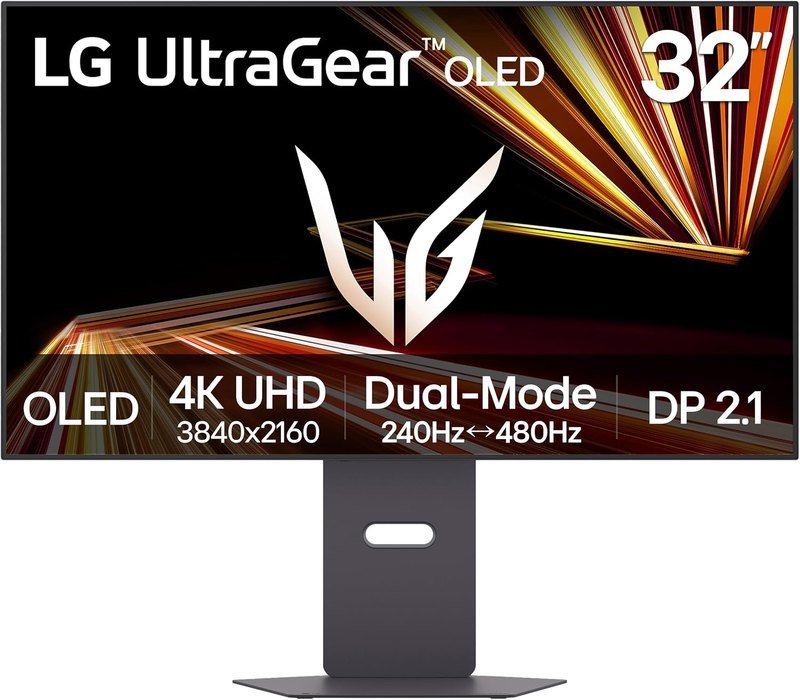
Buy this if: you want a 4K OLED for single-player games that can switch to 480Hz for esports.
Our verdict: The 32GX870A-B solves the classic 4K dilemma. In its native mode it runs 4K at 240Hz for beautiful single-player games, and with one setting it switches to Full HD at 480Hz, giving you esports-level speed when you jump into a shooter. The OLED panel uses LG Micro Lens Array+ for up to 1,300 nits peak brightness (275 nits typical), carries DisplayHDR True Black 400 and has a 1.5M:1 contrast ratio. An anti-glare, low-reflection coating helps in daytime rooms, and the stand adjusts for height, tilt, swivel and pivot. DisplayPort 2.1 and USB-C round out a premium package.
Key specs
- 32-inch OLED (Micro Lens Array+), 3840 x 2160, anti-glare
- Dual Mode: 4K 240Hz or FHD 480Hz; 0.03ms GtG
- VESA DisplayHDR True Black 400, up to 1,300 nits peak, 1.5M:1
- DisplayPort 2.1, USB Type-C
- G-SYNC Compatible, FreeSync Premium Pro
- Height, tilt, swivel and pivot stand
Pros
- Two monitors in one: 4K 240Hz and FHD 480Hz
- Bright for an OLED
- Low-reflection screen
- Fully adjustable stand
Cons
- HDMI version not stated on the listing
- 1080p mode is soft on a 32-inch screen
- Premium price
Who it’s for: Players who switch between cinematic games and competitive shooters.
4. ASUS TUF Gaming VG27UQ1A (27″ 4K Fast IPS, 160Hz) – Best Value 4K Gaming Monitor
Buy this if: you want a fast 4K gaming monitor without OLED pricing.
Our verdict: The VG27UQ1A is the best-value way into 4K gaming. Its 27-inch Fast IPS panel runs 4K at 160Hz with a 1ms response time, and ASUS ELMB Sync lets motion blur reduction and variable refresh work together. Colors are vivid with 95% DCI-P3 coverage, and it supports G-SYNC Compatible, FreeSync Premium and variable overdrive. Importantly for console players, its HDMI 2.1 port supports 4K at 120Hz without chroma subsampling, so PS5 and Xbox Series X games look their best. HDR is supported but without a high certification, so treat it as a sharp, fast SDR monitor first.
Key specs
- 27-inch Fast IPS, 3840 x 2160
- 160Hz refresh rate, 1ms response
- HDR support, 95% DCI-P3
- HDMI 2.1 (4K 120Hz for consoles without chroma subsampling), DisplayPort
- ELMB Sync, G-SYNC Compatible, FreeSync Premium, variable overdrive
- DisplayWidget Center software
Pros
- Very affordable for 4K at 160Hz
- HDMI 2.1 console support
- Wide color gamut
- ELMB Sync for clearer motion
Cons
- HDR is basic
- IPS contrast is average
- Stand adjustments are not detailed on the listing
Who it’s for: PC and console gamers who want 4K sharpness on a mid-range budget.
5. Acer Predator X32 X (31.5″ curved 4K QD-OLED, 2x HDMI 2.1) – Best 4K Monitor for PS5 and Xbox
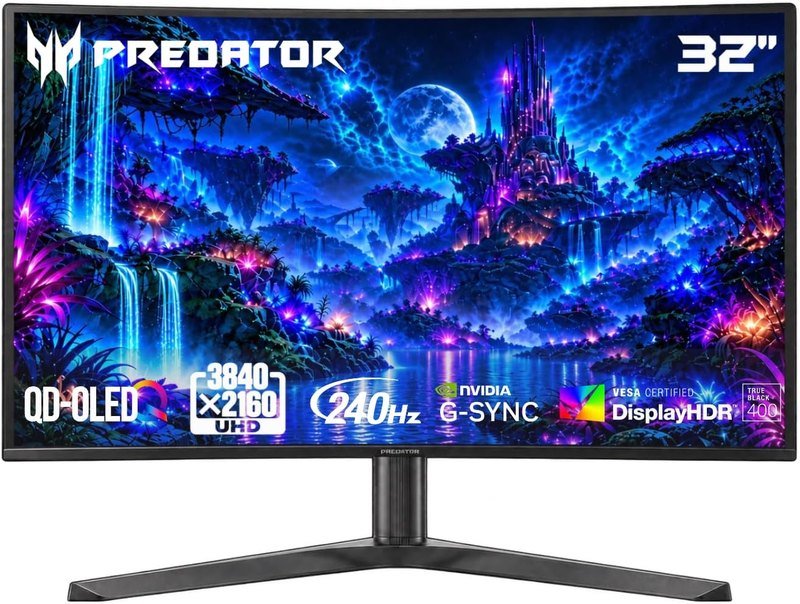
Buy this if: you want a 4K OLED that can keep a PS5, an Xbox and a PC connected at once.
Our verdict: With two HDMI 2.1 ports, two DisplayPort inputs and USB-C with 65W power delivery, the Predator X32 X is the most flexible 4K OLED here for a multi-device setup. The 31.5-inch QD-OLED panel runs at 240Hz with 0.03ms response, covers 99% DCI-P3 with true 10-bit color and is rated DisplayHDR True Black 400. A gentle 1700R curve adds a touch of immersion without distorting the desktop, and the ergonomic stand adjusts for tilt, swivel and height. For consoles, both PS5 and Xbox Series X can run 4K 120Hz over HDMI 2.1.
Key specs
- 31.5-inch QD-OLED, 3840 x 2160, 1700R curve
- 240Hz refresh rate, 0.03ms GtG
- VESA DisplayHDR True Black 400, 99% DCI-P3, true 10-bit
- 2x HDMI 2.1, 2x DisplayPort, USB-C with 65W
- FreeSync Premium, G-SYNC Compatible
- Tilt, swivel and height adjustable stand
Pros
- Two HDMI 2.1 ports for consoles
- Excellent OLED contrast and motion
- USB-C for laptops
- Subtle curve
Cons
- Curve is not for everyone
- HDR brightness is OLED-typical, not Mini-LED bright
- Premium price
Who it’s for: Gamers who own both a console and a PC and want one premium 4K screen for both.
6. Samsung Odyssey Neo G8 (G85NB) (32″ 4K Mini-LED, 240Hz) – Best 4K Mini-LED HDR Monitor
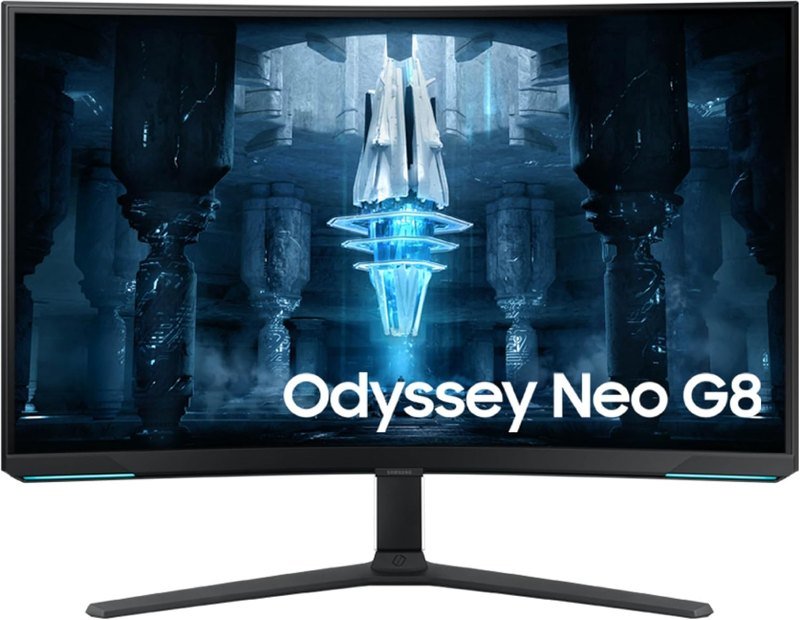
Buy this if: you want very bright 4K HDR at 240Hz and prefer to avoid OLED.
Our verdict: The Odyssey Neo G8 was the first 4K 240Hz monitor, and its Mini-LED backlight is still a big reason to buy it. Samsung Quantum Matrix Technology with Quantum Mini LEDs reaches 2,000 nits peak brightness (Quantum HDR2000) with a 1,000,000:1 contrast ratio, so HDR highlights are far brighter than any OLED here. It runs at 240Hz with 1ms GtG and supports FreeSync Premium Pro. The 1000R curve is strong on a 32-inch 16:9 screen, which helps immersion in games but takes some getting used to for office work. The matte screen handles bright rooms well.
Key specs
- 32-inch Quantum Mini-LED, 3840 x 2160, 1000R curve, matte
- 240Hz refresh rate, 1ms GtG
- Quantum HDR2000, 2,000 nits peak, 1,000,000:1 contrast
- DisplayPort input
- AMD FreeSync Premium Pro, works with GeForce and Radeon adaptive sync
- VESA 100 x 100 wall mount
Pros
- Extremely bright HDR
- No burn-in risk
- 4K at 240Hz
- Matte finish for bright rooms
Cons
- 1000R curve is aggressive at 32 inches
- Some blooming around bright objects
- Older design than newer OLEDs
Who it’s for: HDR fans in bright rooms who want 4K 240Hz without OLED care.
7. Samsung Odyssey G7 (G75F) 37″ (37″ curved 4K, 165Hz) – Best Large 4K Gaming Monitor
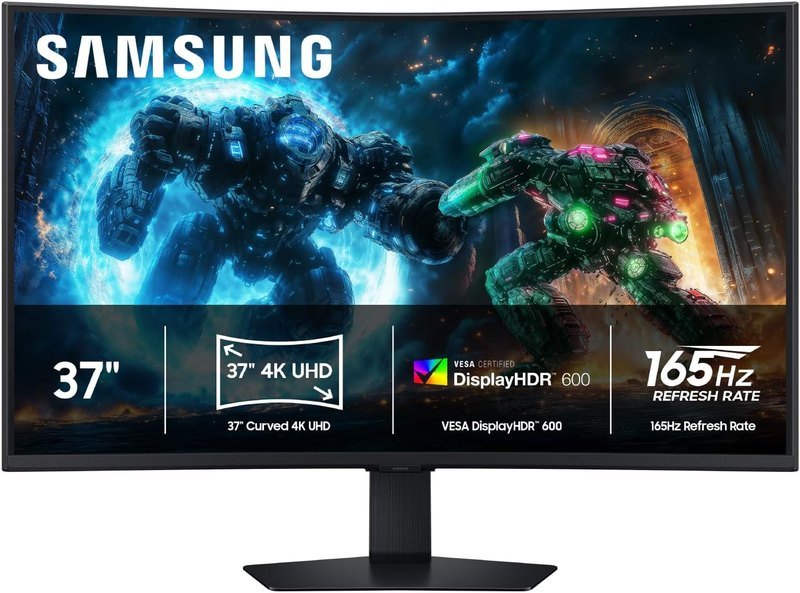
Buy this if: you want a bigger 4K screen than 32 inches for games and media.
Our verdict: At 37 inches, the Odyssey G7 G75F is noticeably larger than a typical 32-inch 4K monitor, so games and movies feel closer to a TV experience while 4K keeps text sharp. It runs at 165Hz with 1ms GtG and carries VESA DisplayHDR 600, a step above the DisplayHDR 400 screens many rivals use. The 1000R curve helps your eyes take in the larger screen, and FreeSync Premium Pro keeps motion smooth. You will need a deeper desk than for a 27-inch monitor, but it is a great middle ground between a monitor and a TV.
Key specs
- 37-inch curved 4K UHD (3840 x 2160), 1000R
- 165Hz refresh rate, 1ms GtG
- VESA DisplayHDR 600
- AMD FreeSync Premium Pro
- Model LS37FG75DENXZA
Pros
- Large 4K screen without going to a TV
- DisplayHDR 600 is brighter than entry HDR
- 165Hz gaming
- Immersive curve
Cons
- Needs a deep desk
- Port details are limited on the listing
- Strong curve for office use
Who it’s for: Gamers who want a big, immersive 4K screen on a desk.
8. LG UltraFine 27UP850K-W (27″ 4K IPS, USB-C 90W) – Best 4K Monitor for Mac and Creators
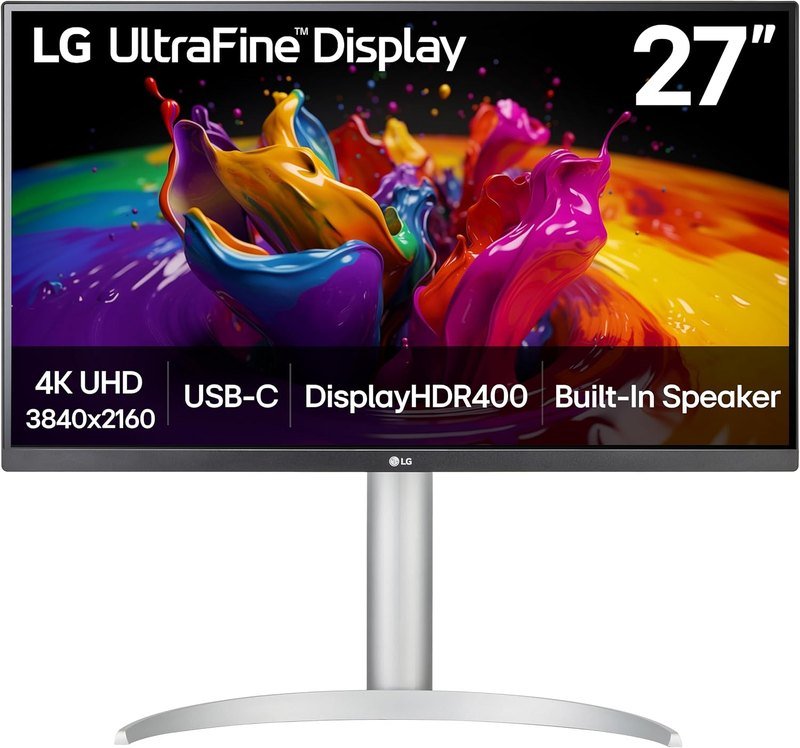
Buy this if: you want a sharp, color-rich 4K screen for a MacBook or creative laptop with one-cable charging.
Our verdict: The 27UP850K-W is a clean, simple 4K monitor for work. Its 27-inch IPS panel covers up to 95% DCI-P3, which suits photo editing and matches the wide color of Mac displays well, and it carries VESA DisplayHDR 400. A single USB-C cable delivers video, data and up to 90W of power, enough for most MacBook Pro and Windows laptops, and you also get DisplayPort, two HDMI ports, two USB 3.0 ports and a headphone jack. Built-in stereo speakers with Waves MaxxAudio save desk space. At 60Hz it is not a gaming monitor, but for creative and office work that is fine.
Key specs
- 27-inch IPS, 3840 x 2160, 60Hz
- Up to 95% DCI-P3 (typical), VESA DisplayHDR 400
- USB Type-C with up to 90W power delivery
- DisplayPort, 2x HDMI, 2x USB 3.0, headphone out
- Built-in stereo speakers (Waves MaxxAudio)
- Tilt, height and pivot stand
Pros
- 90W USB-C one-cable setup
- Wide color gamut for photo work
- Speakers built in
- Fully adjustable stand
Cons
- 60Hz only
- DisplayHDR 400 is entry-level HDR
- Not suited to fast gaming
Who it’s for: MacBook users, photographers and office workers who want a sharp 4K workspace.
9. Dell 27 Monitor S2725QS (27″ 4K IPS, 120Hz) – Best Budget 4K Monitor
Buy this if: you want an affordable 4K monitor for work and light gaming with a proper stand.
Our verdict: The Dell S2725QS is the budget 4K monitor we recommend for most home offices. It pairs a 27-inch 4K IPS panel with a 120Hz refresh rate, which is rare at this price and makes scrolling and casual games noticeably smoother than 60Hz 4K screens. It covers 99% sRGB with a 1500:1 contrast ratio and 350 nits brightness, has an anti-glare finish and built-in speakers, and Dell ComfortView Plus reduces blue light. The stand adjusts for height, swivel and pivot. It is not a high-end gaming monitor, but for work with occasional play it is excellent value.
Key specs
- 27-inch IPS, 3840 x 2160, anti-glare
- 120Hz refresh rate, AMD FreeSync Premium
- 99% sRGB, 1500:1 contrast, 350 cd/m², HDR ready
- HDMI and DisplayPort (a USB-C style is sold separately on the listing)
- Built-in speakers, ComfortView Plus low blue light
- Height, swivel and pivot adjustable stand
Pros
- 120Hz 4K at a budget price
- Fully adjustable stand
- Accurate sRGB color
- Speakers included
Cons
- Not bright enough for real HDR
- 120Hz is not for competitive gaming
- USB-C requires the other style
Who it’s for: Home office users and students who want 4K sharpness without spending much.
4K Monitor Buying Guide
Is 4K worth it for gaming?
Yes, if you have the graphics card for it. 4K has 8.3 million pixels, four times as many as 1080p, so games look much more detailed, especially on 32-inch screens. Upscaling tech such as DLSS and FSR makes high frame rates at 4K far more achievable than a few years ago. If your GPU is mid-range, a 1440p monitor may give you a smoother experience for less money.
What size 4K monitor should you buy?
At 27 inches, 4K is extremely sharp and great for text and photos, though you will likely use 150% scaling. At 32 inches, 4K is the best balance for gaming and media at normal desk distance. 37 to 43-inch 4K screens are great as an all-in-one gaming and TV replacement if your desk is deep enough.
OLED vs Mini-LED vs IPS at 4K
4K OLED monitors like the ASUS PG32UCDMR, PG27UCDM, LG 32GX870A-B and Acer X32 X give perfect blacks and near-instant response. Mini-LED, like the Samsung Neo G8, reaches much higher HDR brightness with no burn-in risk, at the cost of some blooming. IPS models such as the ASUS VG27UQ1A, LG 27UP850K-W and Dell S2725QS are the affordable choice with good color. Our IPS vs OLED guide compares them in depth.
What GPU do you need for 4K?
For 4K at 60 fps or more in modern games, aim for an RTX 4070 Ti or RX 7900 XT class card or better, and use DLSS or FSR for higher frame rates. To make full use of 4K at 240Hz you need a top-tier GPU, but even then the monitor shines in lighter esports games and with frame generation.
4K vs HDR: what matters more?
They are different things. 4K is resolution (sharpness), while HDR is brightness and contrast range. A 4K monitor without good HDR still looks sharp, but a strong HDR panel makes games look more lifelike. Our HDR vs 4K guide explains the difference, and our best HDR monitors list focuses on HDR performance.
4K monitors for PS5 and Xbox Series X
Both consoles output 4K at up to 120Hz with VRR over HDMI 2.1. Choose a monitor with HDMI 2.1, such as the ASUS VG27UQ1A, Acer Predator X32 X, ASUS PG32UCDMR or PG27UCDM. See our best monitor for PS5 guide for more console tips.
4K for Mac and creative work
Macs look best on high-density screens, so a 27-inch 4K monitor with wide DCI-P3 color, such as the LG 27UP850K-W, is a great match. USB-C or Thunderbolt with enough power delivery gives you a one-cable desk.
DisplayPort 2.1 and HDMI 2.1 explained
4K at 240Hz needs a lot of bandwidth. DisplayPort 2.1 at 80Gbps can carry it with minimal compression, while DisplayPort 1.4 and HDMI 2.1 typically rely on Display Stream Compression (DSC), which is visually lossless for most people. Make sure your graphics card supports the port you plan to use.
Best Settings for Your 4K Monitor
- Set 3840 x 2160 and the highest refresh rate. In Windows, open Settings > System > Display, choose 3840 x 2160, then select the maximum refresh rate under Advanced display.
- Use the right scaling. 150% is comfortable on 27-inch 4K, and 125% to 150% on 32-inch 4K.
- Use DisplayPort or HDMI 2.1. Older HDMI 2.0 cables and ports cap 4K at 60Hz. Use the cable included with the monitor.
- Turn on VRR. Enable G-SYNC or FreeSync in your GPU software and the matching option in the monitor menu.
- Calibrate HDR. Turn on “Use HDR” in Windows, then run the Windows HDR Calibration app. On consoles, run the system HDR calibration.
- Use upscaling in games. DLSS, FSR or XeSS in Quality mode keep 4K sharp while boosting frame rate.
- OLED care. Allow pixel refresh cycles, use dark mode and auto-hide the taskbar to reduce burn-in risk.
Considering a bigger screen? Our guide to the best 32-inch monitors covers more 4K options at that size.
Which 4K Monitor Should You Buy?
- Want the best 4K gaming monitor? Get the ASUS ROG Swift OLED PG32UCDMR.
- Prefer a 27-inch 4K OLED? The ASUS ROG Swift OLED PG27UCDM is the sharpest pick here.
- Play both single-player and esports? The dual-mode LG UltraGear 32GX870A-B.
- Want 4K gaming on a mid-range budget? The ASUS TUF Gaming VG27UQ1A.
- Connecting a PS5, an Xbox and a PC? The Acer Predator X32 X with two HDMI 2.1 ports.
- Want the brightest HDR? The Mini-LED Samsung Odyssey Neo G8, or the 37-inch Samsung Odyssey G7 G75F for a bigger screen.
- Working on a Mac or doing photo editing? The LG UltraFine 27UP850K-W with 90W USB-C.
- On a budget? The Dell S2725QS.
4K Monitor FAQ
What is the best 4K monitor in 2026?
For most gamers, the ASUS ROG Swift OLED PG32UCDMR. It combines a 32-inch 4K QD-OLED panel, 240Hz, DisplayHDR True Black 400, DisplayPort 2.1, HDMI 2.1 and 90W USB-C.
Is a 4K monitor worth it?
Yes, if you want sharper text and more detailed games and you sit close to a 27 to 32-inch screen. For high-frame-rate gaming on a mid-range GPU, 1440p can be a better choice.
Is 27 inches too small for 4K?
No. 27-inch 4K looks extremely sharp. You will probably use 150% scaling in Windows so text is not too small.
What is the best size for a 4K monitor?
32 inches is the sweet spot for 4K gaming and media, while 27 inches is great for sharp text and smaller desks.
Can PS5 and Xbox run 4K 120Hz on a monitor?
Yes, on a monitor with HDMI 2.1. Games must also support 120Hz output.
Do I need DisplayPort 2.1 for 4K 240Hz?
Not strictly. Most 4K 240Hz monitors also work over DisplayPort 1.4 or HDMI 2.1 using Display Stream Compression. DisplayPort 2.1 at full bandwidth reduces the need for compression if your GPU supports it.
Is 4K OLED good for office work?
It can be, especially models with burn-in coverage and proximity sensors. If you leave static windows open for many hours every day, an IPS 4K monitor is the lower-risk choice.
Is 4K 60Hz still worth buying?
For office, photo and Mac work, yes. For gaming, a 120Hz or faster 4K monitor feels much smoother.
Final Verdict
The best 4K monitor for most gamers is a 32-inch 4K OLED at 240Hz, and the ASUS ROG Swift OLED PG32UCDMR is our top pick for its picture quality and future-proof ports. Choose the ASUS TUF Gaming VG27UQ1A for affordable 4K gaming, the LG UltraFine 27UP850K-W for Mac and creative work, or the Dell S2725QS for a budget home office. Prices change often, so check today’s deal before you buy.

As a self-proclaimed resolution connoisseur, Jacob Miller is dedicated to exploring the world of gaming and tech through the lens of monitors. His articles not only cover the technical specifications but also delve into the user experience, offering practical advice for gamers seeking the perfect display. Jacob’s background in graphic design adds an artistic touch to his reviews.