
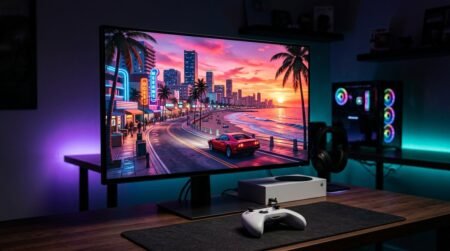
GTA 6 launches on November 19, 2026 for PS5, PS5 Pro and Xbox Series X|S, and the screen you play it on will shape how Vice City looks more than almost anything else. The quick answer: the best monitor for GTA 6 is a 4K screen with HDMI 2.1 and real HDR. Our top pick is the ASUS ROG Swift OLED PG27UCDM, the best 32-inch choice is the Alienware AW3225QF, and the best budget 4K option is the Dell S2725QS.
Affiliate disclosure: bestpcmonitor.com is reader-supported. When you buy through links on this page, we may earn a commission from Amazon at no extra cost to you. This never affects which monitors we recommend.
Why 4K and HDR rather than a super-fast refresh rate? Because Rockstar has confirmed that GTA 6 targets 30 frames per second on every console, PS5 Pro included. A 360Hz esports monitor adds nothing here. What you’ll notice is image quality: sharp 4K detail, deep blacks in neon-soaked night scenes, and bright HDR sunsets. All 10 monitors below are console-friendly, sold on Amazon US, and chosen for how they handle GTA 6 on a PS5 or Xbox.
Top 3 Monitors for GTA 6 at a Glance
🏆 Best Overall
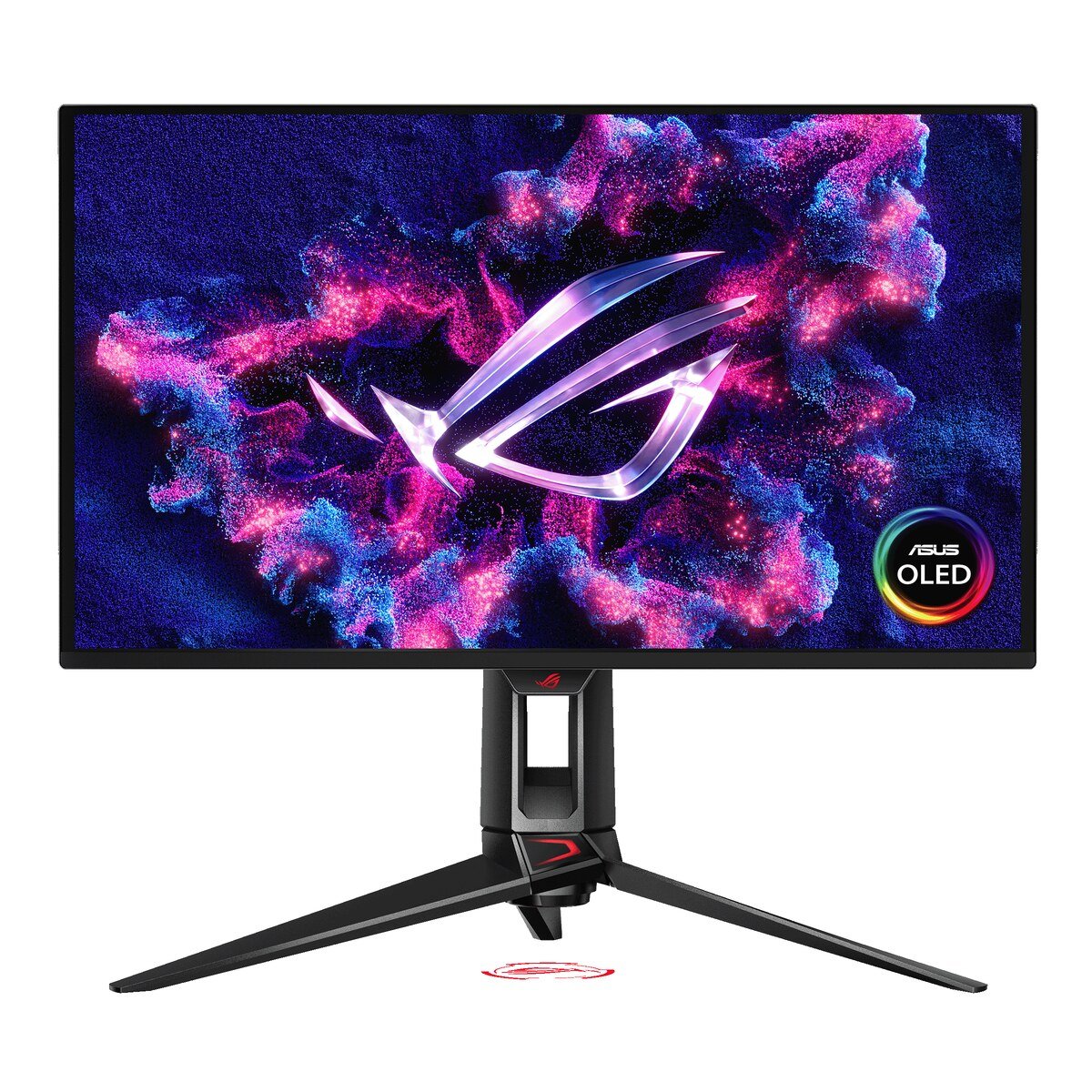
ASUS ROG Swift OLED PG27UCDM
27-inch 4K QD-OLED, HDMI 2.1. Inky night scenes and vivid HDR.
Check Price on Amazon🎬 Best Big Screen
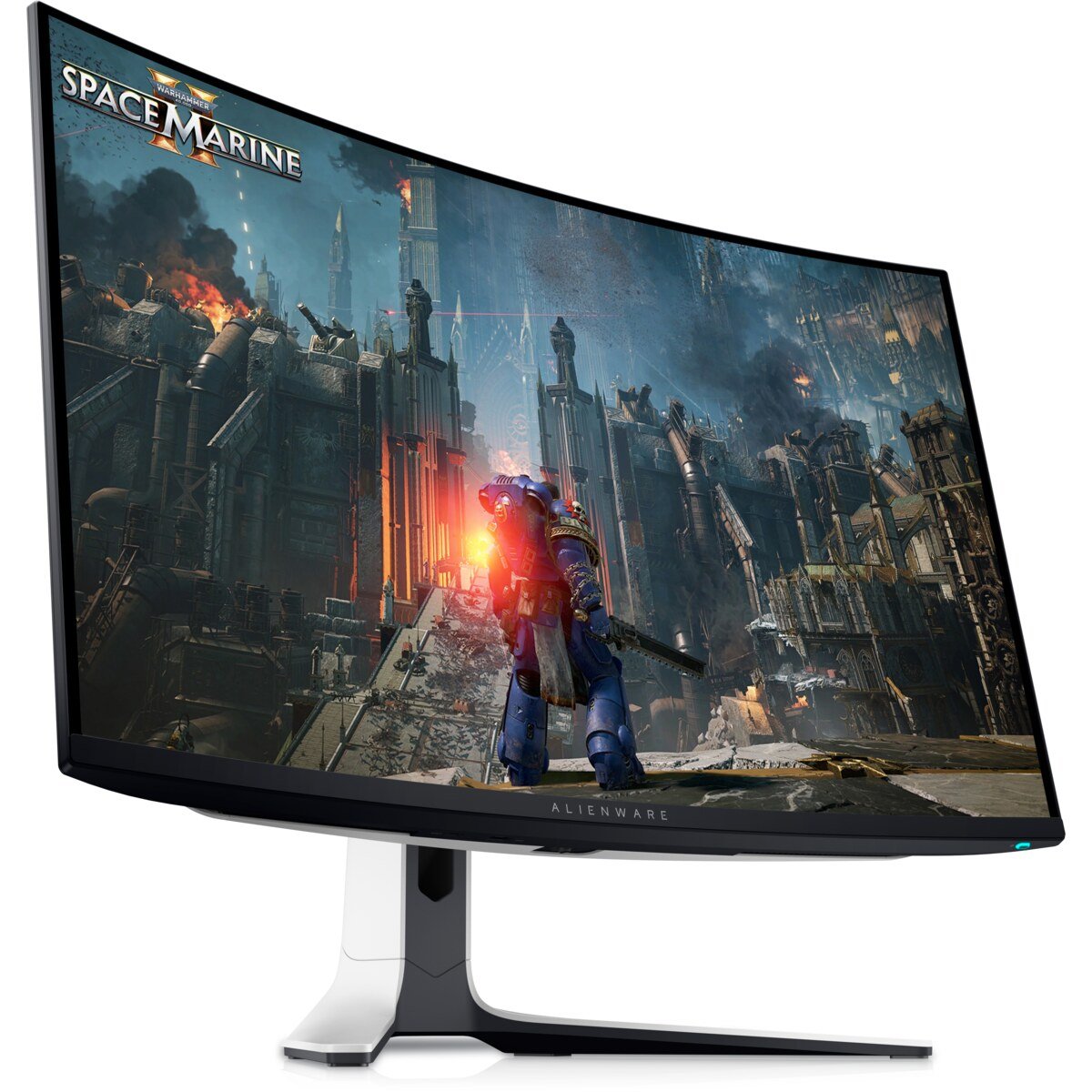
Alienware AW3225QF
32-inch curved 4K OLED, two HDMI 2.1 ports. Most cinematic Vice City.
Check Price on AmazonBlack Friday tip: several of these monitors are discounted on Amazon right now. Prices move fast during launch week, so check the live price before you buy.
Quick Comparison: Best GTA 6 Monitors for PS5 and Xbox
| Monitor | Screen | Panel | Best for | Deal |
|---|---|---|---|---|
| ASUS ROG Swift OLED PG27UCDM | 27-inch 4K | QD-OLED | Best overall | Check Price |
| Alienware AW3225QF | 31.6-inch curved 4K | QD-OLED | Big-screen immersion | Check Price |
| Samsung Odyssey OLED G8 | 27-inch 4K | QD-OLED | OLED on a smaller budget | Check Price |
| Sony INZONE M9 II | 27-inch 4K | IPS Mini-LED | PlayStation owners | Check Price |
| Alienware AW2725Q | 26.7-inch 4K | QD-OLED | Xbox Series X | Check Price |
| Acer Nitro XV275K V3 | 27-inch 4K | IPS Mini-LED | Bright HDR on a budget | Check Price |
| Dell S2725QS | 27-inch 4K | IPS | Lowest-cost 4K at 120Hz | Check Price |
| Dell S3225QS | 31.5-inch 4K | VA | Big screen, small budget | Check Price |
| KOORUI S2721PM | 27-inch 4K | VA | Tightest budget | Check Price |
| LG 27GX790B | 27-inch 1440p | OLED | High refresh for PC | Check Price |
What GTA 6 Needs From a Monitor on PS5 and Xbox
Before choosing a screen, it helps to know what the consoles will actually send to it. Here is what is confirmed as of November 17, 2026.
- 30fps on every console. In its November 10 “Pre-Load Grand Theft Auto VI Now” post, Rockstar said the game is “targeting 30 frames per second while pushing both platforms to their absolute limits.” That applies to PS5, PS5 Pro and Xbox Series X|S. No 40fps or 60fps performance mode has been announced (Rockstar Newswire).
- PS5 Pro gets better image quality, not more frames. Rockstar says the PS5 Pro offers “improved clarity through PlayStation Spectral Super Resolution (PSSR) and ray-traced shadows only available on PlayStation 5 Pro.” Digital Foundry confirmed the frame rate stays at 30fps on Pro (Digital Foundry).
- Built around a 4K output. Rockstar hasn’t published official resolutions. Digital Foundry’s analysis of the August “Extended Look” footage, captured on a base PS5, found an internal resolution of about 1440p without dynamic scaling, upscaled to a 4K output, running at a “relatively stable and well-paced 30fps” (Digital Foundry). Final launch code may differ.
- Xbox details. Series X and Series S both target 30fps. Xbox One owners can stream the game through Xbox Cloud Gaming using Series S graphics settings, according to Rockstar.
- HDR, 120Hz and VRR. Rockstar has not detailed GTA 6’s HDR mode yet. Fans have reported 120Hz and VRR flags in the pre-load files, but Rockstar hasn’t confirmed them, so treat them as unconfirmed.
- No PC version announced. As of today, GTA 6 is console-only.
What this means for your monitor: image quality matters more than speed. A 4K panel shows the console’s output without rescaling, and the PS5 Pro’s PSSR clarity is easiest to see on a dense 4K screen. HDR and contrast (OLED or mini-LED) matter more than raw refresh rate. HDMI 2.1 still matters because it lets you run the PS5 or Xbox at 4K/120 system-wide, so menus and other 60/120fps games feel smooth, and it gives you headroom if Rockstar ever adds a faster mode.
The 10 Best Monitors for GTA 6 (PS5, PS5 Pro and Xbox Series X|S)
1. ASUS ROG Swift OLED PG27UCDM (27″ 4K QD-OLED) – Best Overall Monitor for GTA 6
Buy this if you want the sharpest, most cinematic GTA 6 picture a desk monitor can give a PS5, PS5 Pro or Xbox Series X.
Our verdict: This is the monitor we’d put in front of a PS5 Pro on launch night. Every pixel lights itself, so Vice City at 2 a.m. looks the way Rockstar’s trailers do: inky black streets, neon signs that glow without a gray haze around them, and headlights that actually sparkle. RTINGS currently names it the best monitor for PS5/PS5 Pro and for Xbox Series X, and it accepts every console signal, including 4K at 120Hz over HDMI 2.1.
Key specs
- 27-inch (26.5″ viewable) 4K QD-OLED, 240Hz max (consoles use up to 120Hz)
- HDMI 2.1 bandwidth: 4K @ 120Hz from PS5, PS5 Pro and Xbox Series X
- DisplayPort 2.1a UHBR20 for a future PC
- 0.03ms response time, G-SYNC Compatible / VRR
- 3-year warranty that ASUS says covers burn-in
Pros
- Per-pixel contrast makes GTA 6’s night scenes and HDR highlights pop
- Very dense 4K image at 27 inches keeps PS5 Pro PSSR detail crisp
- Supports every PS5/Xbox resolution and refresh mode
- Plenty of headroom if GTA 6 ever comes to PC
Cons
- Premium price, even on sale
- Lower full-screen brightness than mini-LED in a sunny room
- 240Hz is wasted on a 30fps console game
Who it’s for: Players who want the best possible picture for GTA 6 on PS5/PS5 Pro or Xbox Series X and sit at a normal desk distance.
2. Alienware AW3225QF (32″ Curved 4K QD-OLED) – Best 32-Inch Monitor for GTA 6
Buy this if you want GTA 6 to feel like a private movie screen on your desk.
Our verdict: If a 27-inch screen feels too small for a world as big as Leonida, this is the upgrade. The 32-inch curved QD-OLED panel wraps the drive along the coast around your field of view, and Dell’s spec sheet lists two full HDMI 2.1 FRL ports with 4K at 120Hz, VRR and auto low latency mode for consoles, plus eARC to pass Dolby Atmos to a soundbar. TechRadar has named it its overall pick for PS5.
Key specs
- 31.6-inch 1700R curved 4K QD-OLED, 240Hz
- 2x HDMI 2.1 FRL (4K 120Hz, VRR, ALLM for consoles), eARC
- Dolby Vision and VESA DisplayHDR True Black 400, up to 1000 nits peak (Dell)
- 99% DCI-P3, Delta E < 2 (Dell)
- 3-year Advanced Exchange warranty including OLED burn-in (Dell)
Pros
- Huge, immersive 4K OLED image for open-world driving
- Two HDMI 2.1 ports: PS5 and Xbox can both stay plugged in
- eARC is rare on monitors and great with a soundbar
- Burn-in covered by Dell’s warranty
Cons
- Curve is a matter of taste; some PS5 owners prefer flat
- Expensive
- No built-in speakers
Who it’s for: Players with a deep desk (about 3 feet / 90 cm viewing distance) who own both consoles or want maximum immersion.
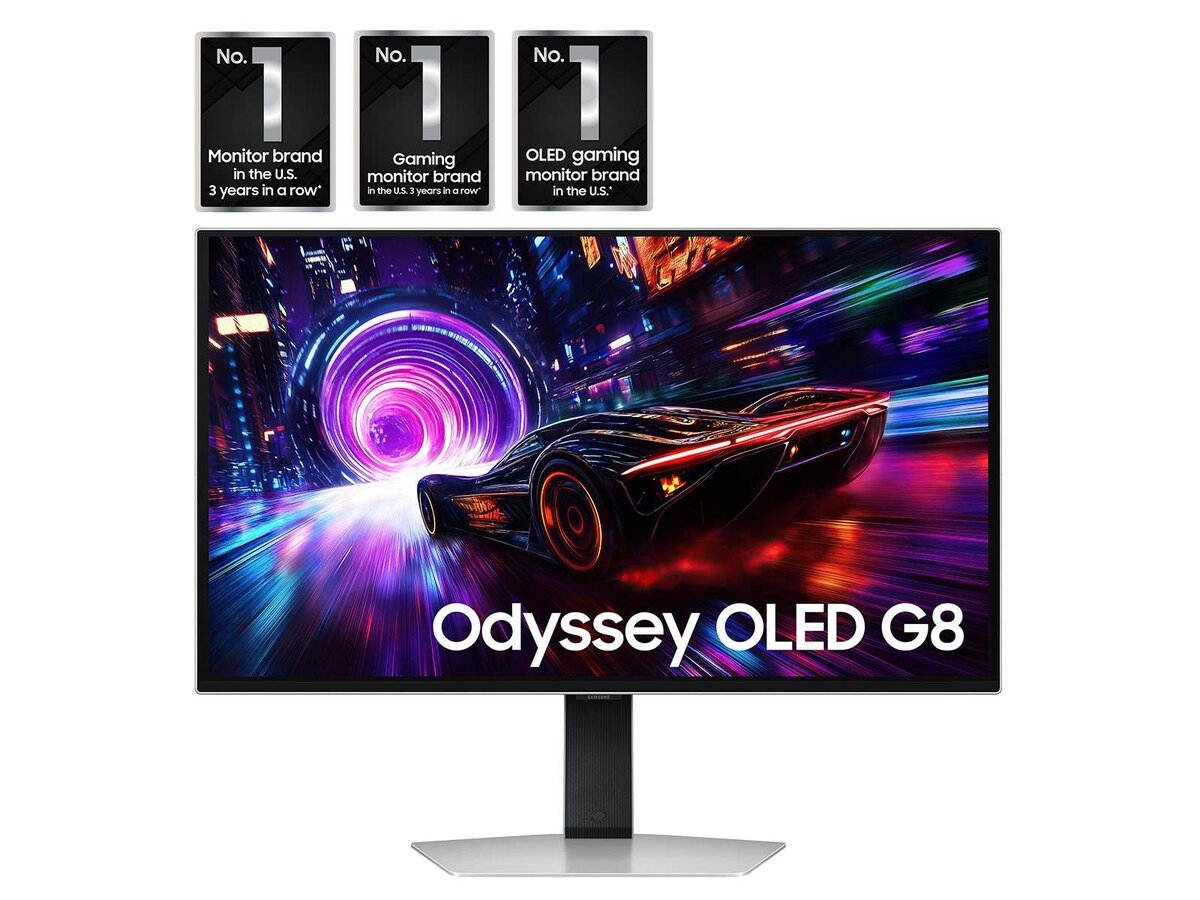
3. Samsung Odyssey OLED G8 G81SF (27″ 4K QD-OLED) – Best OLED Value Right Now
Buy this if you want the 4K OLED experience but your living space has windows behind you.
Our verdict: Samsung’s G81SF uses the same class of 27-inch 4K QD-OLED panel as our top pick, but with a glare-free matte coating that handles a bright room better. It has two HDMI 2.1 ports with full 48Gbps bandwidth (Tweakers), and RTINGS confirms it supports 4K at 120Hz from a PS5. It has been heavily discounted on Amazon this month, so it is worth checking the live price before you buy anything pricier.
Key specs
- 27-inch 4K QD-OLED, 240Hz, 0.03ms
- 2x HDMI 2.1 (48Gbps), 1x DisplayPort 1.4
- VESA DisplayHDR True Black 400, FreeSync Premium Pro
- Glare-free matte screen finish
- Pulsating heat pipe cooling to help against burn-in (Samsung)
Pros
- Same 4K OLED wow-factor for less money when it’s on sale
- Matte finish cuts reflections in daytime sessions
- Two HDMI 2.1 ports for PS5 + Xbox
Cons
- Matte coating makes blacks look slightly raised in bright rooms (RTINGS)
- No speakers or USB-C
- VRR flicker can appear if Samsung’s VRR Control is off (RTINGS)
Who it’s for: PS5 or Xbox players who want OLED picture quality and a cleaner image in a lit room, at a lower price than the flagships.
4. Sony INZONE M9 II (27″ 4K Full-Array Local Dimming) – Best Monitor for PS5 and PS5 Pro
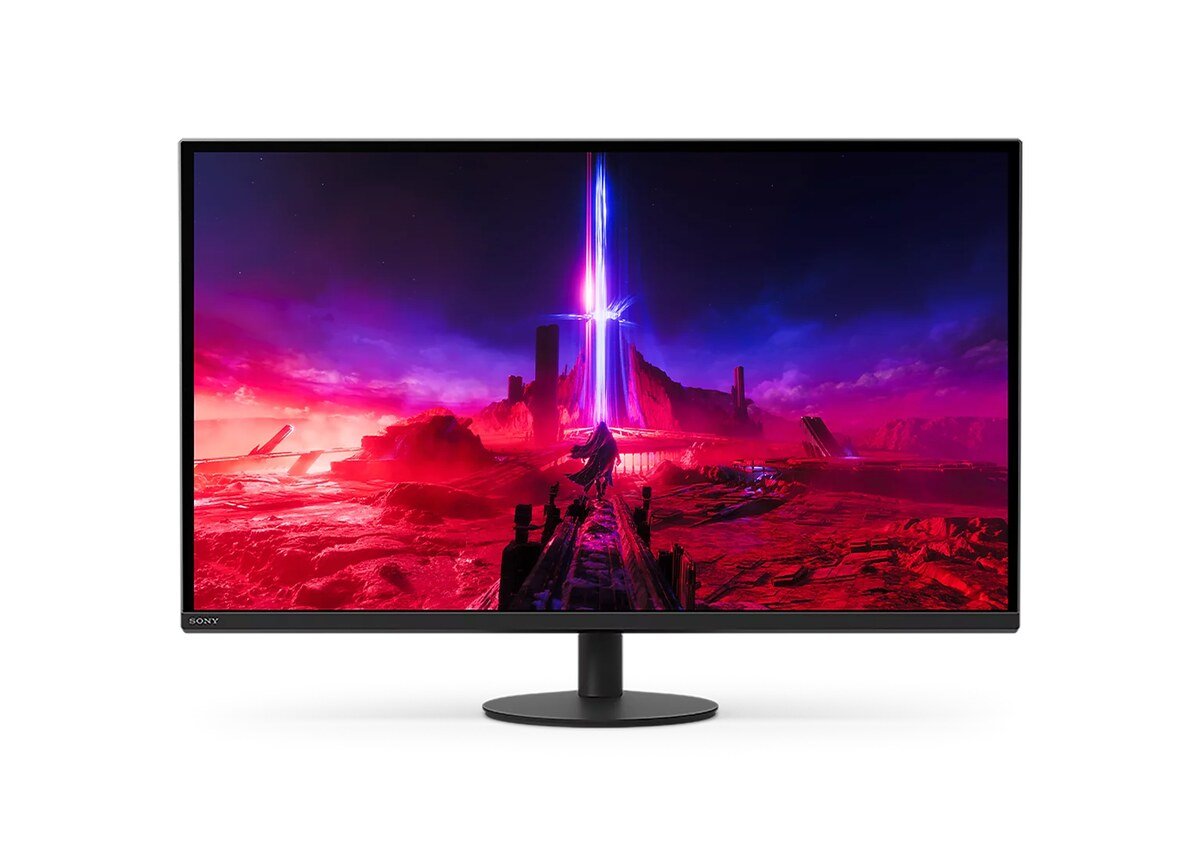
Buy this if you are all-in on PlayStation and want bright HDR without worrying about OLED burn-in.
Our verdict: Made by the company that makes the PS5, the INZONE M9 II is the no-fuss PlayStation choice. Full-array local dimming and DisplayHDR 600 certification give GTA 6’s Miami-style sunsets real punch, and an IPS panel means no burn-in worries if you leave the minimap and HUD on screen for 10-hour sessions. Its HDMI 2.1 ports take 4K at 120Hz from a PS5 or PS5 Pro. Built-in speakers mean you can play straight out of the box.
Key specs
- 27-inch 4K IPS with full-array local dimming
- 160Hz via DisplayPort, up to 144Hz via HDMI 2.1 (B&H)
- VESA DisplayHDR 600, up to 750 nits peak (Sony)
- Built-in speakers, 3-year limited warranty
- Low-profile stand
Pros
- Designed with PS5 owners in mind by Sony
- Bright HDR and zero burn-in risk
- Speakers included, so no extra purchase on day one
Cons
- Some blooming around bright objects on dark backgrounds (RTINGS notes low native contrast)
- Not as deep-black as OLED
- B&H lists it as discontinued, so stock may run thin
Who it’s for: PS5 and PS5 Pro owners who play long sessions with static HUD elements and want a bright, burn-in-free 4K screen.
5. Alienware AW2725Q (27″ 4K QD-OLED with Dolby Vision) – Best Monitor for Xbox Series X
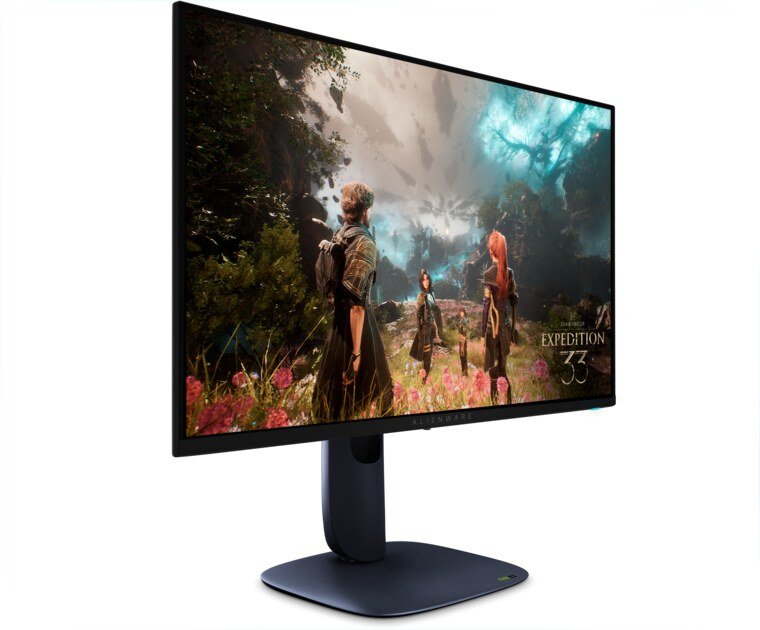
Buy this if you play on Xbox Series X and want Dolby Vision support in a compact 4K OLED.
Our verdict: Xbox Series X supports Dolby Vision for gaming, and the AW2725Q is one of the few 27-inch 4K OLED monitors whose listing includes Dolby Vision alongside VESA DisplayHDR True Black 400. You get a very dense 166 PPI 4K image, a 240Hz panel that easily handles the Series X’s 4K/120 output, and Dell’s typically strong warranty support. It also works perfectly well with a PS5 over HDMI.
Key specs
- 26.7-inch 4K QD-OLED, 240Hz, 0.03ms
- Dolby Vision, VESA DisplayHDR True Black 400
- 2x HDMI + 1x DisplayPort
- G-SYNC Compatible, FreeSync Premium Pro, VESA AdaptiveSync
- Matte anti-reflective coating
Pros
- Dolby Vision support pairs naturally with Xbox Series X
- Razor-sharp 166 PPI 4K
- Usually priced below the flagship 27-inch OLEDs
Cons
- Fewer extras (no USB-C hub) than pricier OLEDs
- Amazon listing has mixed user ratings, so check the seller and return window
- Standard OLED burn-in care still applies
Who it’s for: Xbox Series X owners (and PS5 owners) who want 4K OLED at a lower price than the ASUS.
6. Acer Nitro XV275K V3biipprx (27″ 4K Mini-LED, HDR1000) – Best Budget HDR Monitor for GTA 6
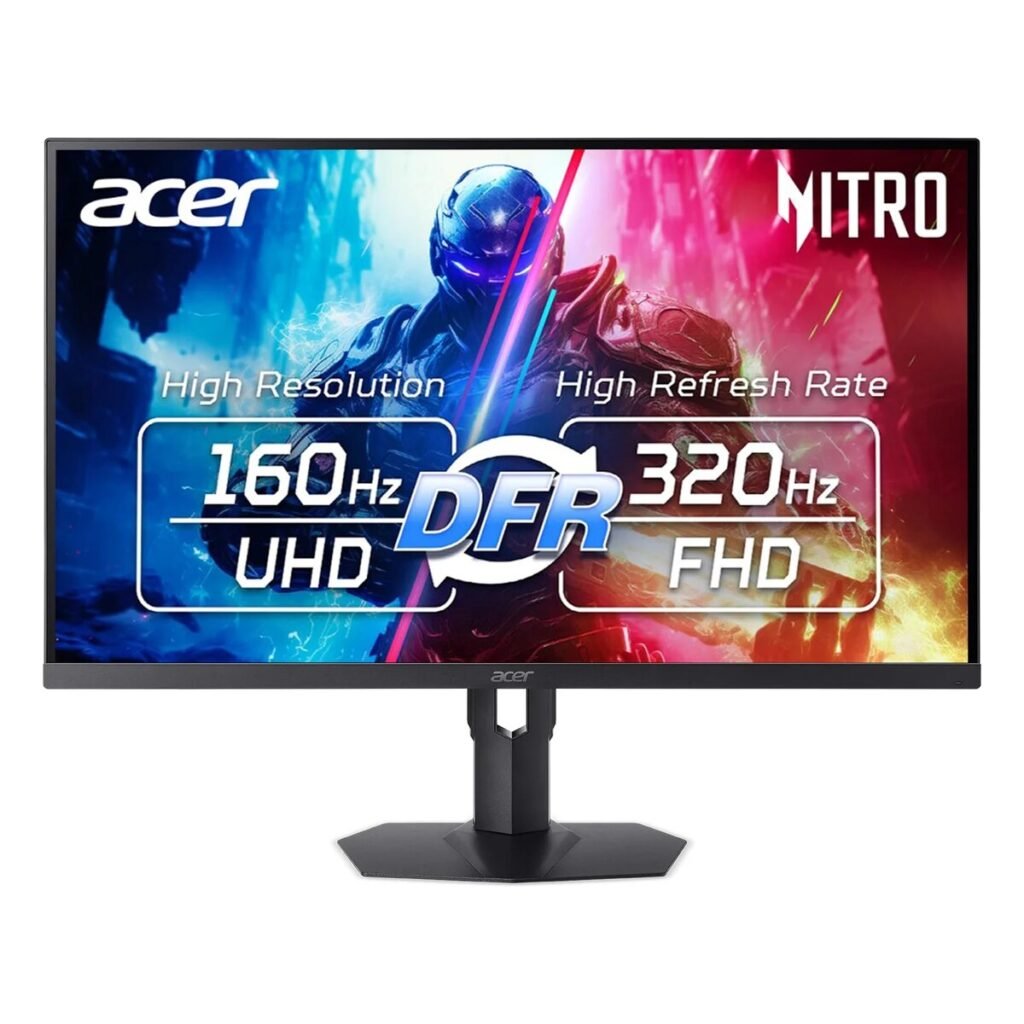
Buy this if you want blazing-bright 4K HDR for Vice City sunsets without paying OLED prices.
Our verdict: This is the HDR bargain of the list. A 1,152-zone mini-LED backlight and VESA DisplayHDR 1000 certification mean sunsets over the Leonida Keys and muzzle flashes in night shootouts can get genuinely bright, which no budget OLED can match. Acer lists two HDMI 2.1 ports and 4K at 160Hz over HDMI, so a PS5 or Xbox Series X runs at full 4K/120. Acer’s own store has shown it well below its $499.99 list price recently, so check today’s Amazon deal.
Key specs
- 27-inch 4K IPS, 1,152-zone mini-LED backlight
- VESA DisplayHDR 1000, 1000 nits peak (Acer)
- 2x HDMI 2.1 (4K 160Hz over HDMI per Acer), 2x DisplayPort 1.4
- Dual mode: 4K 160Hz or 1080p 320Hz
- 99% Adobe RGB, 97% DCI-P3 (Acer)
Pros
- Brightest HDR in this price range
- 4K/120 from PS5 and Xbox over HDMI 2.1
- No burn-in risk
Cons
- Some blooming, as with all mini-LED
- Acer lists FreeSync as ‘DisplayPort VRR’, so HDMI VRR on consoles is unconfirmed (less important at 30fps)
- Amazon user ratings are mixed
Who it’s for: Budget-minded PS5/Xbox players who want real HDR impact for GTA 6 and play in a bright room.
7. Dell 27 Plus 4K S2725QS (27″ 4K 120Hz IPS) – Best Budget 4K 120Hz Monitor
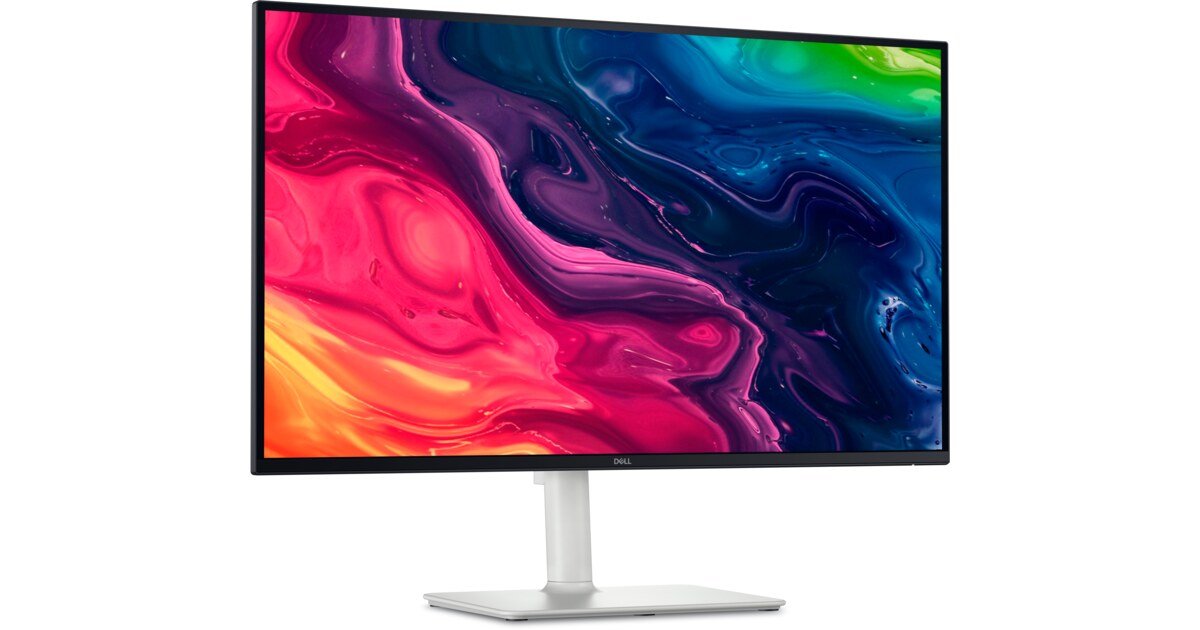
Buy this if you want a crisp 4K screen for GTA 6 for the least money possible.
Our verdict: GTA 6 is built around a 4K output, and the S2725QS is one of the cheapest ways to see it pixel-for-pixel. RTINGS lists it as its budget 4K/120Hz pick for PS5, with VRR support. It’s a bright, sharp, well-built IPS panel with an adjustable stand and surprisingly decent 2x5W speakers. It’s also one of Amazon’s best-selling 4K monitors.
Key specs
- 27-inch 4K IPS, 120Hz, AMD FreeSync Premium
- 350 nits, 1500:1 contrast, 99% sRGB (Dell)
- HDMI and DisplayPort inputs; accepts 4K 120Hz from consoles (RTINGS)
- Integrated 2x 5W speakers
- Height, swivel and pivot adjustable stand
Pros
- Very low price for true 4K 120Hz
- Sharp, clean image for HUD text and maps
- Speakers and a good stand included
Cons
- HDR is entry-level: don’t expect bright highlights
- IPS contrast makes night scenes look grayish next to OLED or mini-LED
- Average motion handling (RTINGS)
Who it’s for: Students and casual players who want GTA 6 in sharp 4K and will add an HDR screen later.
8. Dell 32 Plus 4K S3225QS (32″ 4K 120Hz VA) – Best Budget 32-Inch Monitor
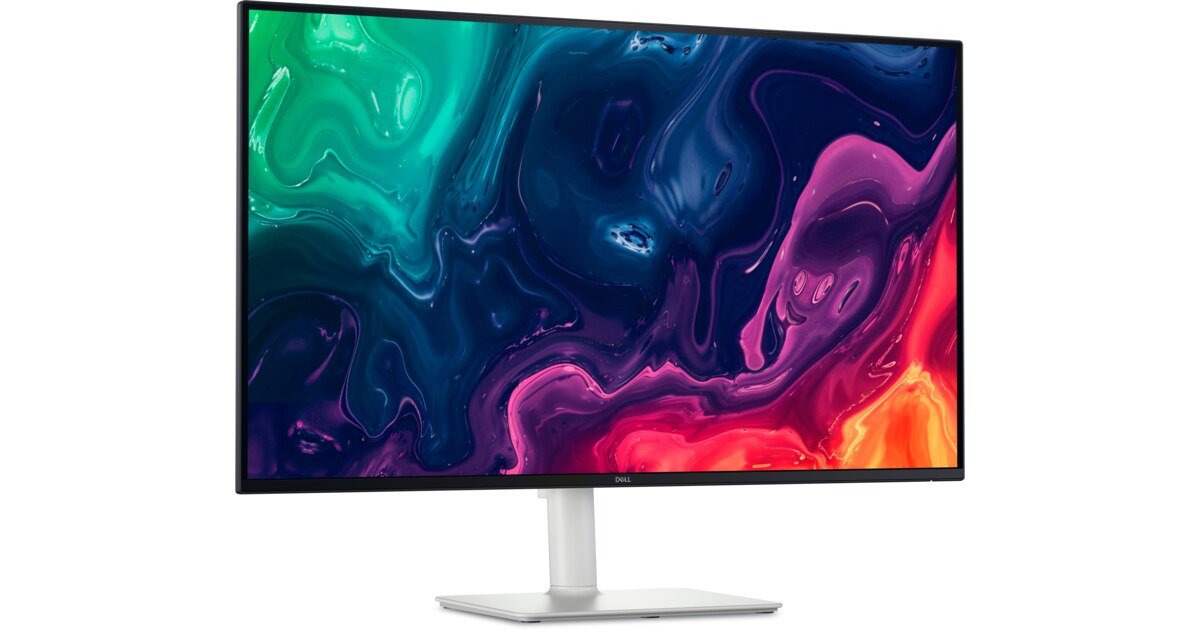
Buy this if you want a big 32-inch 4K screen for GTA 6 and don’t want to spend OLED money.
Our verdict: Want size over everything? The S3225QS gives you a 31.5-inch 4K canvas with two HDMI 2.1 ports that accept 4K at 120Hz with HDR and VRR (Dell, IT Pro). Its VA panel has roughly double the contrast of a typical IPS (3000:1 vs 1500:1 on Dell’s spec sheets), which helps GTA 6’s darker interiors and night streets look deeper than on the 27-inch Dell.
Key specs
- 31.5-inch 4K VA, 120Hz, FreeSync Premium
- 2x HDMI 2.1 (4K 120Hz, HDR, VRR), 1x DisplayPort 1.4
- 3000:1 contrast, 99% sRGB, 95% DCI-P3 (Dell)
- Built-in 2x 5W speakers
- Height and tilt adjustable stand
Pros
- Biggest screen for the money in this guide
- Better contrast than IPS budget options
- Two HDMI 2.1 ports for two consoles
Cons
- Motion clarity is just okay; VA smearing in dark scenes
- HDR is basic
- No USB hub
Who it’s for: PS5/Xbox players who sit a bit further back or simply want a bigger 4K screen on a budget.
9. KOORUI S2721PM (27″ 1440p Mini-LED, HDR1000) – Best 1440p Monitor for PS5
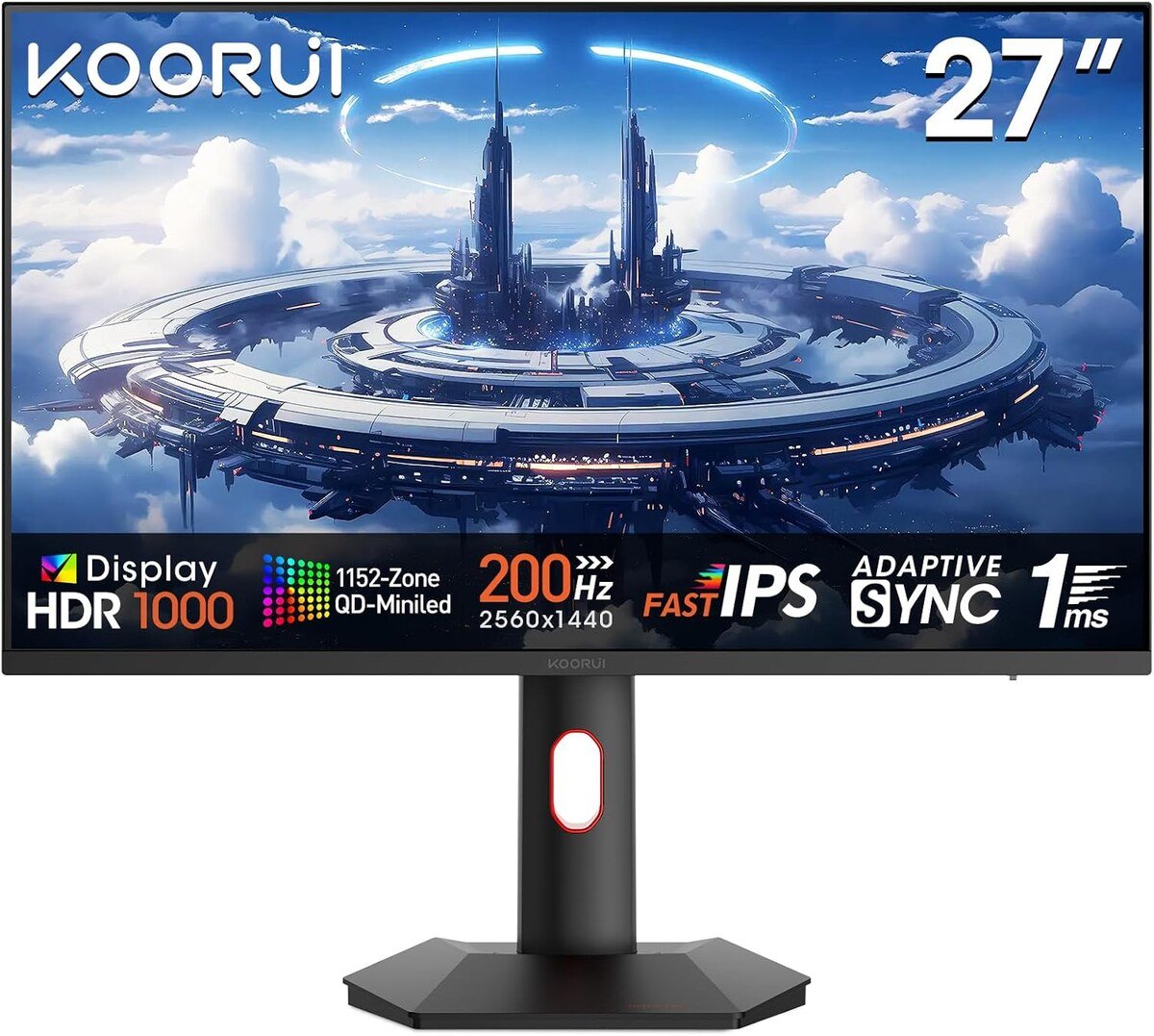
Buy this if your budget is tight and you play on PS5 at 1440p.
Our verdict: RTINGS picked the S2721PM as its budget PS5 monitor because it supports PS5 VRR at 1440p and 120Hz. For GTA 6, the bigger story is its mini-LED backlight and DisplayHDR 1000 badge, which is remarkable at this price. You won’t get 4K (it has HDMI 2.0, not 2.1), so the console will scale its 4K-targeted image down to 1440p, but on a 27-inch screen at desk distance it still looks clean.
Key specs
- 27-inch 1440p IPS with mini-LED backlight
- Up to 200Hz (PC); PS5/Xbox up to 1440p 120Hz
- DisplayHDR 1000 (KOORUI listing)
- HDMI 2.0 + DisplayPort 1.4
- Height adjustable, rotatable stand
Pros
- Real HDR brightness for very little money
- RTINGS-verified PS5 VRR at 1440p
- Great for a second console or kids’ room
Cons
- No 4K or 4K/120 (HDMI 2.0 only)
- Some blooming and calibration quirks
- Xbox only enables HDR at 4K output, so Xbox players lose HDR at 1440p
Who it’s for: PS5 owners on a tight budget who still want bright HDR for GTA 6.
10. AOC Q27G3XMN (27″ 1440p Mini-LED, HDR1000) – Best Cheap Contrast Pick
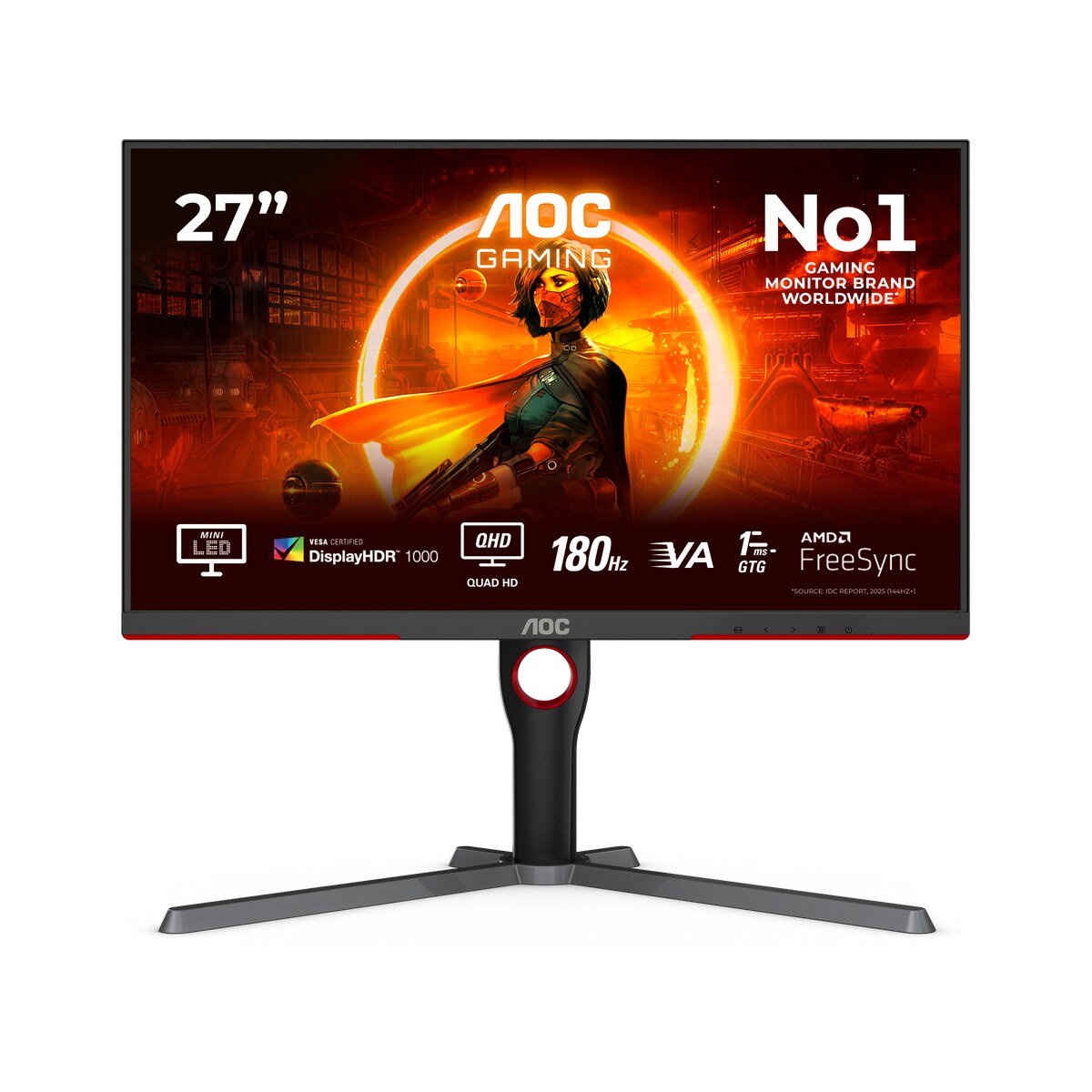
Buy this if dark, moody night scenes matter more to you than 4K sharpness.
Our verdict: The Q27G3XMN combines a high-contrast VA panel with a 336-zone mini-LED backlight, so night drives through Vice City get deeper blacks than any IPS monitor near its price. It was RTINGS’ long-time budget favorite; they recently swapped it out because it doesn’t support VRR with the PS5. Since GTA 6 targets 30fps, VRR matters less here than usual, which keeps this a strong value pick.
Key specs
- 27-inch 1440p VA with 336-zone mini-LED
- 180Hz via DisplayPort; consoles up to 1440p 120Hz over HDMI 2.0
- VESA DisplayHDR 1000 (AOC)
- Height-adjustable stand, VESA mount
- 1ms GtG (AOC)
Pros
- Excellent contrast for night scenes
- Bright HDR for the price
- Often one of the cheapest mini-LED monitors on Amazon
Cons
- No PS5 VRR (RTINGS)
- No 4K; HDMI 2.0 only
- Some dark-scene smearing typical of VA
Who it’s for: Budget PS5 players who care most about deep blacks and HDR punch.
Buying Guide: How to Choose a Monitor for GTA 6 on PS5 and Xbox
HDMI 2.1: do you need it?
For 4K at 120Hz from a PS5, PS5 Pro or Xbox Series X, yes. HDMI 2.0 tops out at 4K 60Hz (or 1440p 120Hz). GTA 6 itself targets 30fps, so HDMI 2.1 isn’t strictly required for this one game, but it keeps the console in its best 4K/120 mode for everything else you play and protects you if a faster GTA 6 mode ever appears. Every 4K pick in this guide supports 4K/120 from consoles.
4K vs 1440p for GTA 6
Choose 4K if you can. GTA 6 is designed around a 4K output, so a 4K monitor shows exactly what the console renders, and PS5 Pro owners get the full benefit of PSSR’s sharper image. 1440p monitors still work well: the PS5 supports 1440p output (with VRR), and Xbox Series X|S both support 1440p at 120Hz. The catch is that the console scales its 4K-targeted image down. Xbox users take note: Xbox currently enables HDR only at 4K output, so a 1440p monitor means playing GTA 6 without HDR on Xbox (ViewSonic).
Refresh rate: is 120Hz worth it for a 30fps game?
For GTA 6 alone, refresh rate barely matters, since the game targets 30fps. But 120Hz makes console menus, the PS5/Xbox dashboard and other 60–120fps games smoother, and every monitor here supports at least 120Hz from consoles. Don’t pay extra for 240Hz+ just for consoles. It’s only useful if you also game on PC.
VRR (Variable Refresh Rate)
VRR smooths out frame-rate dips. On PS5, VRR’s range typically starts around 48Hz unless a game adds low framerate compensation, so its benefit at GTA 6’s 30fps target may be small. Xbox Series X|S apply low framerate compensation at the system level. It’s a nice extra, not a deal-breaker, for this game.
HDR: the feature you’ll actually notice
This is where GTA 6 will shine: neon reflections on wet streets, sunsets over the Keys, headlights at night. “HDR400” badges on basic LCDs don’t deliver much. For real HDR, look for OLED (DisplayHDR True Black 400 and up) or mini-LED with many dimming zones (DisplayHDR 600–1000). OLED gives perfect blacks; mini-LED gets brighter in sunny rooms.
Screen size and viewing distance
At a typical desk distance of 24–32 inches (60–80 cm), 27-inch 4K is the sweet spot for sharpness. If you sit further back (about 3 feet / 90 cm), 32-inch 4K feels more immersive. 1440p looks best at 27 inches or smaller.
OLED burn-in: should you worry?
GTA 6 has a static minimap and HUD, and long sessions are likely. Modern QD-OLED monitors include pixel-refresh routines, and several (ASUS PG27UCDM, Alienware AW3225QF) come with warranties that the makers say cover burn-in. Vary your content, let the monitor run its care cycles, and lower HUD opacity if the game allows it. If you play 8+ hours a day with the same HUD, a mini-LED or IPS monitor (Sony INZONE M9 II, Acer XV275K V3) removes the risk entirely.
PS5 and curved monitors
Curved screens like the AW3225QF work fine with PS5 and Xbox. It’s a personal preference: curves add immersion at 32 inches, while flat screens suit 27-inch setups and shared viewing.
Best PS5 and Xbox Settings for GTA 6 on a Monitor
PS5 / PS5 Pro
- Settings > Screen and Video > Video Output: set Resolution to Automatic (it will choose 2160p on 4K monitors) and 4K Video Transfer Rate to Automatic. If you see flickering or a black screen, try -1 or -2.
- Enable 120Hz Output: Automatic. This won’t make GTA 6 faster, but it keeps other games smooth.
- VRR: Automatic, if your monitor supports it on PS5.
- HDR: On When Supported, then run Adjust HDR with your monitor in its HDR mode. Raise brightness until the symbol just disappears on each screen.
- RGB Range / Deep Color: Automatic.
- Monitor side: turn on the monitor’s HDR mode or console mode, enable any “Auto Low Latency” or game mode, and set overdrive to a medium setting on LCDs.
Xbox Series X|S
- Settings > General > TV & display options: set Resolution to 4K UHD (Series X) and Refresh rate to 120Hz if your monitor supports it.
- Video modes: enable Auto Low-Latency Mode, Variable Refresh Rate, Allow 4K, Allow HDR10, and Auto HDR. Enable Dolby Vision for gaming only if your monitor supports it (for example, the Alienware AW2725Q or AW3225QF).
- Calibrate HDR for games: run the Xbox HDR Game Calibration app once on your monitor.
- 1440p monitors: remember that Xbox disables HDR below 4K output, so set expectations accordingly.
In-game: Rockstar hasn’t published GTA 6’s full graphics menu yet. Once you’re in, look for HDR peak brightness or calibration sliders and match them to your monitor’s peak brightness (for example, around 1000 nits on the Acer XV275K V3 or AW3225QF, and lower values on entry-level panels). We’ll update this section after launch.
Which Monitor Should You Buy for GTA 6?
- Want the best picture, money no object? Get the ASUS ROG Swift OLED PG27UCDM, or the Alienware AW3225QF if you want 32 inches and a curve.
- Want OLED for less? The Samsung Odyssey OLED G8 G81SF has been heavily discounted on Amazon this month. Check the live price.
- PS5 or PS5 Pro owner who hates burn-in worries? The Sony INZONE M9 II is made for you.
- Xbox Series X owner? The Alienware AW2725Q adds Dolby Vision to a compact 4K OLED.
- Want bright HDR on a budget? The Acer Nitro XV275K V3 is the mini-LED bargain.
- Just want 4K as cheaply as possible? The Dell S2725QS (27″) or Dell S3225QS (32″).
- Tight budget, PS5, okay with 1440p? The KOORUI S2721PM or, for deeper blacks, the AOC Q27G3XMN.
GTA 6 Monitor FAQ
Does GTA 6 run at 60fps on PS5 Pro?
No. Rockstar confirmed GTA 6 targets 30fps on all consoles, including PS5 Pro. The Pro adds PSSR upscaling for a clearer image and exclusive ray-traced shadows instead.
Do I need a 4K 120Hz monitor for GTA 6?
You need 4K more than 120Hz. GTA 6 is designed around a 4K output at a 30fps target, so a 4K monitor gives the sharpest picture. 120Hz via HDMI 2.1 is a bonus for other games and console menus.
Is a 1440p monitor okay for GTA 6 on PS5?
Yes. PS5 supports 1440p output, and the game will look clean on a 27-inch 1440p screen. You’ll lose some sharpness compared to 4K. On Xbox, a 1440p monitor also means no HDR, because Xbox enables HDR only at 4K output.
Is OLED or mini-LED better for GTA 6?
OLED gives perfect blacks and the best night scenes, which suits Vice City’s neon nights. Mini-LED gets brighter and has no burn-in risk, which suits bright rooms and very long sessions with a static HUD.
Will GTA 6 come to PC?
No PC version has been announced as of November 17, 2026. If you might switch to PC later, a 240Hz 4K OLED like the PG27UCDM or AW3225QF is the most future-proof choice.
Does VRR help in GTA 6?
Probably only a little. GTA 6 targets 30fps, and PS5 VRR typically works from about 48Hz up unless a game adds low framerate compensation. Rockstar hasn’t confirmed VRR support for GTA 6.
Can I use a TV instead of a monitor?
Yes, and from a couch a big 4K TV makes sense. A monitor is the better pick for a desk setup, a bedroom, or anyone who sits within 3 feet of the screen.
Final Verdict
GTA 6 is a 30fps, 4K-output, visually dense game, so the best monitor for GTA 6 on PS5 and Xbox is one that puts image quality first: 4K resolution, HDMI 2.1 and strong HDR. The ASUS ROG Swift OLED PG27UCDM is our top pick for most players. Go with the Alienware AW3225QF for a bigger, more cinematic screen, or the Dell S2725QS if you just want sharp 4K on a budget. With launch day almost here and Black Friday deals already live, now is a good time to lock in your screen before November 19.

Wyatt Foster is a seasoned gaming and tech writer known for her engaging writing style and in-depth analysis of the latest monitors. With a keen eye for design and a love for all things pixelated, he guides readers through the ever-evolving landscape of gaming displays, making complex concepts accessible to both tech enthusiasts and casual gamers.